How to Change Working Hours and Add a Day Off
- Open the Bookla Portal.
- Navigate to the "Reservations" section.
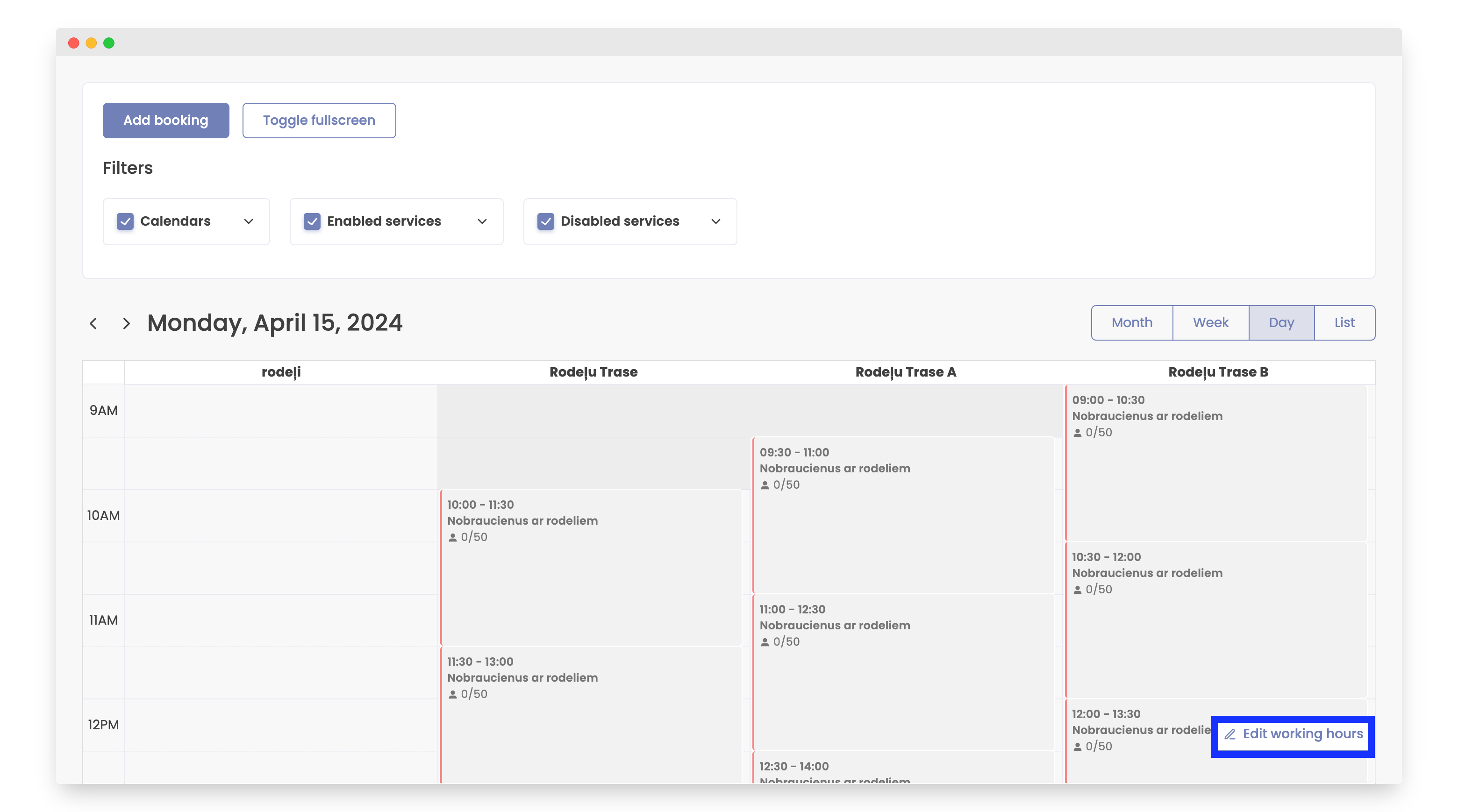
- Click the "Edit working hours" button.
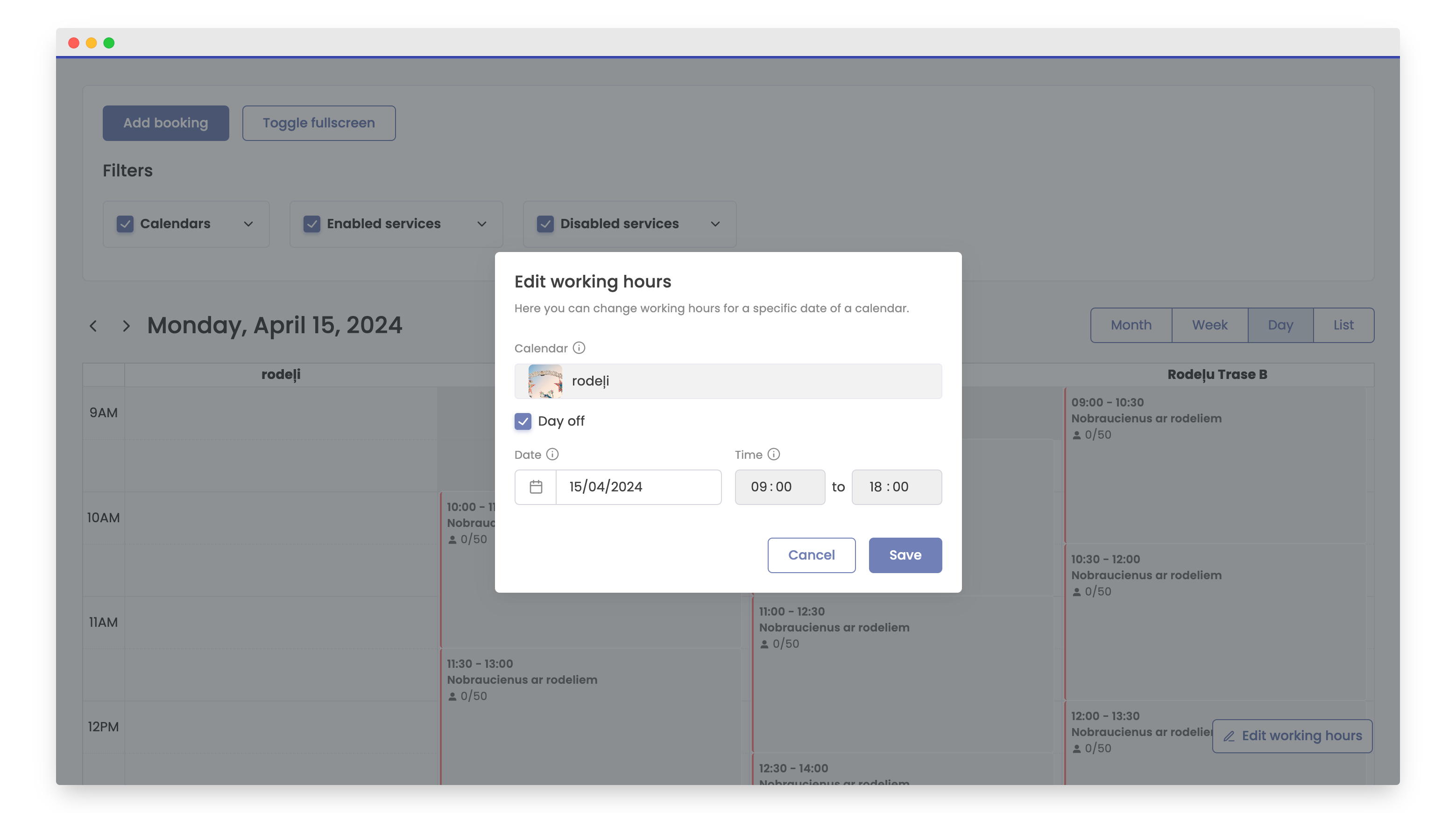
- To change the time for a specific date, edit the date and time.
- To add a day off, select the date and click on "Day off".
- Click button "Save".