How to create reservation for client
Reservations on Bookla are important because these slots allow your clients to book appointments.This function can be useful if your client calls you and want to make reservation, we also got you covered on how to create a client for reservation if client hasn't been registered on Bookla system.
How to do it:
-
Open Bookla Portal
-
Go to the "Reservations" section.
-
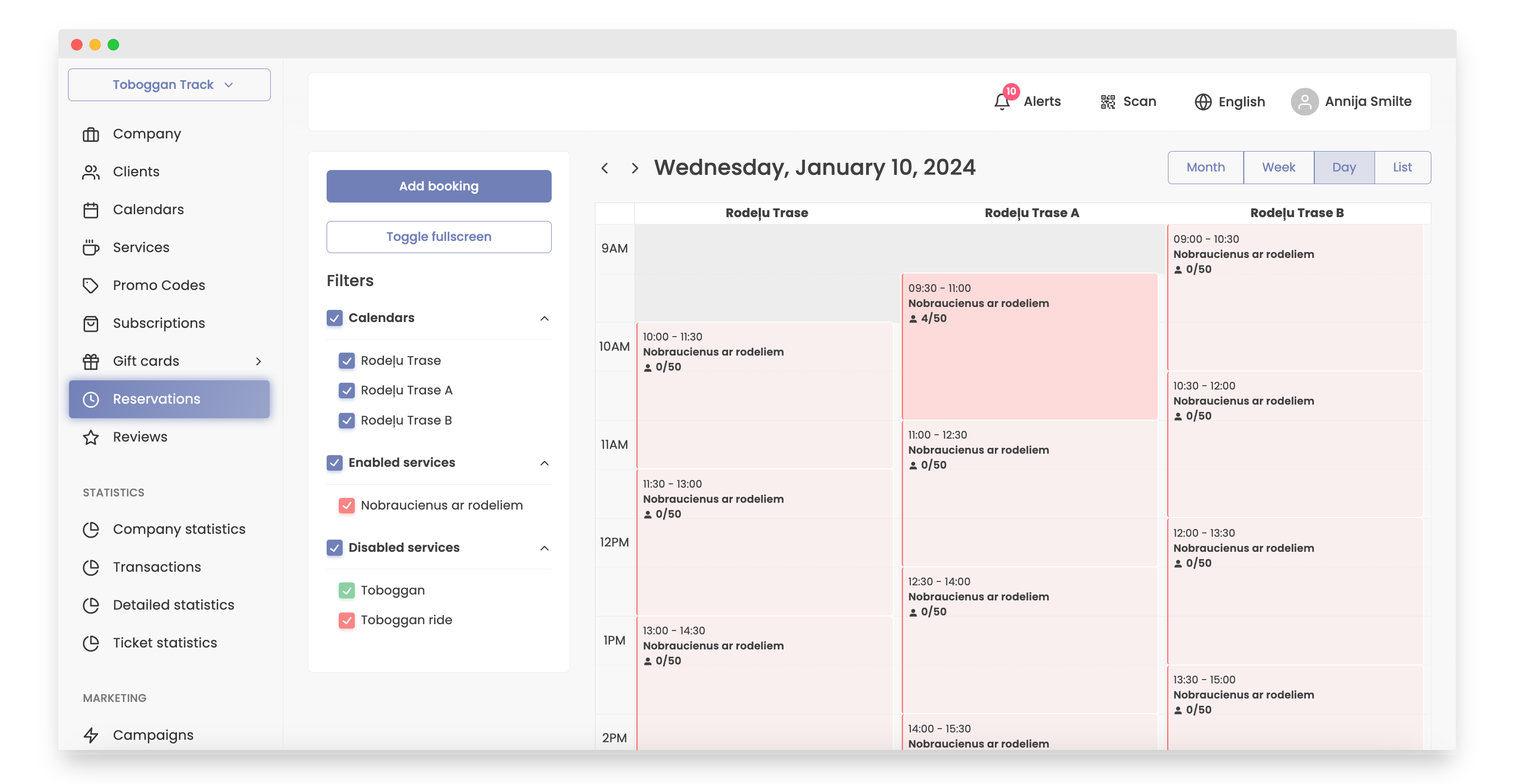
Click on the time slot client wants to book the reservation.
-
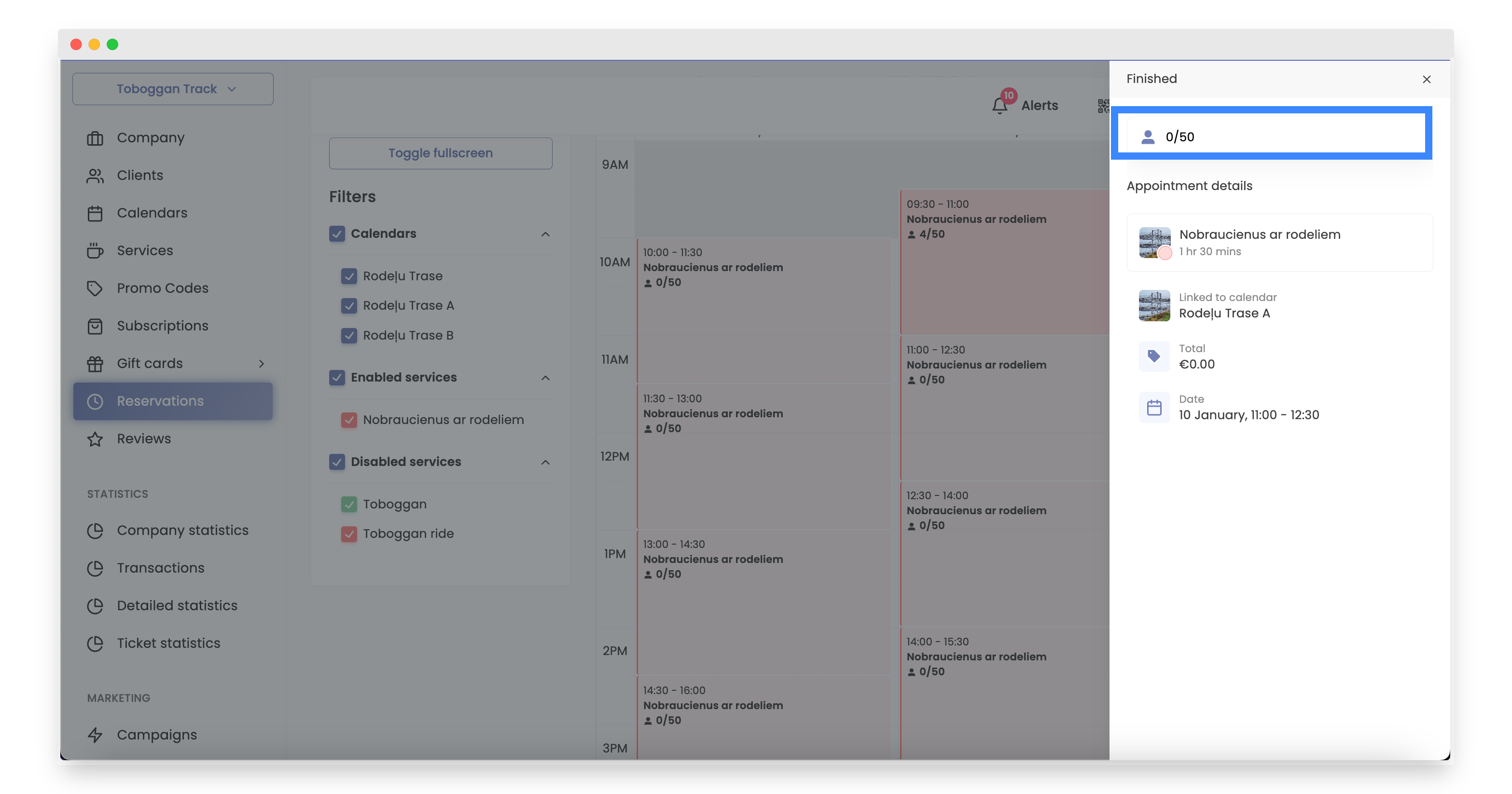
Click on amount of clients.
-
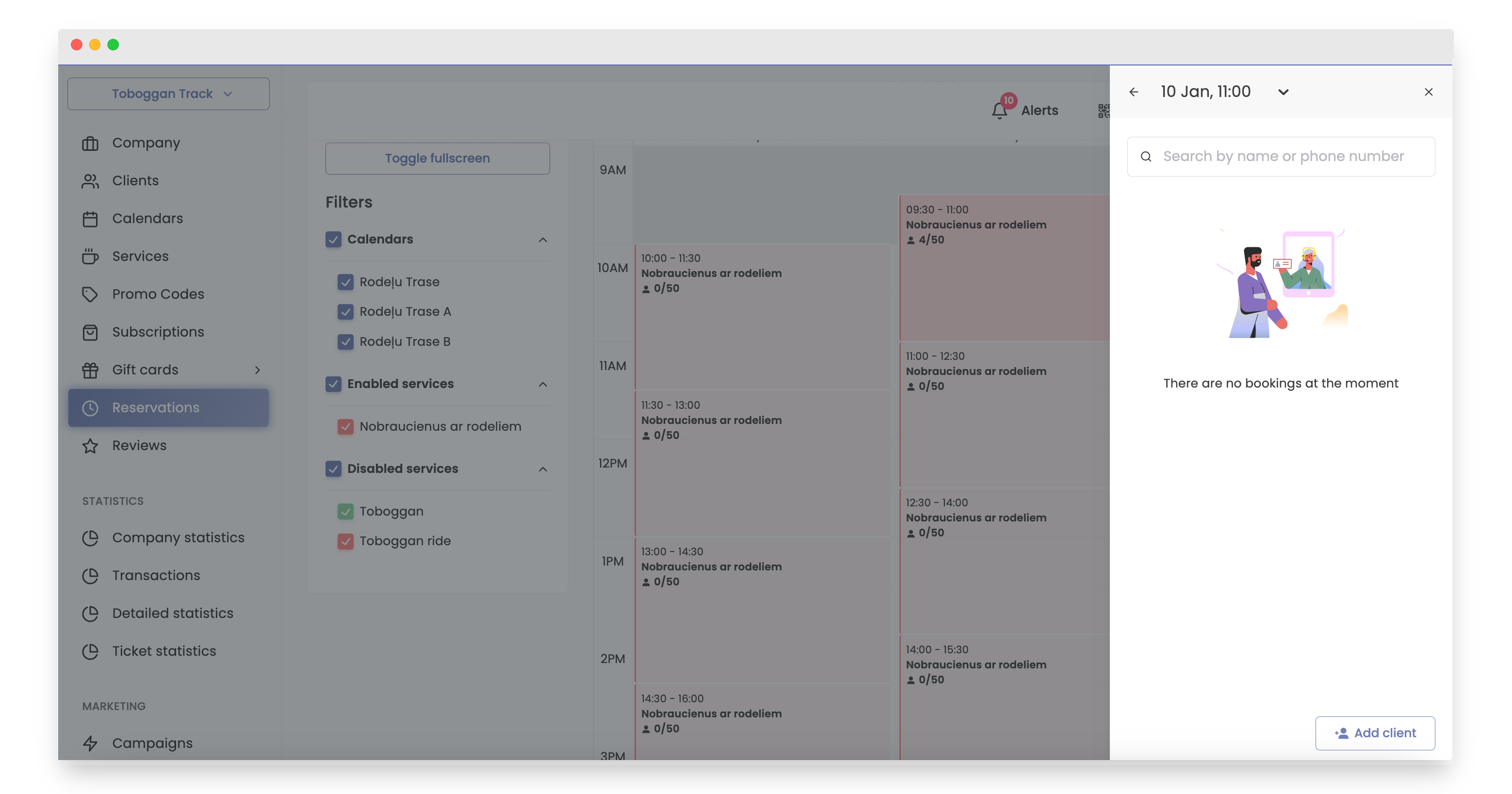
Click button “add client”.
-
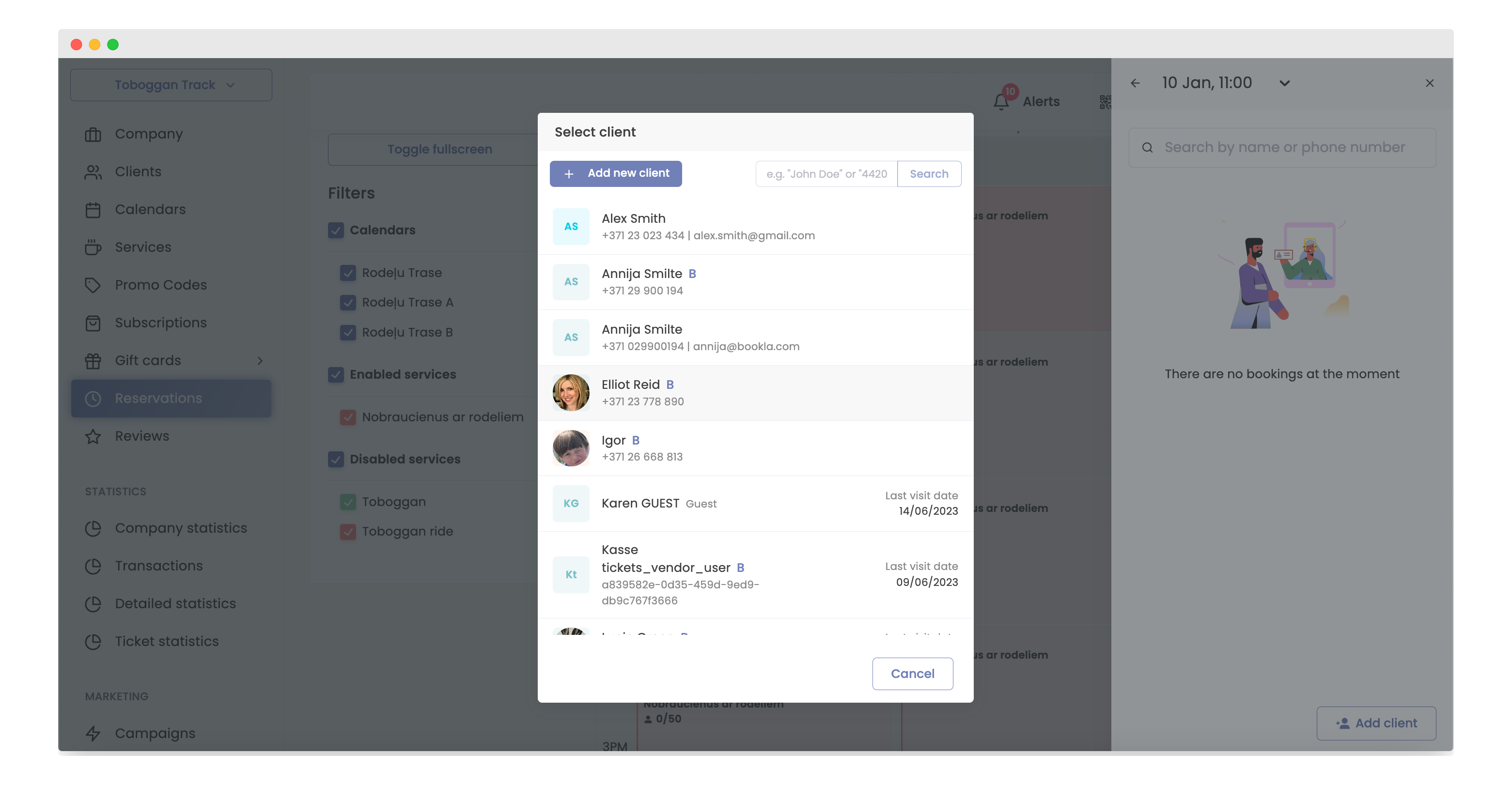
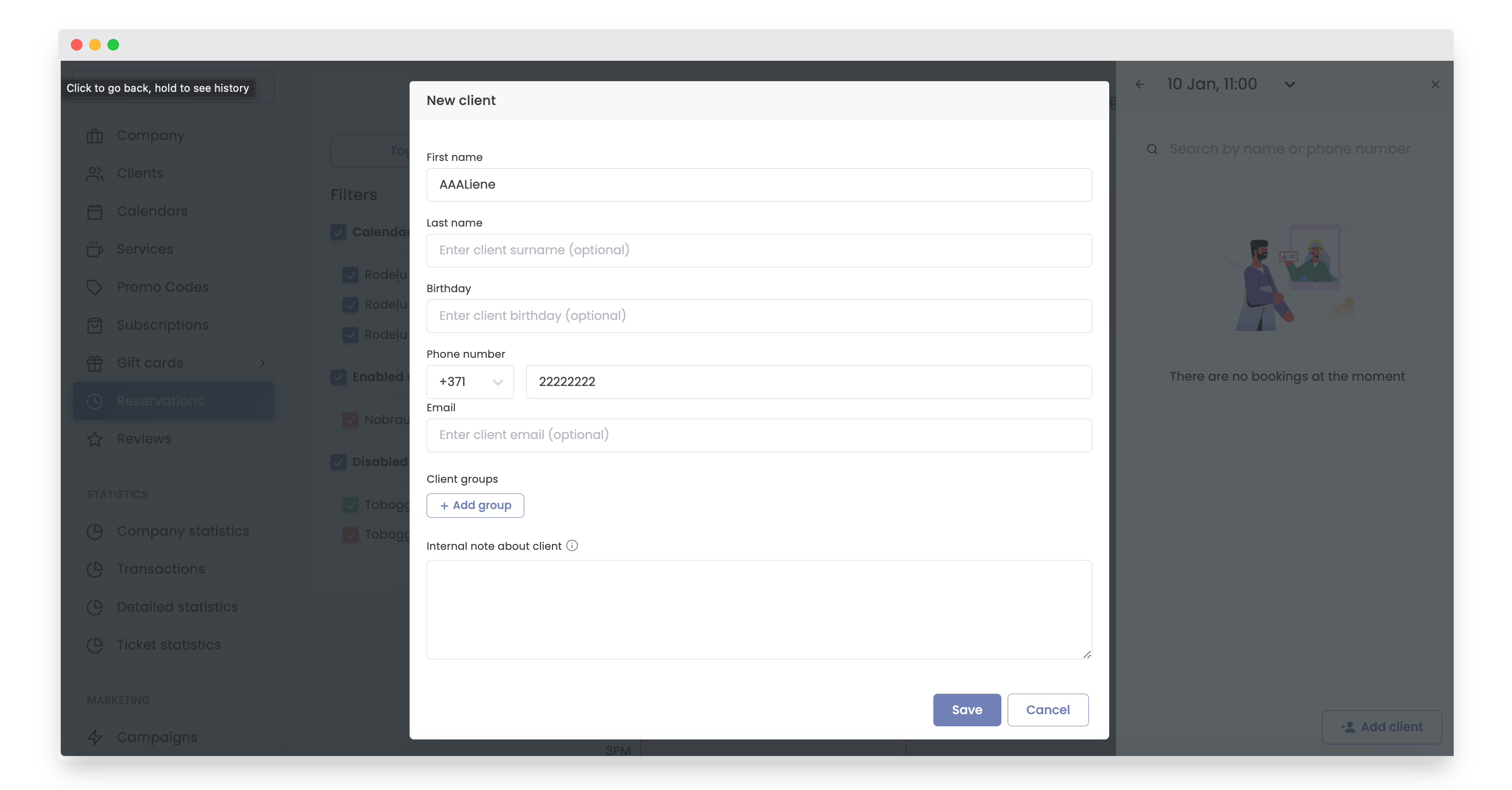
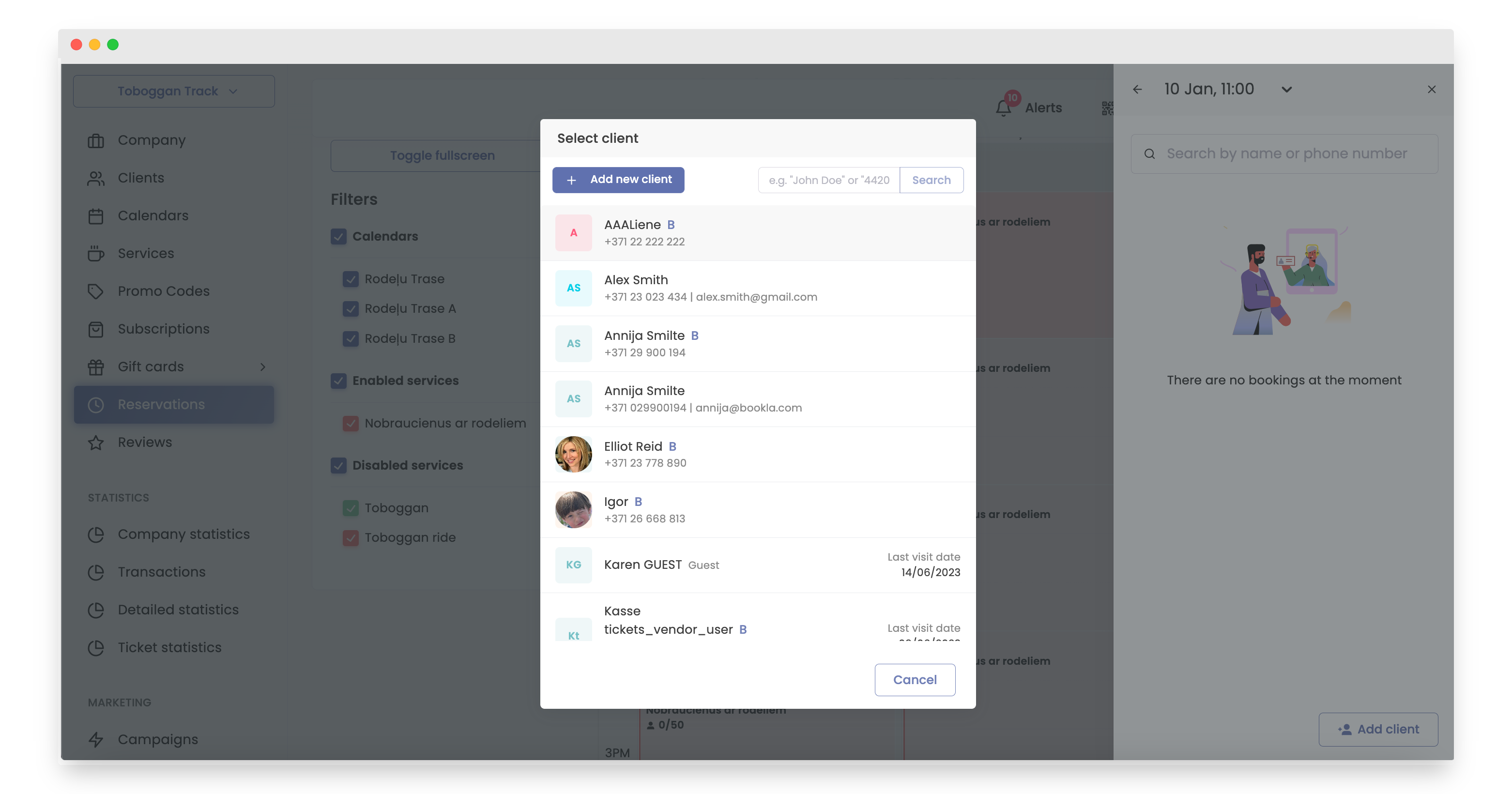
Now, either choose an existing client or create a new one by clicking 'Add new client'.
-
Enter the client's information, including the first name and phone number. Optionally, you can add the last name, birthday, email, assign to client groups, and include any necessary notes.
-
Click the button “Save”.
-
Click on the client.
-
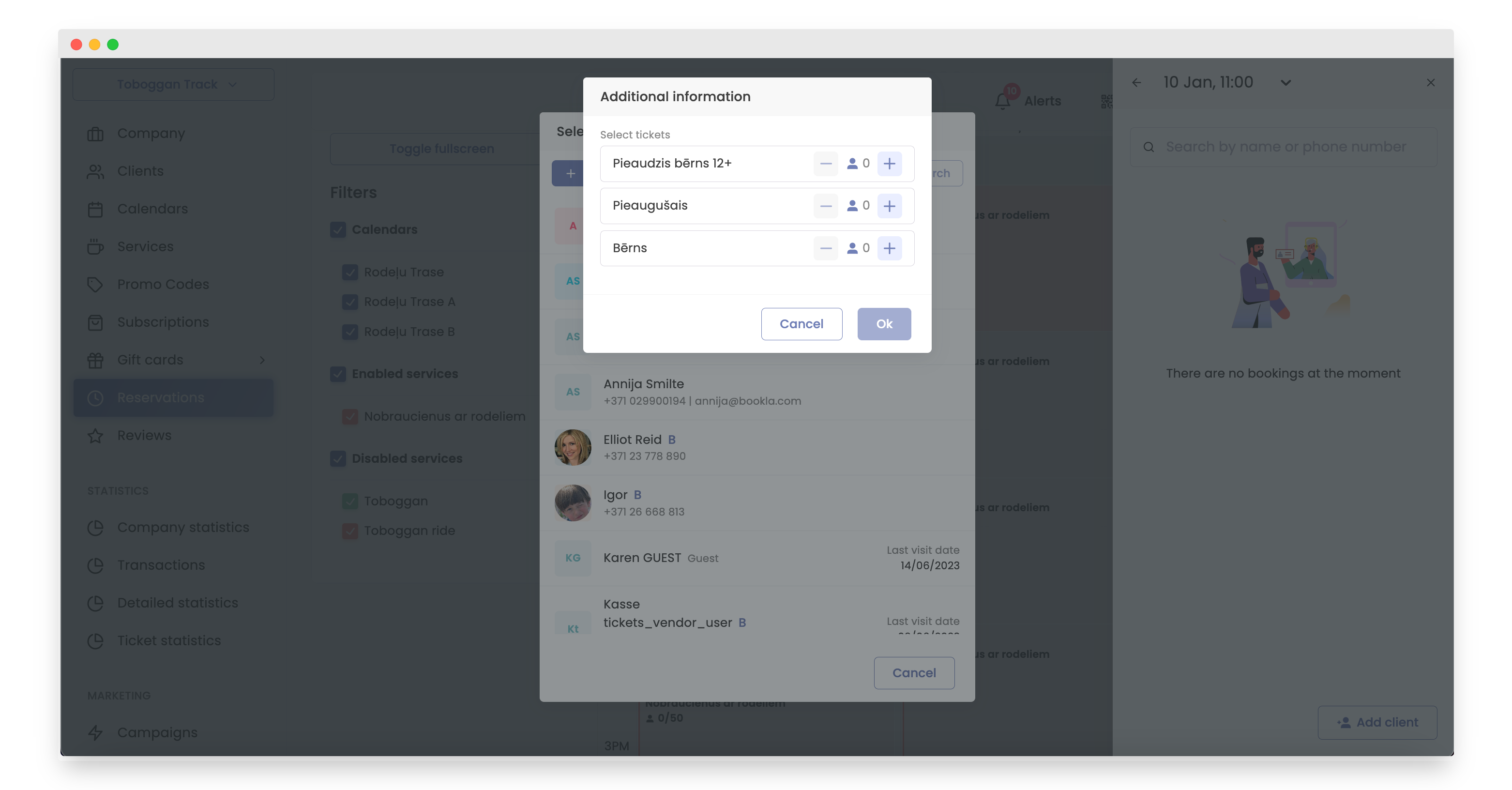
Select tickets for the client and click 'OK'.
That's it! The reservation has been successfully added.