How to cancel clients reservation
Reservations on Bookla are important because these slots allow your clients to book appointments. To cancel a client's reservation, you will need to know the specific client for whom you want to cancel the reservation.
After the cancellation of the reservation, the money will be refunded to the client within 3 business days.
There are two ways to cancel clients reservation. The first option is by going to the 'Clients' section. This is the best option if you don't know the exact time the reservation has been made.
How to do it:
-
Open Bookla Portal.
-
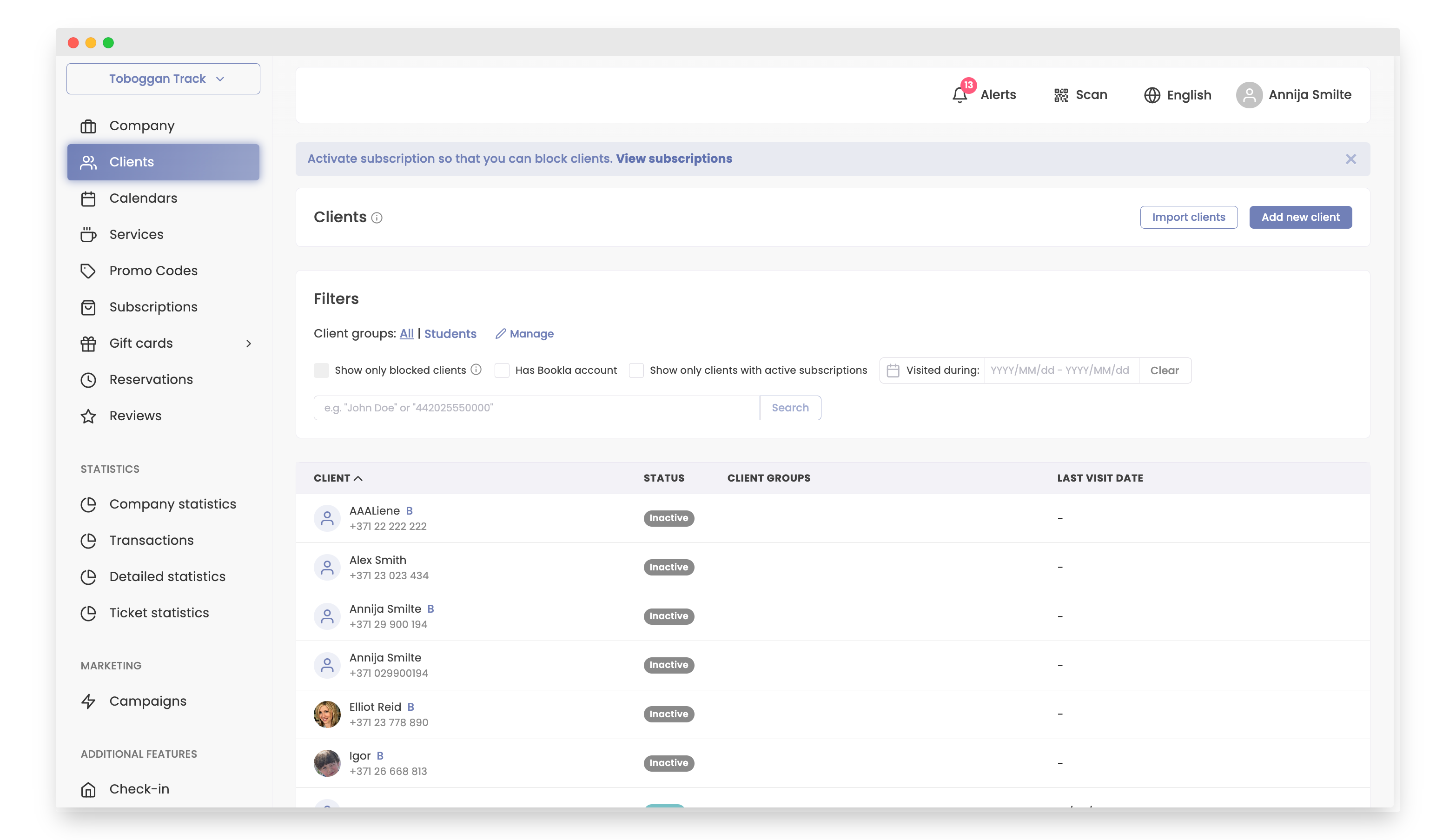
Go to the "Clients" section.
-
Click on the client.
-
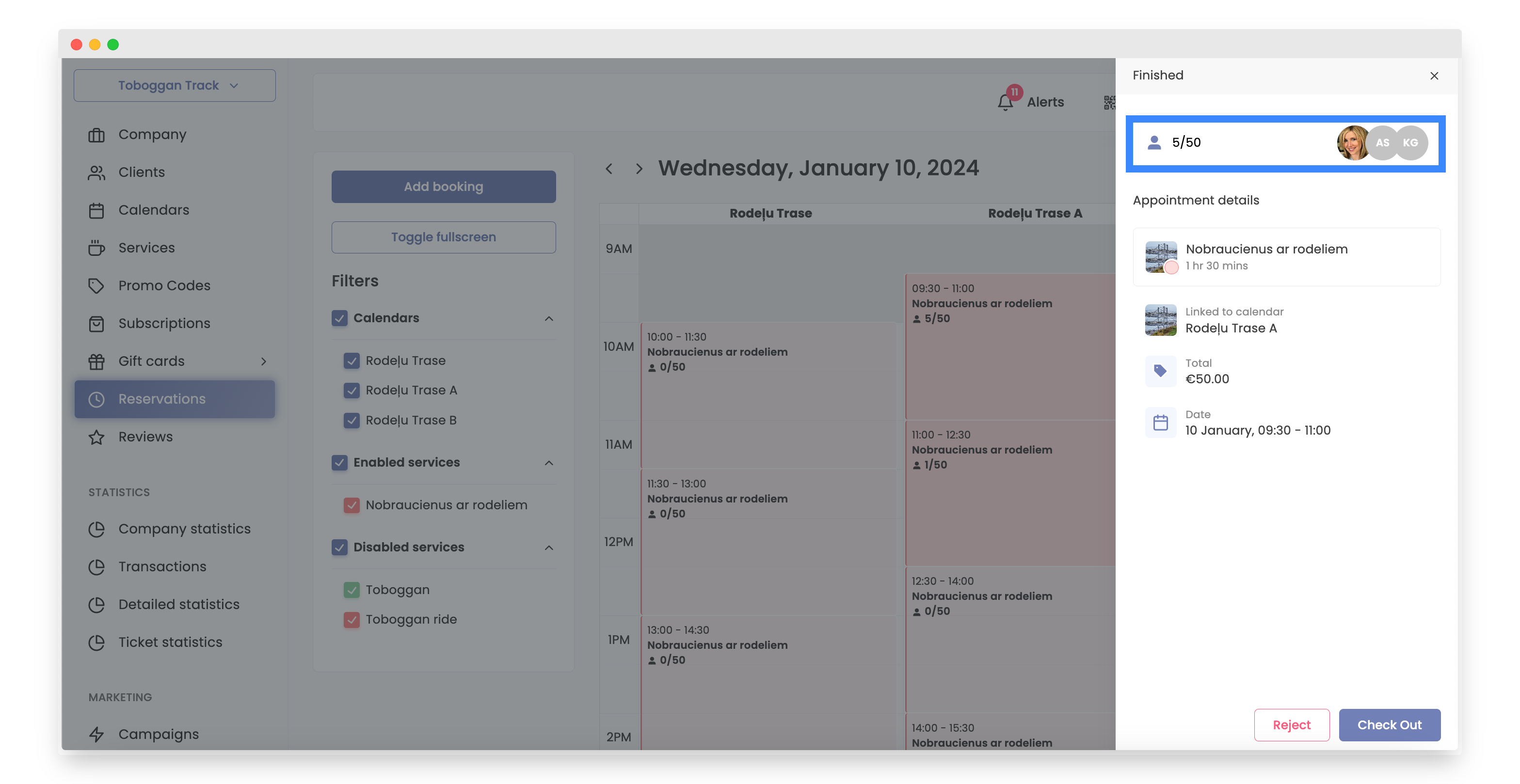
Select the reservation you need to cancel.
-
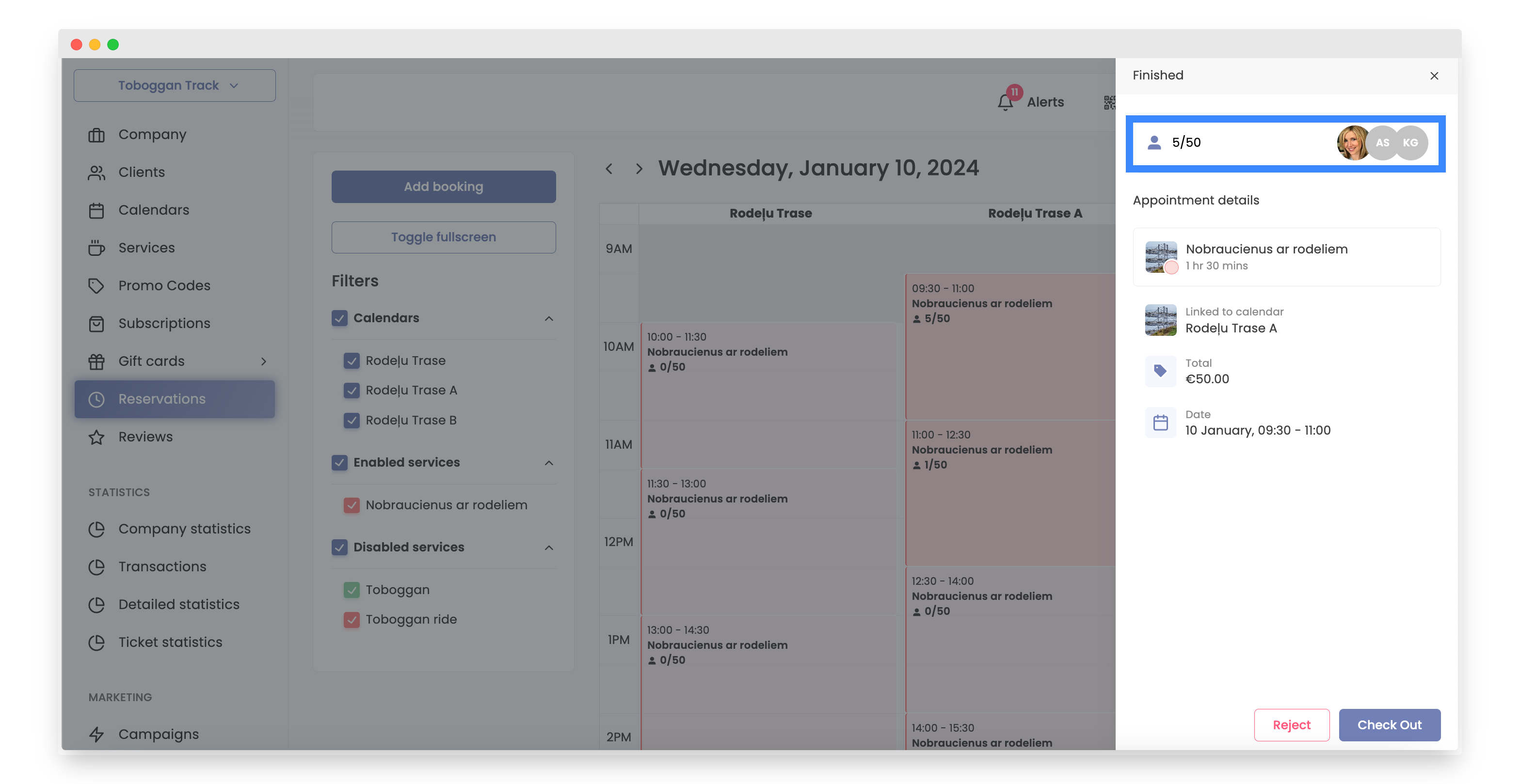
Click on amount of customers.
-
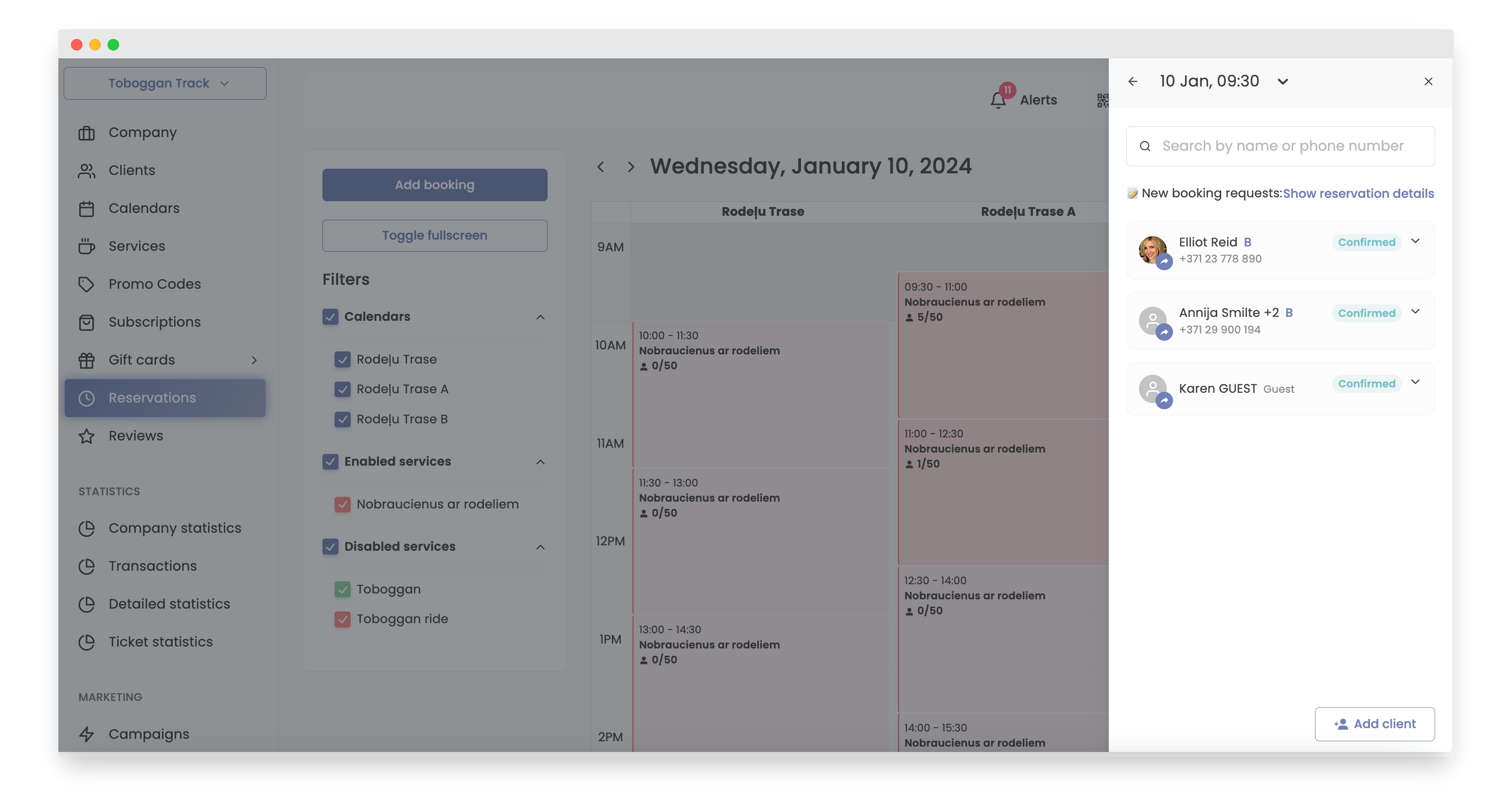
Select the client.
-
Click the 'Reject' button.
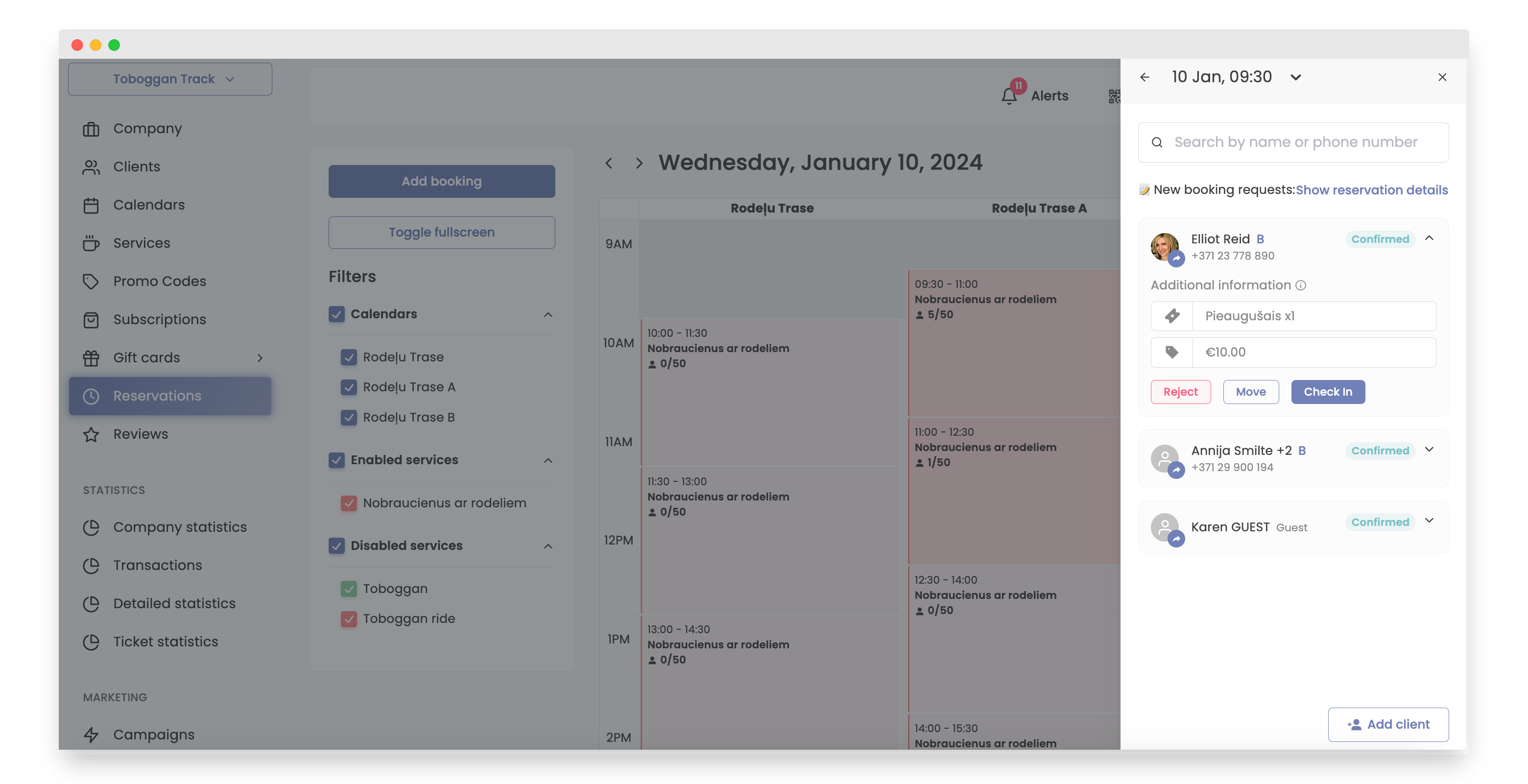
-
Write a message for the client.
-
Click button "Reject".
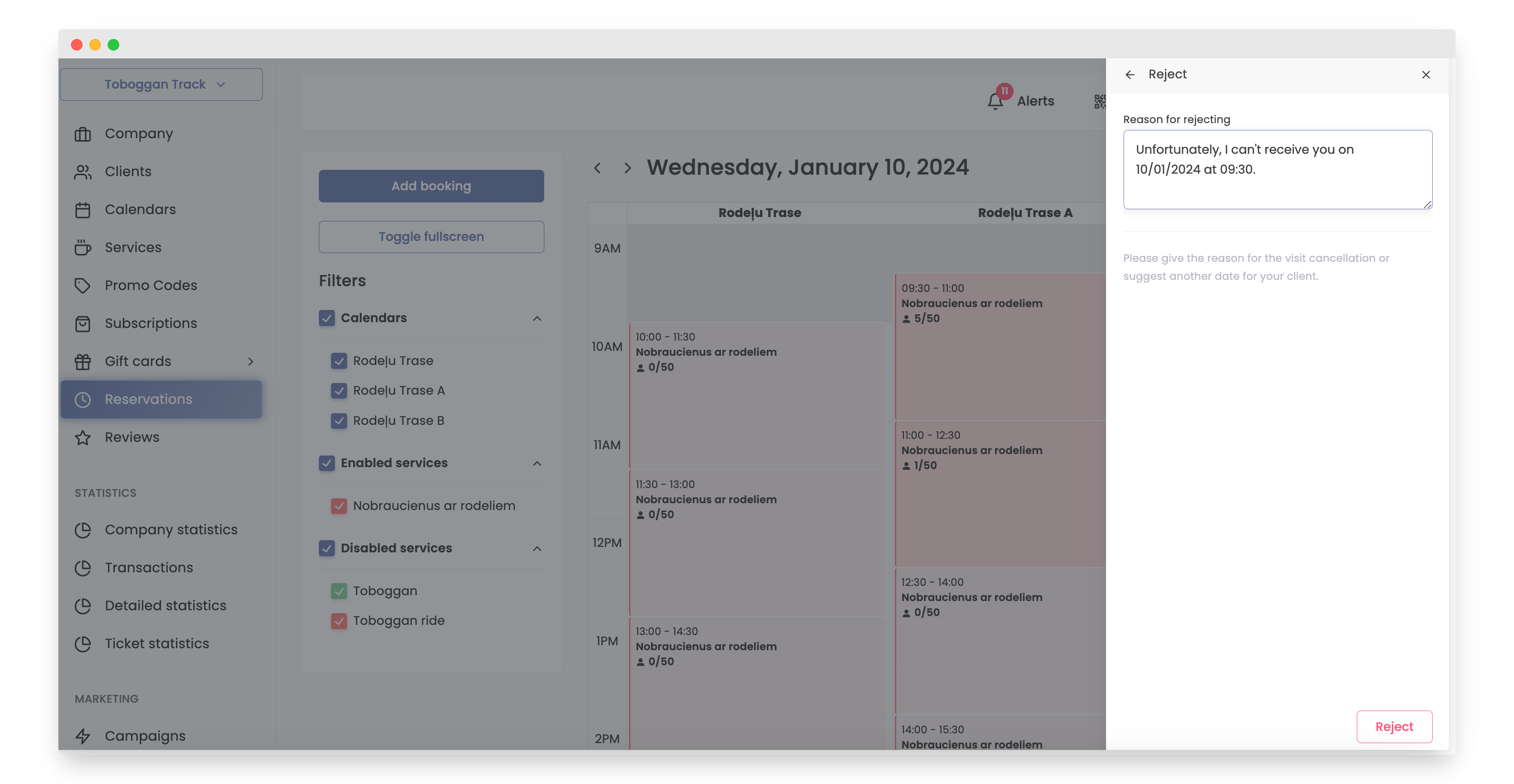
That's it! The reservation has been successfully canceled.
The second option is to navigate to the 'Reservations' section, which is the best choice when you know the exact time for the reservation you need to cancel.
How to do it:
-
Open Bookla Portal
-
Go to the "Reservations" section.
-
Click on the time slot you want.
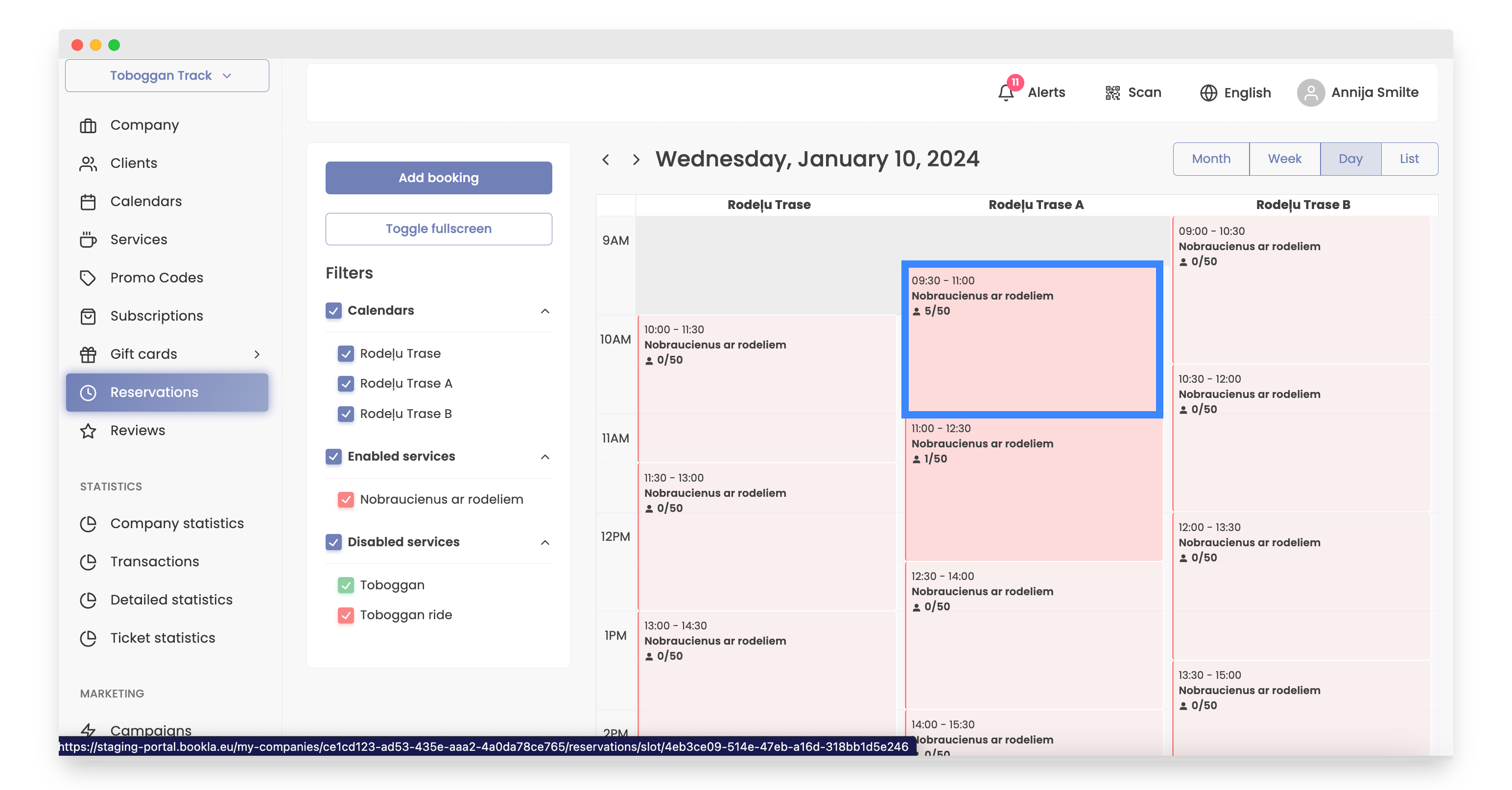
-
Click on amount of customers.
-
Select the client.
-
Click the 'Reject' button.
-
Write a message for the client.
-
Click button "Reject".
That's it! The reservation has been successfully canceled.