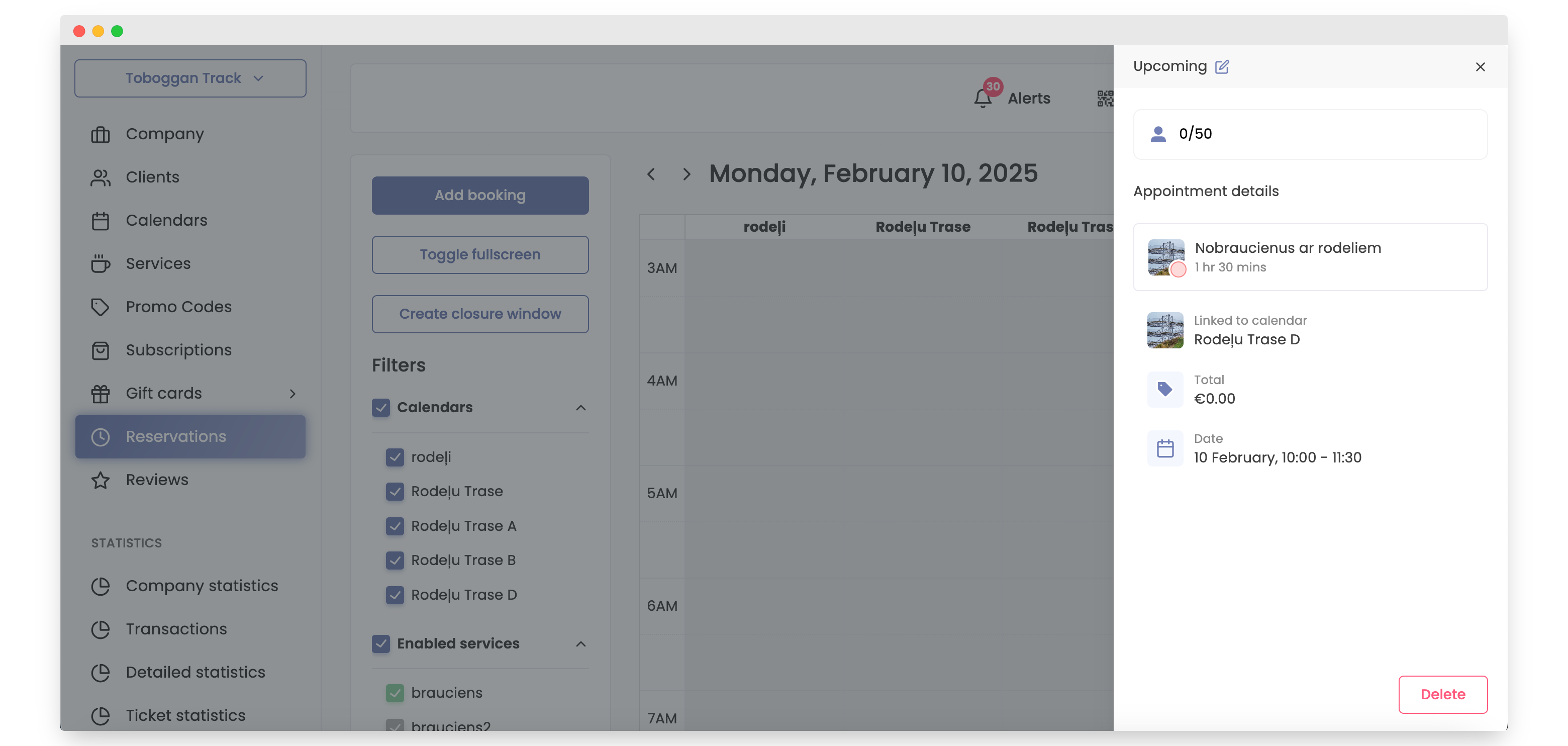
How to Create Non-Repeating Reservations
Reservations on Bookla are important because these slots allow your clients to book appointments.
-
Open Bookla Portal.
-
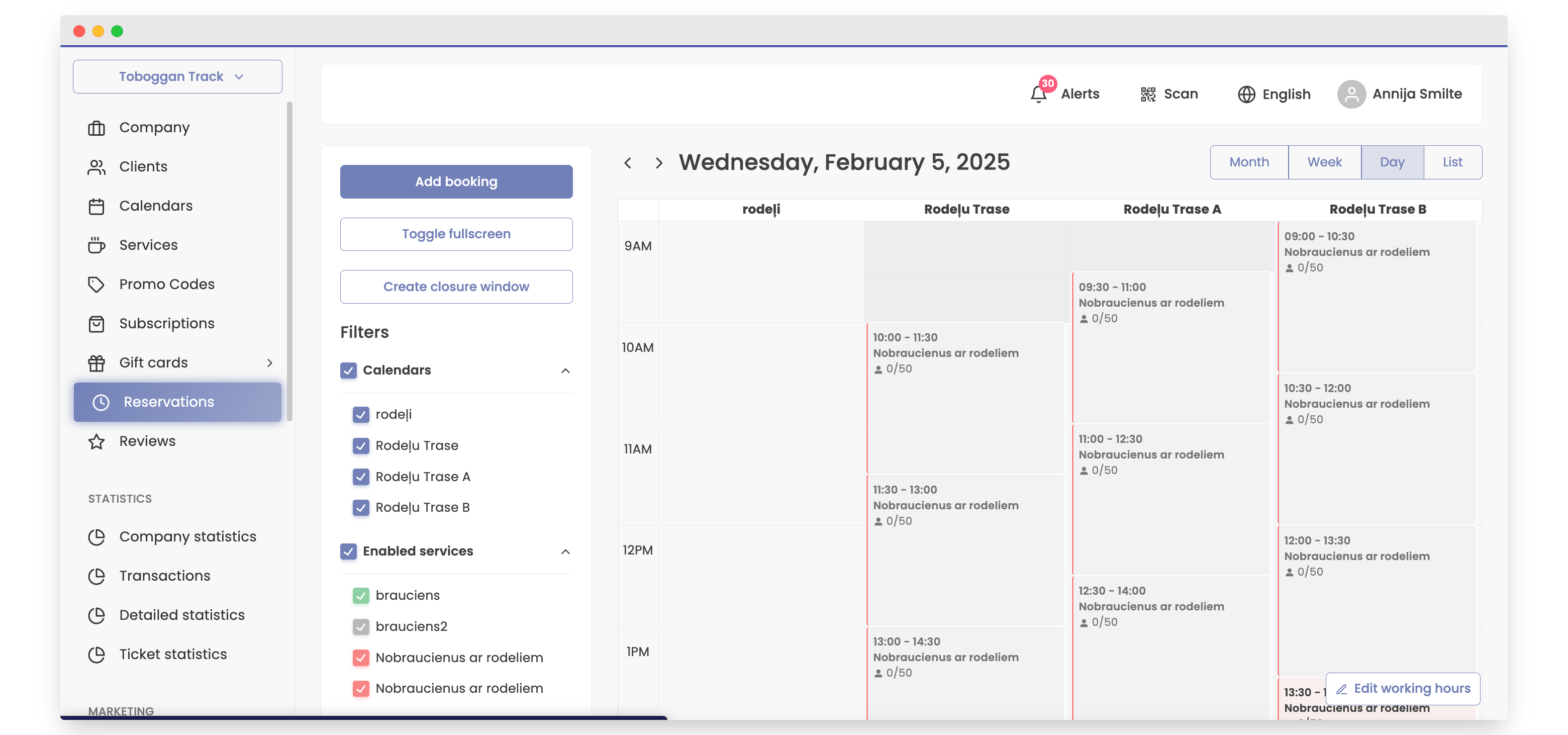
Go to the Reservations section.
-
Click on the "Add Booking" button or on upcoming reservations.
-
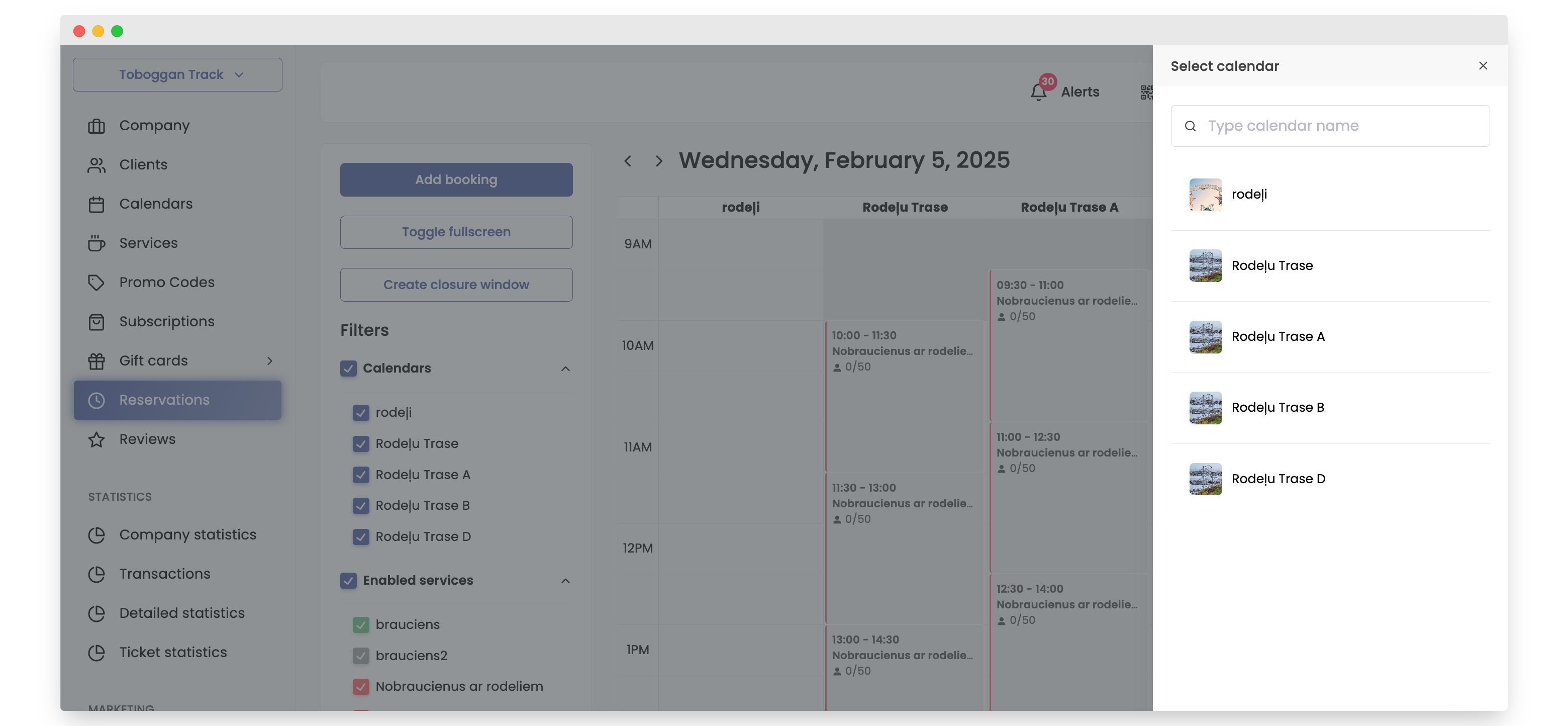
Select a calendar.
-
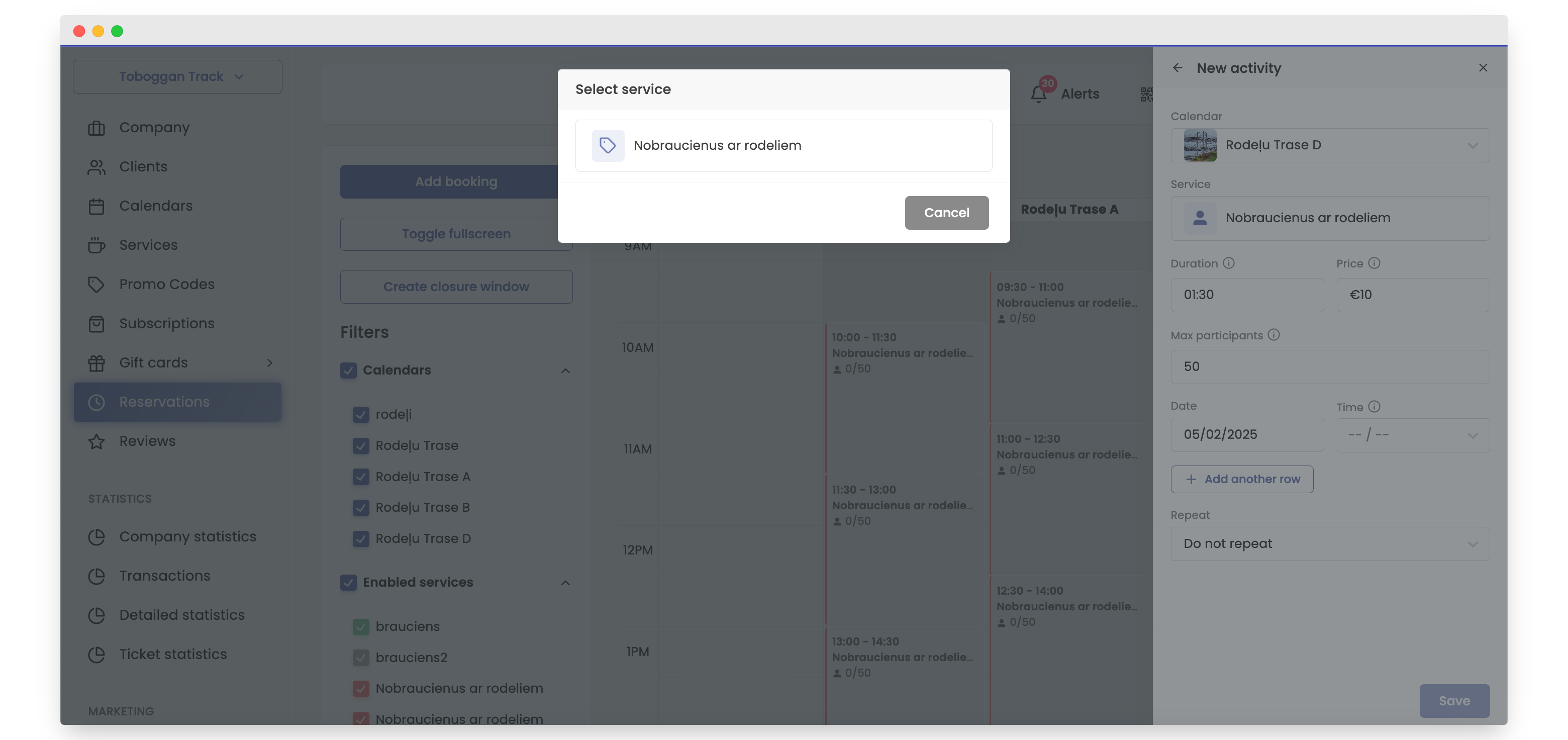
If the calendar is connected to more than one service, choose the service; otherwise, continue with step 6.
-
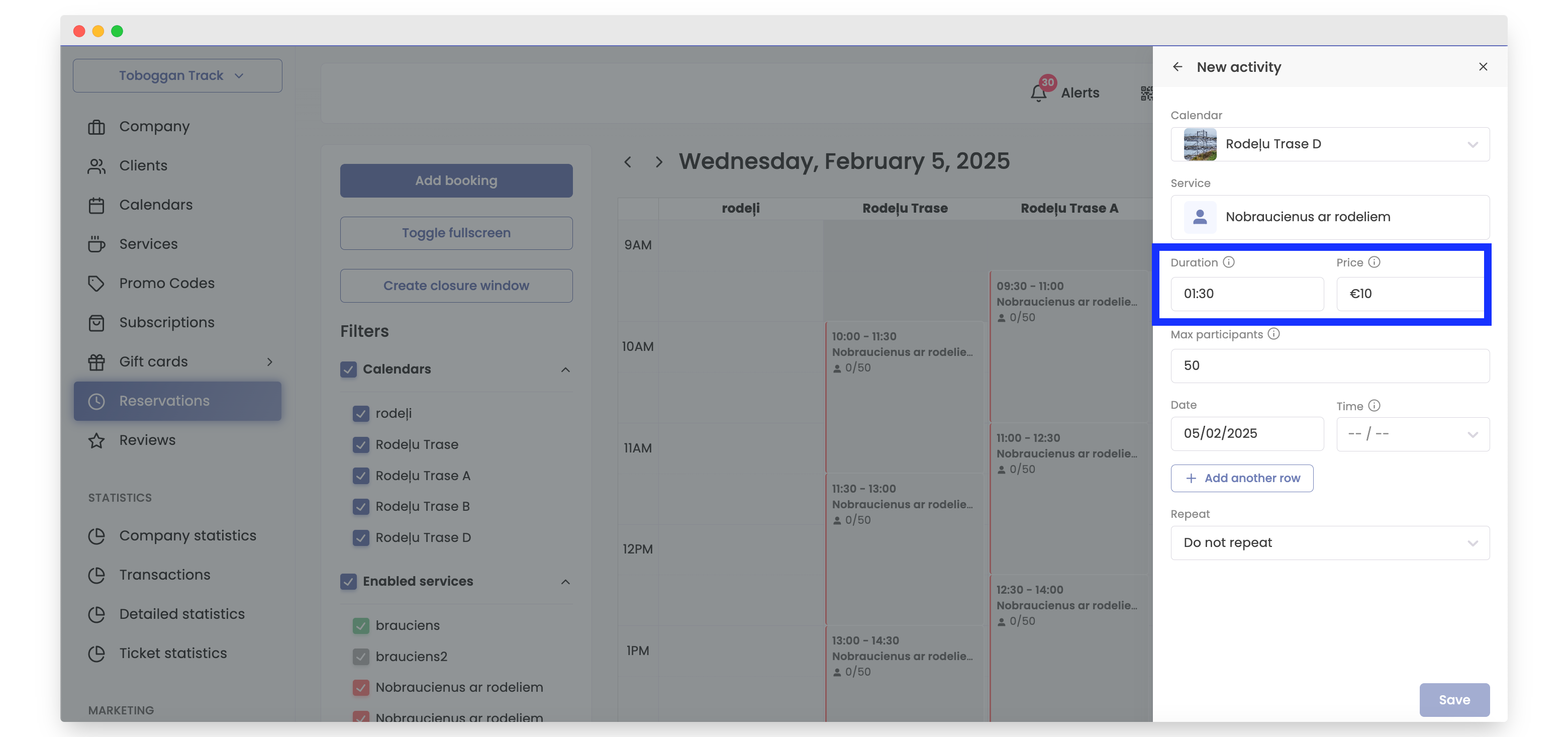
If needed, change the duration, price, or maximum number of participants.
-
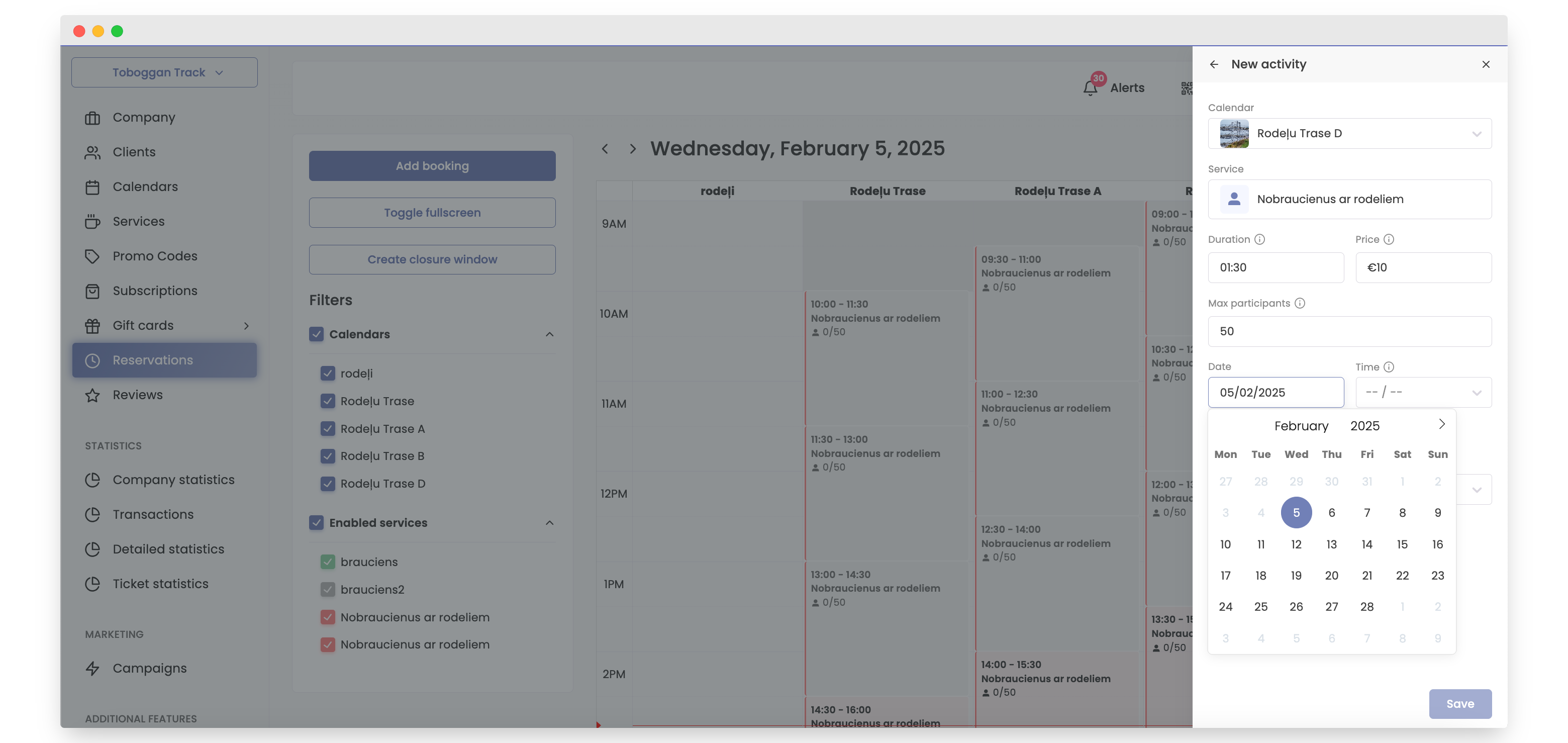
If needed, change the date by clicking and selecting the correct date.
-
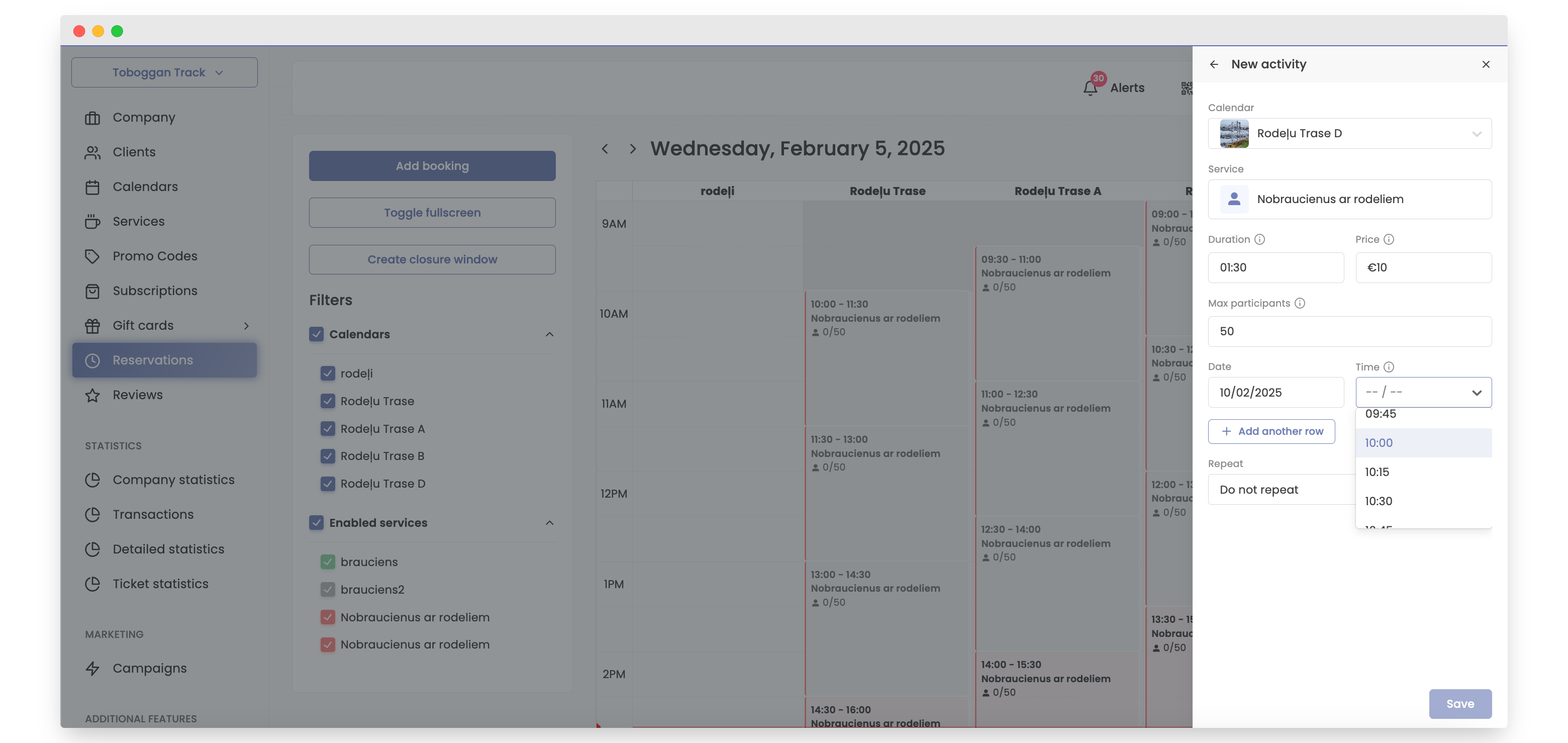
Select a time.
-
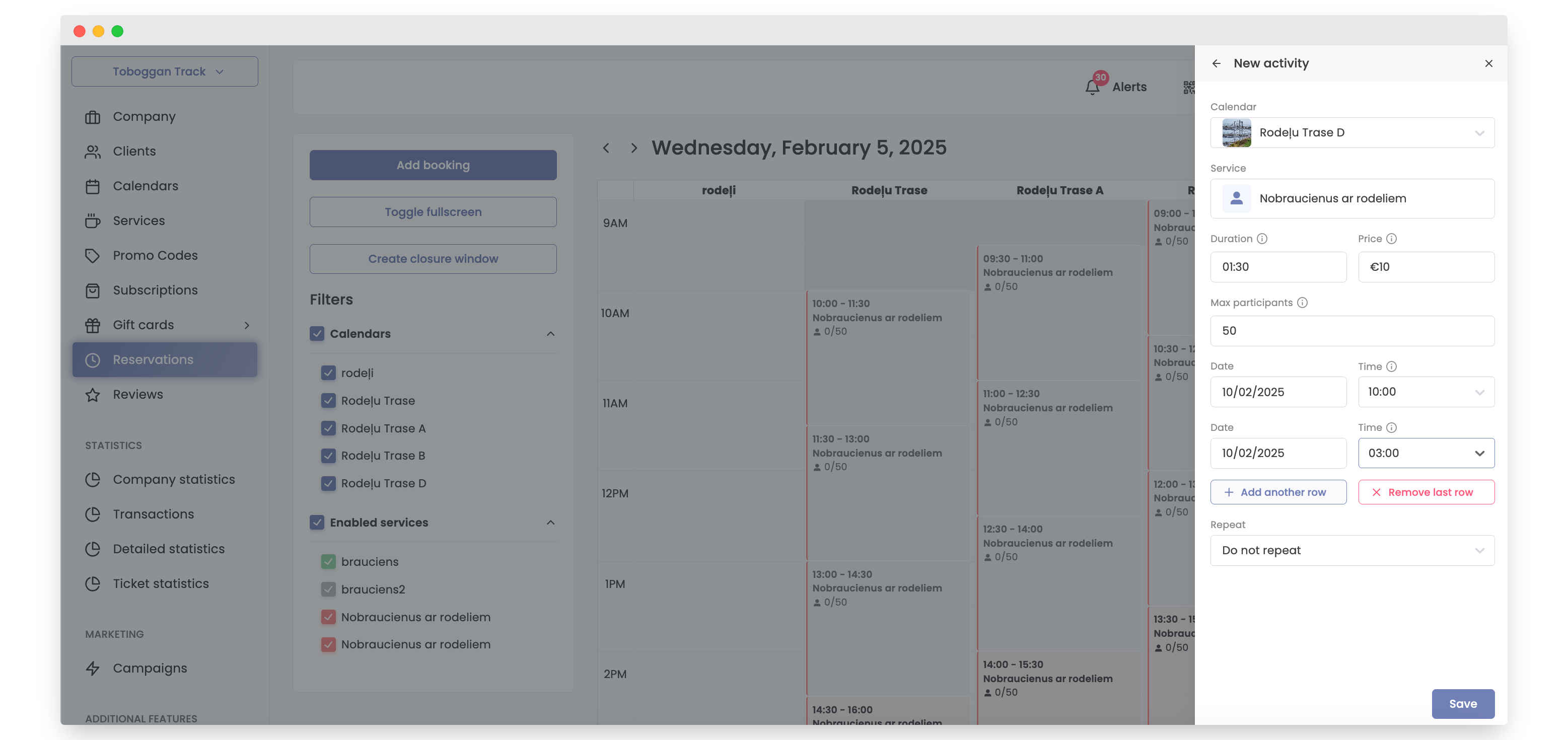
Click "Add Another Row" if you need additional times for that date.
-
When ready, click "Save".
-
Done! Reservations are made, and clients can now book them.