How to reschedule a reservation
Reservations on Bookla are important because these slots allow your clients to book appointments. Rescheduling the reservation can be useful if a client wants to re-schedule their reservations for another day or time.
To reschedule a client's reservation, there are two options available:
The first option is to navigate to the “Clients” section, which is preferable if the client doesn't know the exact reservation time.
Follow these steps:
-
Open the Bookla Portal.
-
Go to the "Clients" section.
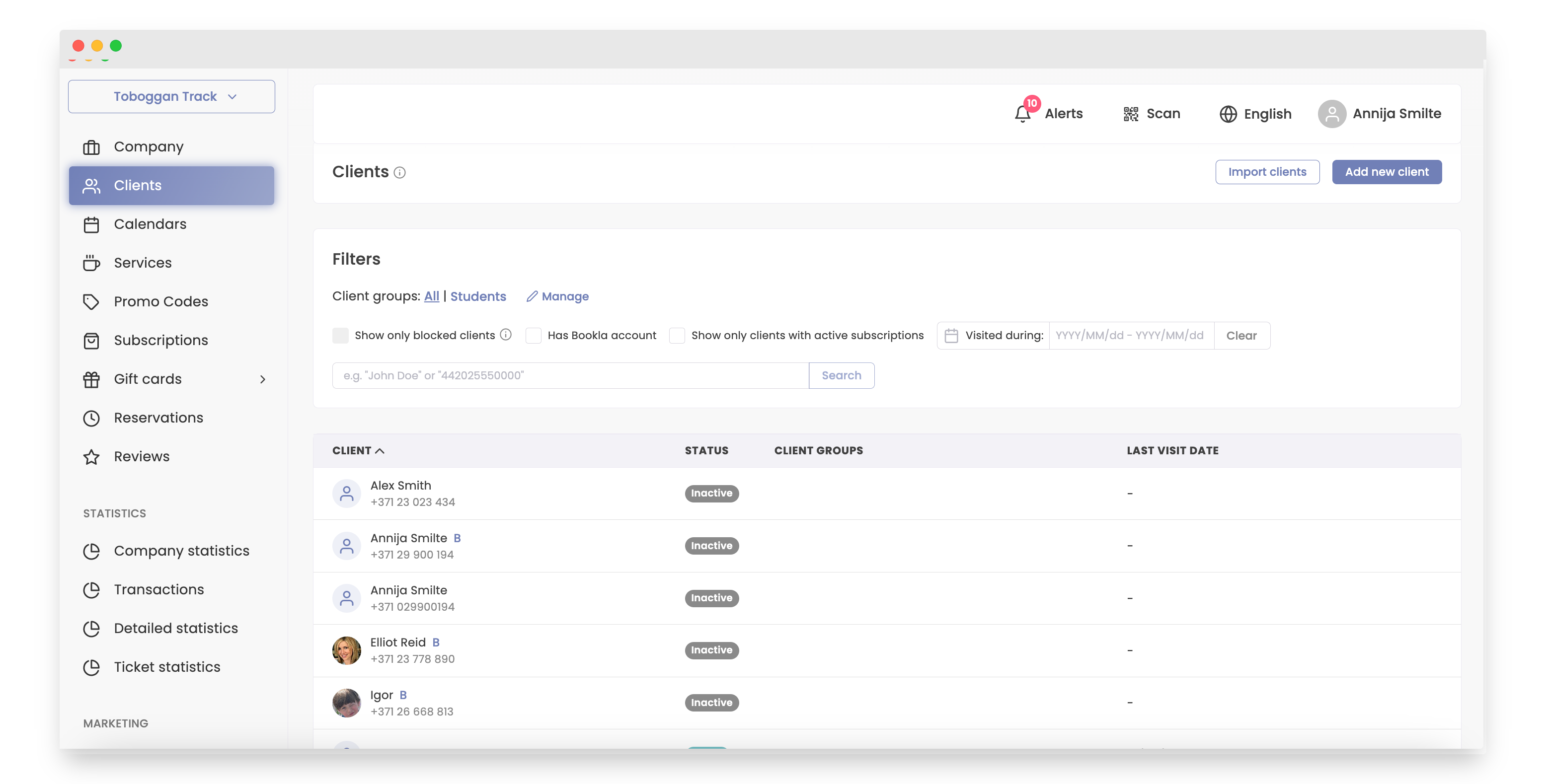
-
Click on the client.
-
Select the reservation you need to reschedule.
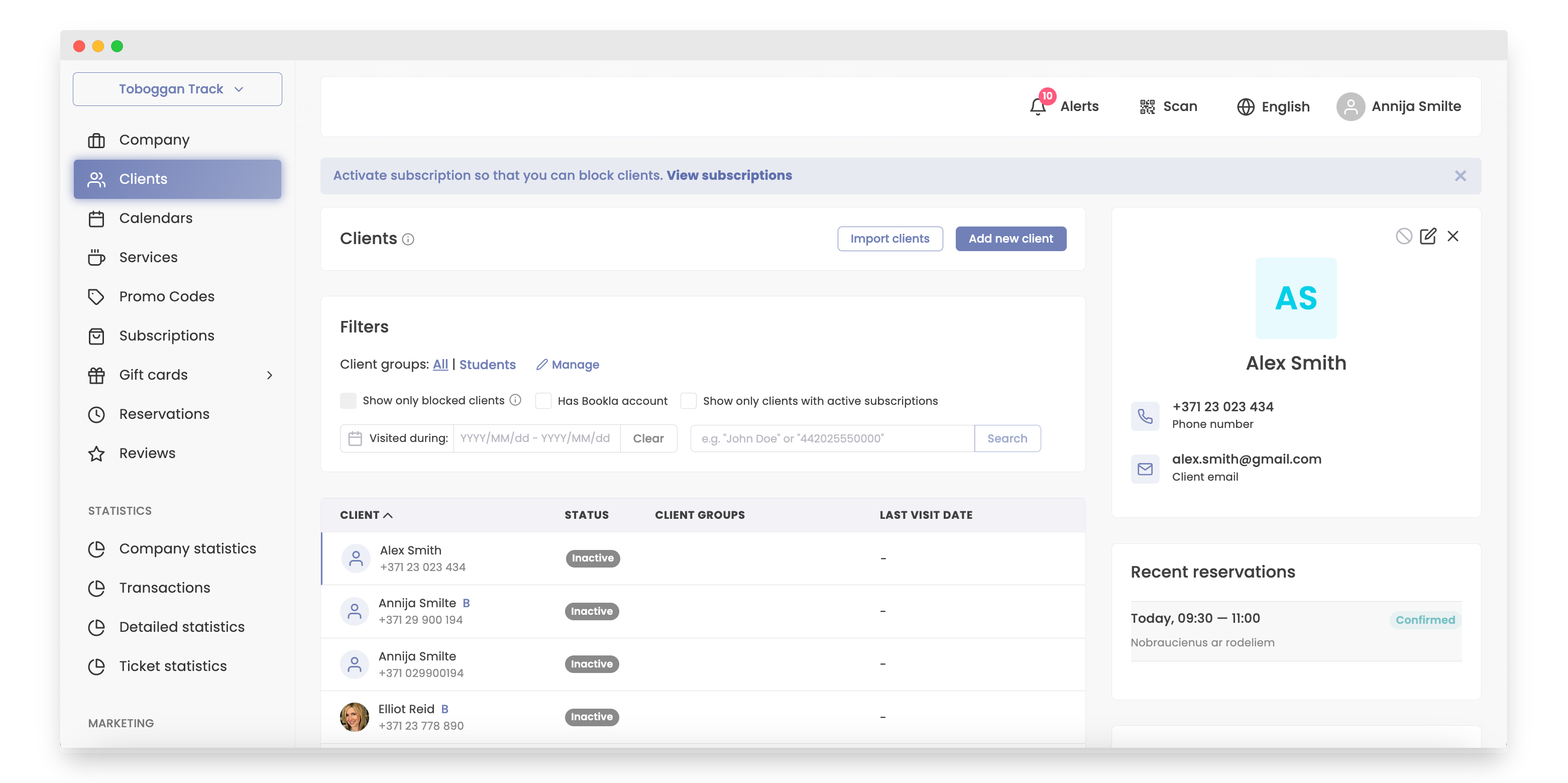
-
Click on amount of clients.
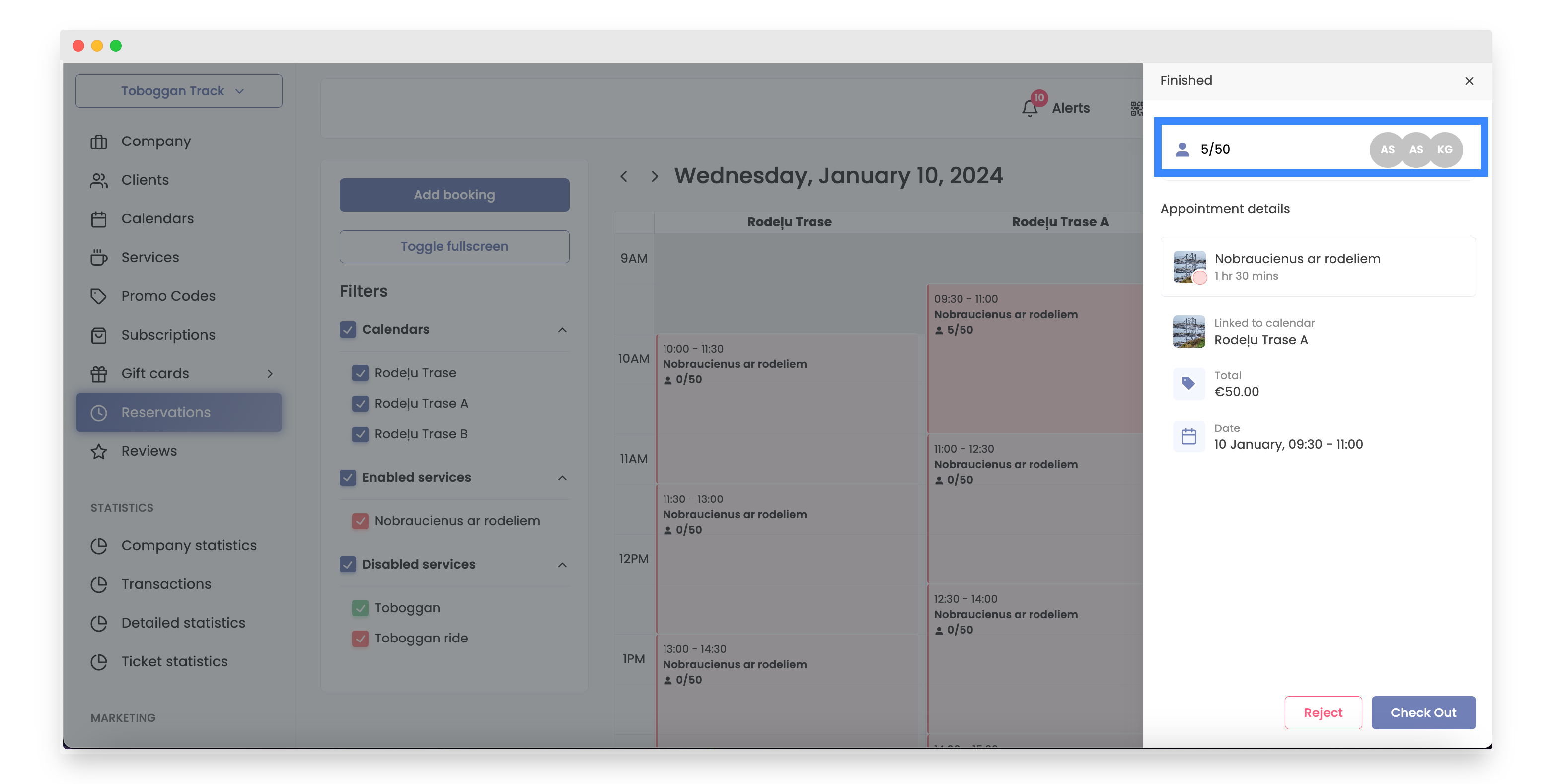
-
Choose the client.
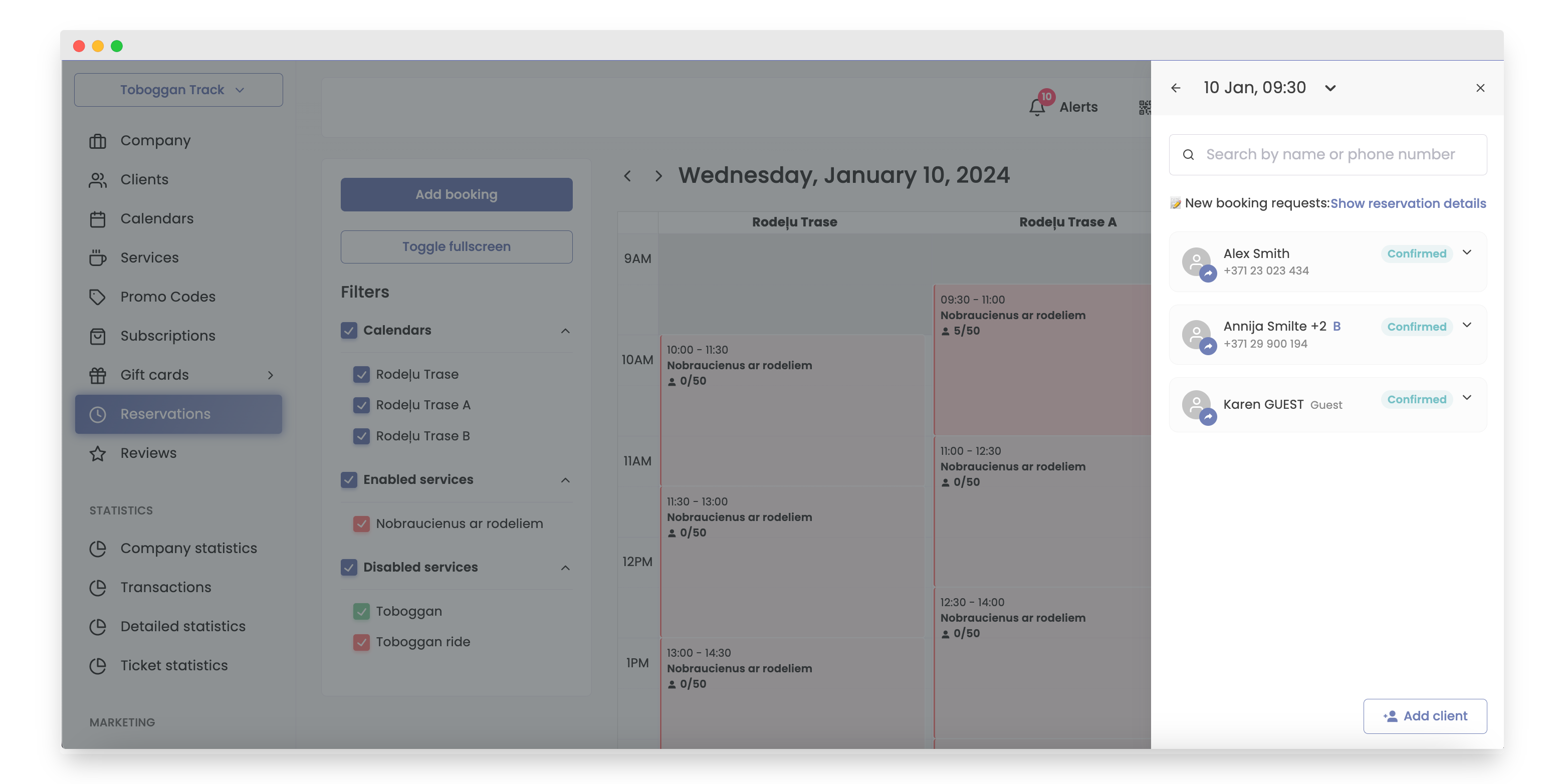
-
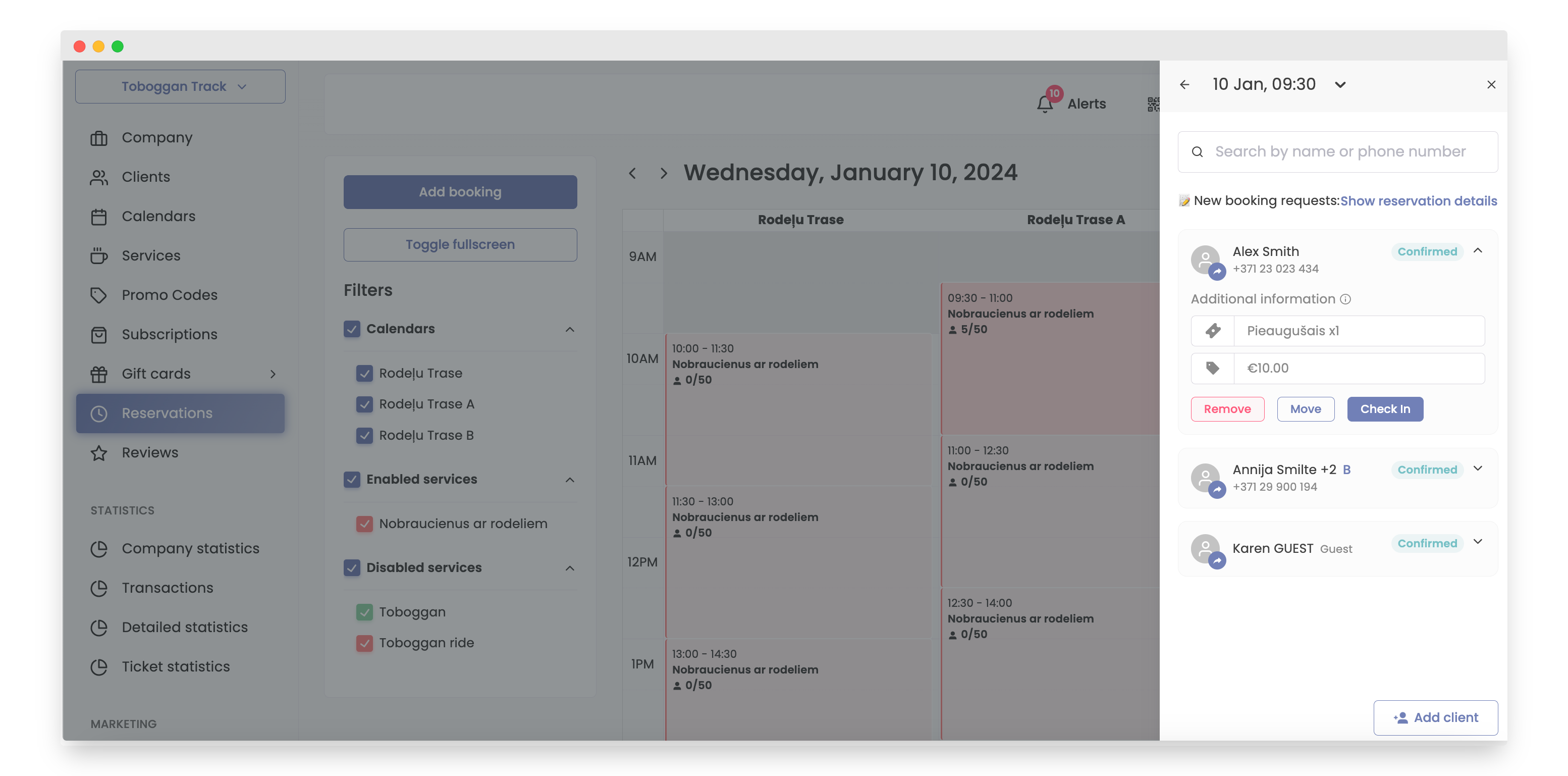
Click the "Move" button.
-
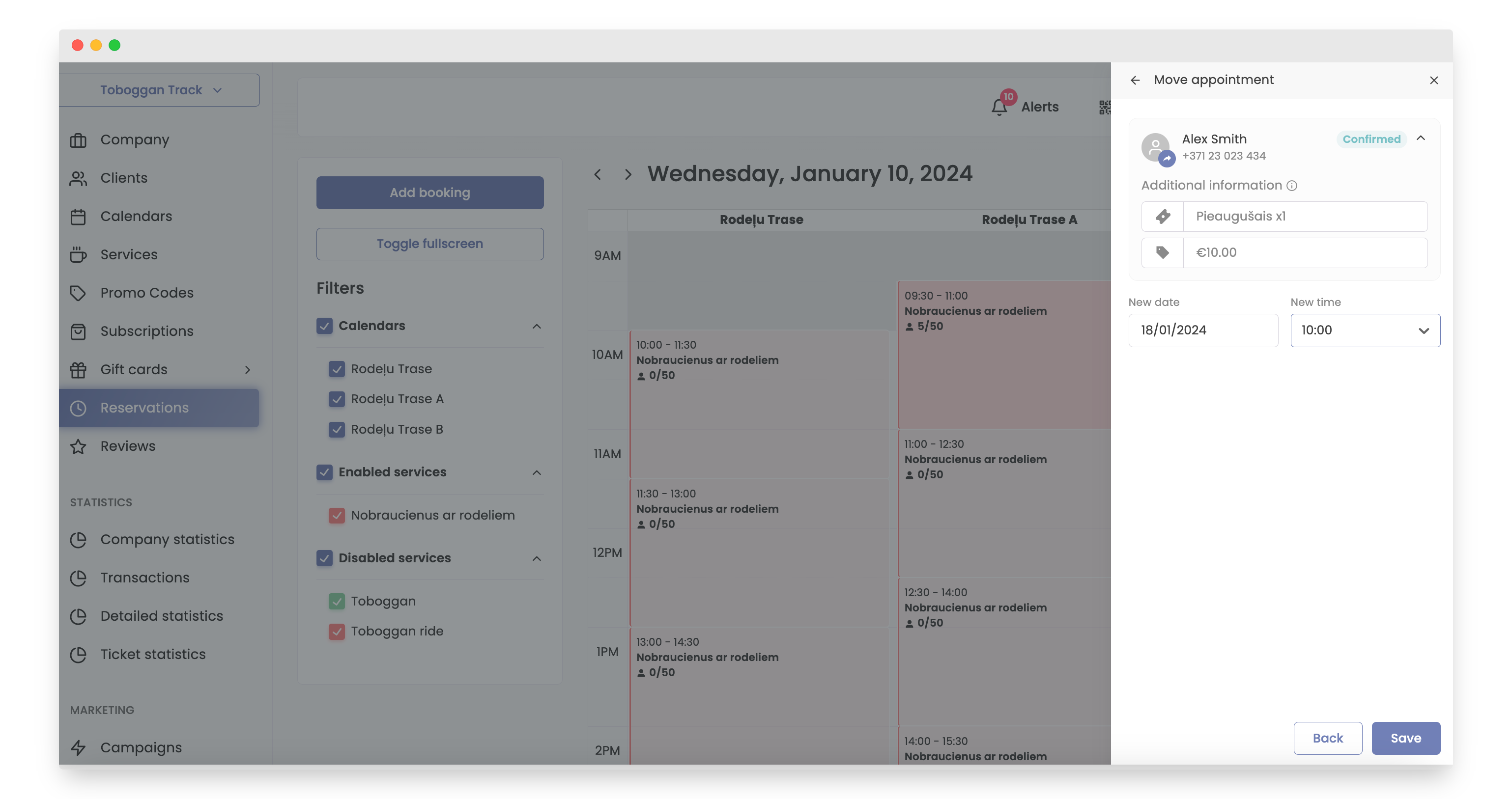
Select the new date and time.
-
Click on button "Save".
The other option is to visit the “Reservations” section, which is more suitable if you know the exact day and time for the client.
Follow these steps:
-
Open Bookla Portal.
-
Navigate to the "Reservations" section.
-
Click on the desired time slot.
-
Click on amount of clients.
-
Choose the client.
-
Click the "Move" button.
-
Select the new date and time.