How to Activate and Use a Gift Card
Gift cards have become a wonderful gifting option for occasions like birthdays or Christmas because they allow the recipient to choose the service that best suits their interests and preferences. To activate and use your gift card, you can have it either in person or digitally. Enter the provided promo code during the activation process.
How to activate and use a gift card:
-
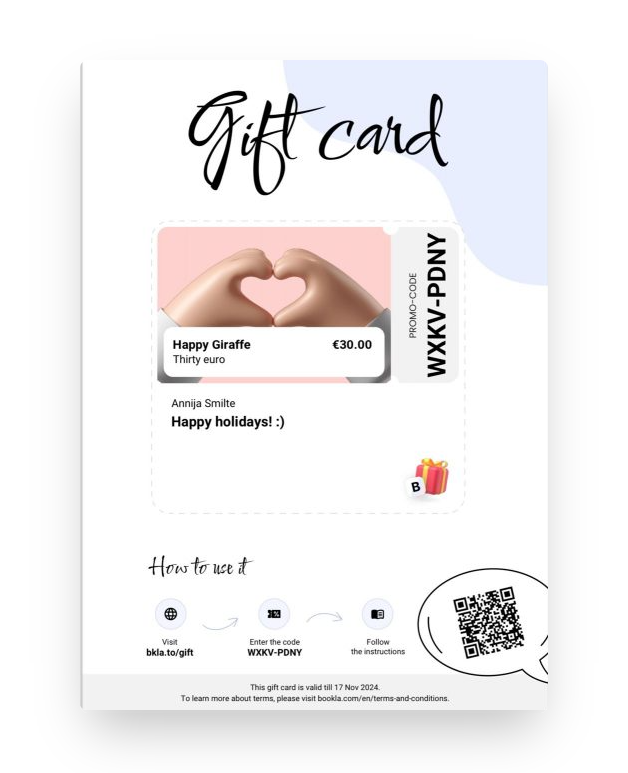
This is the gift card what you should have either in person or digitally. You need to have the Promo code.
-
To activate the gift card, scan the QR code or visit the website bkla.to/gift and enter the gift card code, and click "Activate".
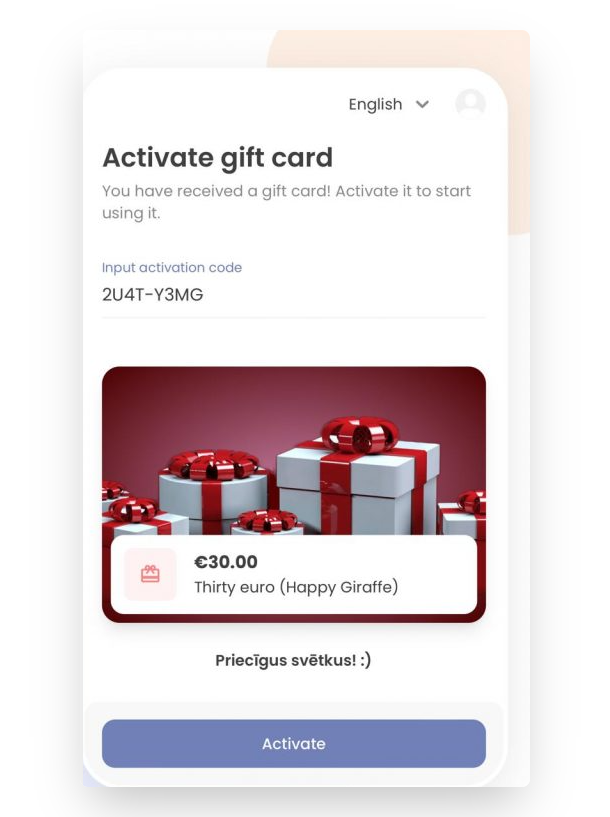
- Click on the "Go to Services" button.
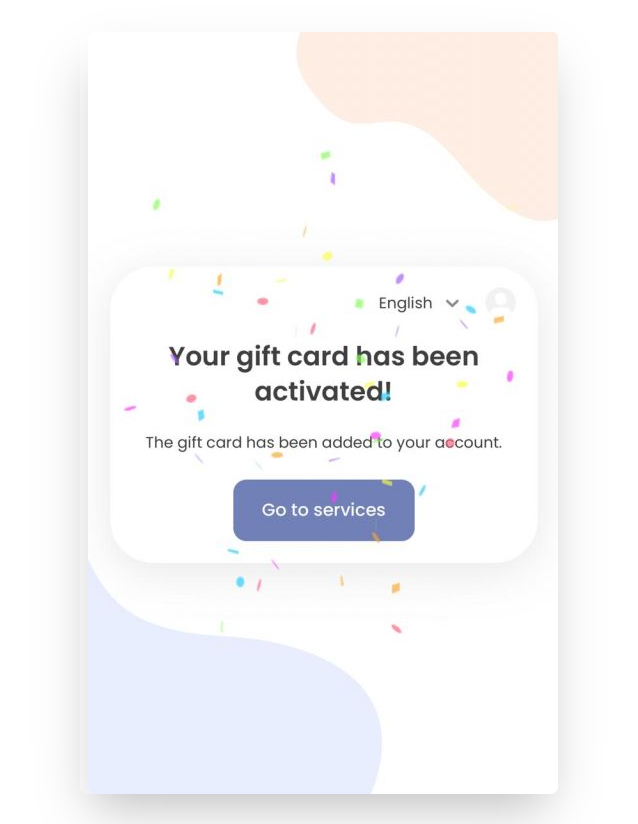
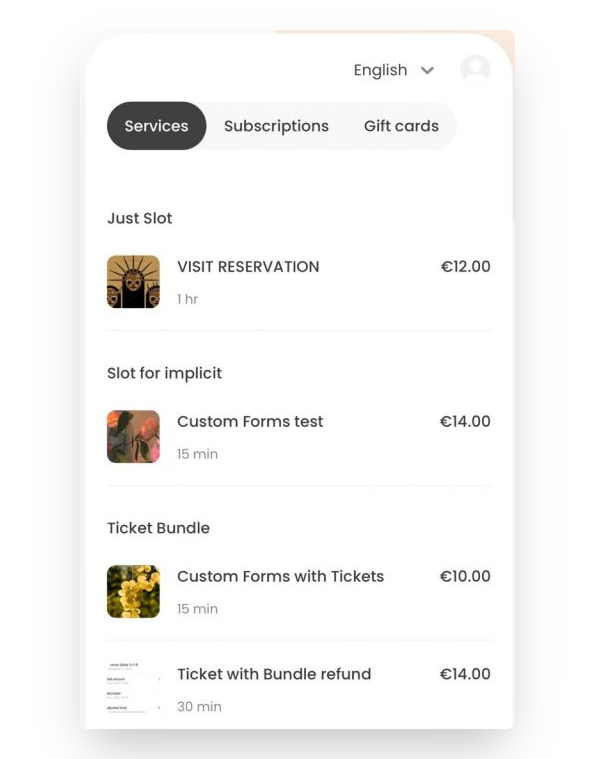
- Here, you will be directed to services that you can purchase with your gift card. You can exceed the gift card value by adding payment, or if a service costs less than the gift card's value, the remaining amount will stay.
-
Choose your desired service.
-
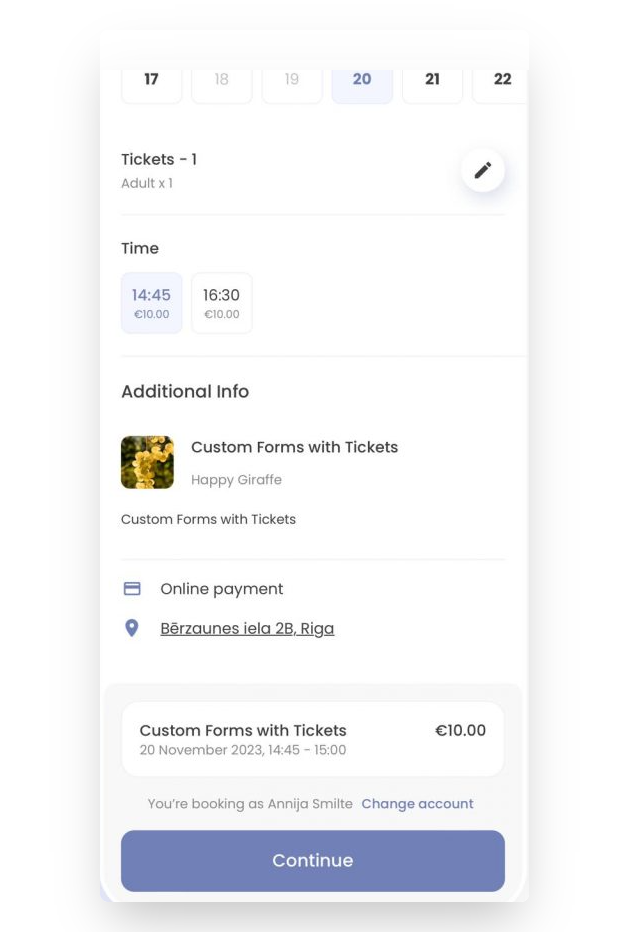
Select the type and quantity of tickets. Click "Choose".
-
Specify the preferred date and time.
-
Click "Continue".
-
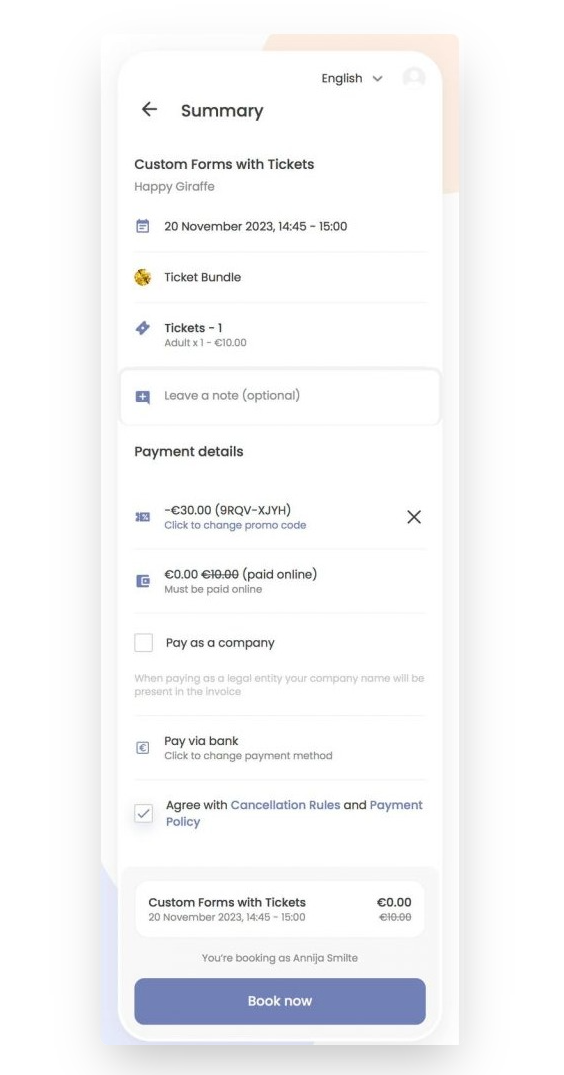
In the "Payment Details" section, you will see a promo code available for a specific amount, to use it, click "Apply".
-
Agree to the Cancellation Rules and Payment Policy.
-
Click on the "Book now" button.
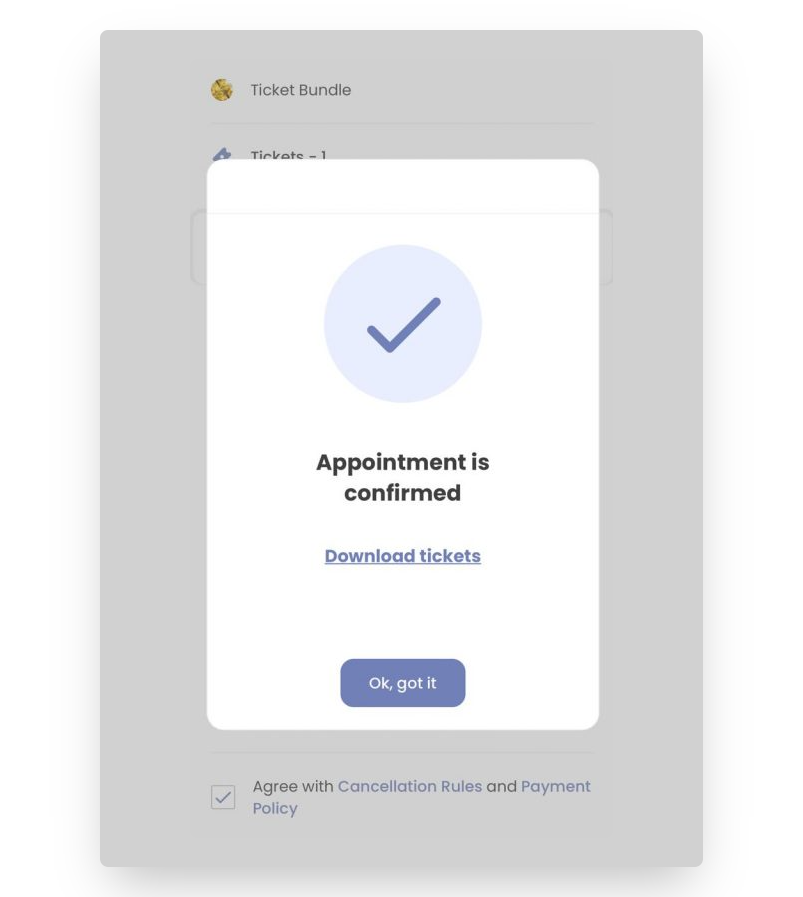
- Your appointment is confirmed. Click on the "Ok,got it" button.
-
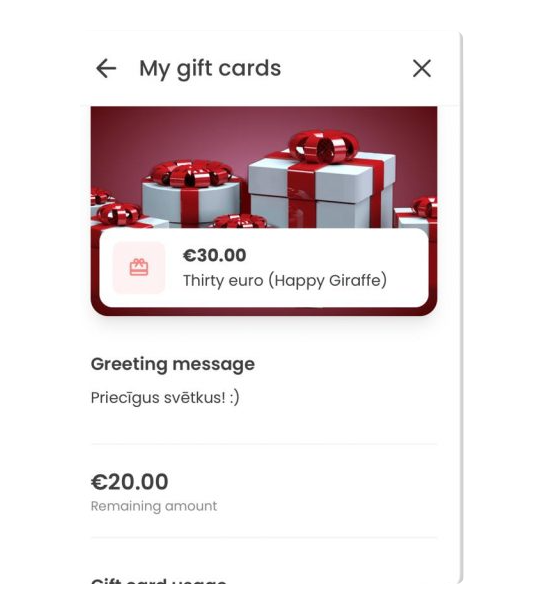
To check the remaining amount of your gift card, go to "My Gift Cards" section.
-
Click on your gift card to view the remaining amount.
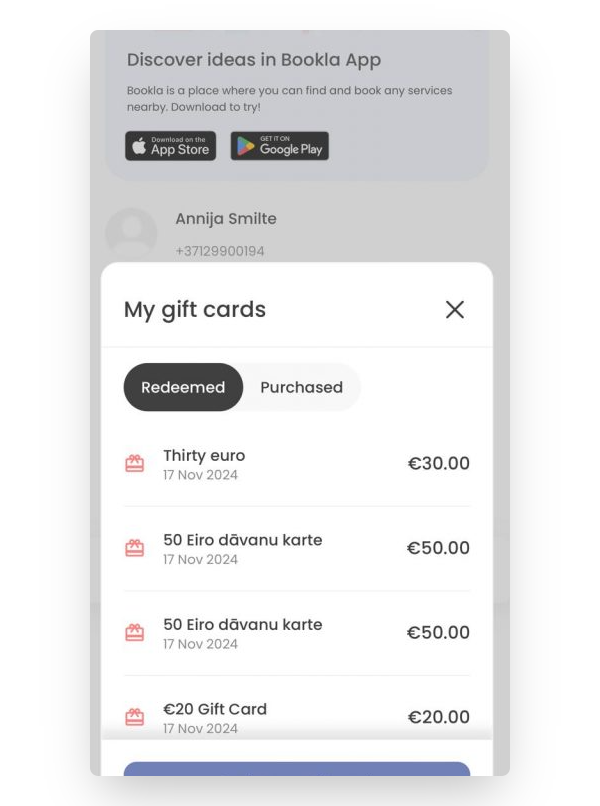
- Here, the remaining amount of the gift card will be displayed.