How to add legal info
Adding legal information to your Bookla account is important, as it serves as a precondition for enabling transactions and payments within the platform. To complete this process, you'll be required to provide your company's legal details, banking information, and designate a company representative.
Add your legal info in Bookla:
- Open Bookla Portal
- Go to the "Legal Info" section.
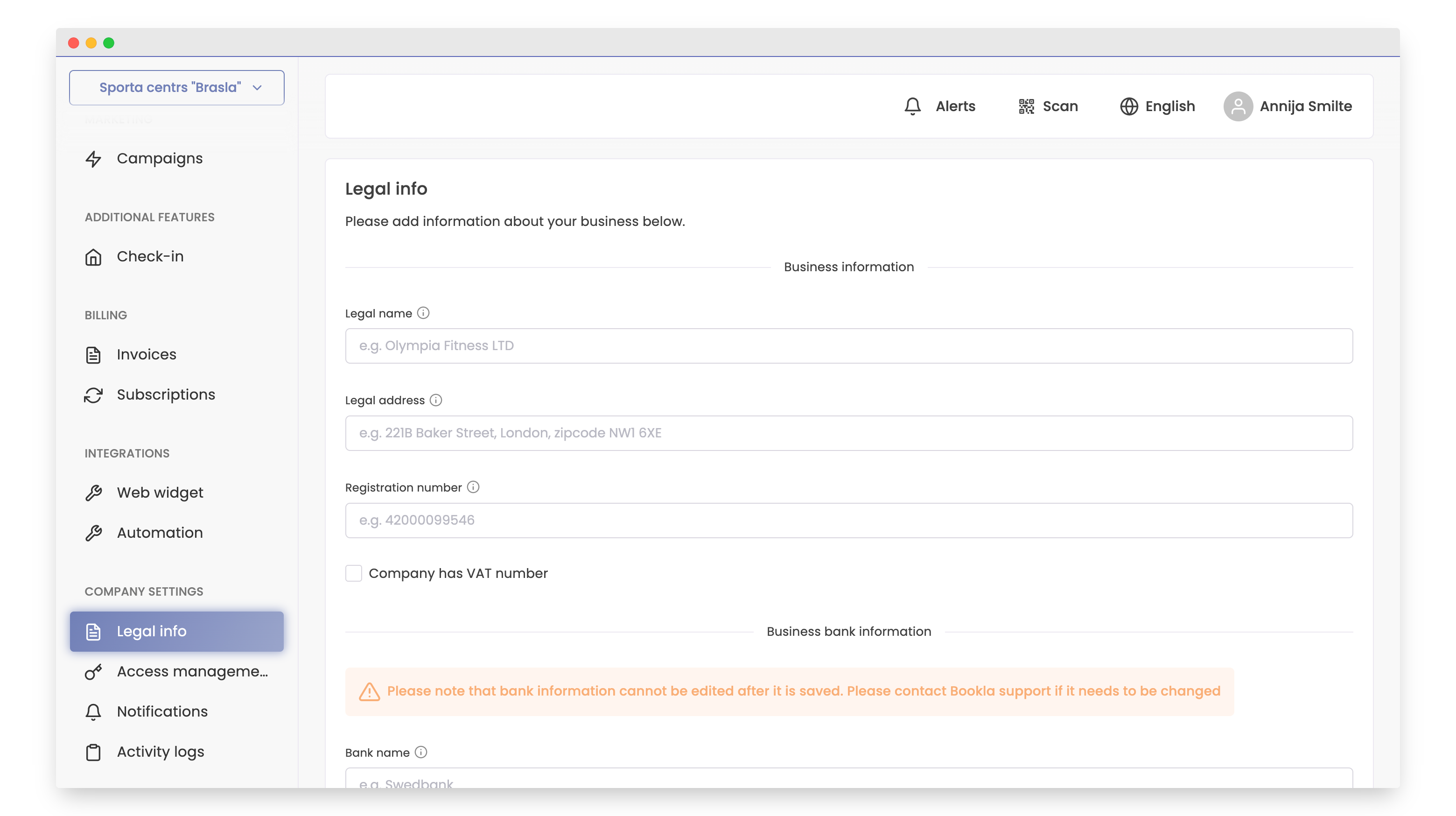
- Enter information about your company:
- Name: Input the company name as per registration documents.
- Legal address: Specify the legal address of the company.
- Registration number: Enter the company's registration number.
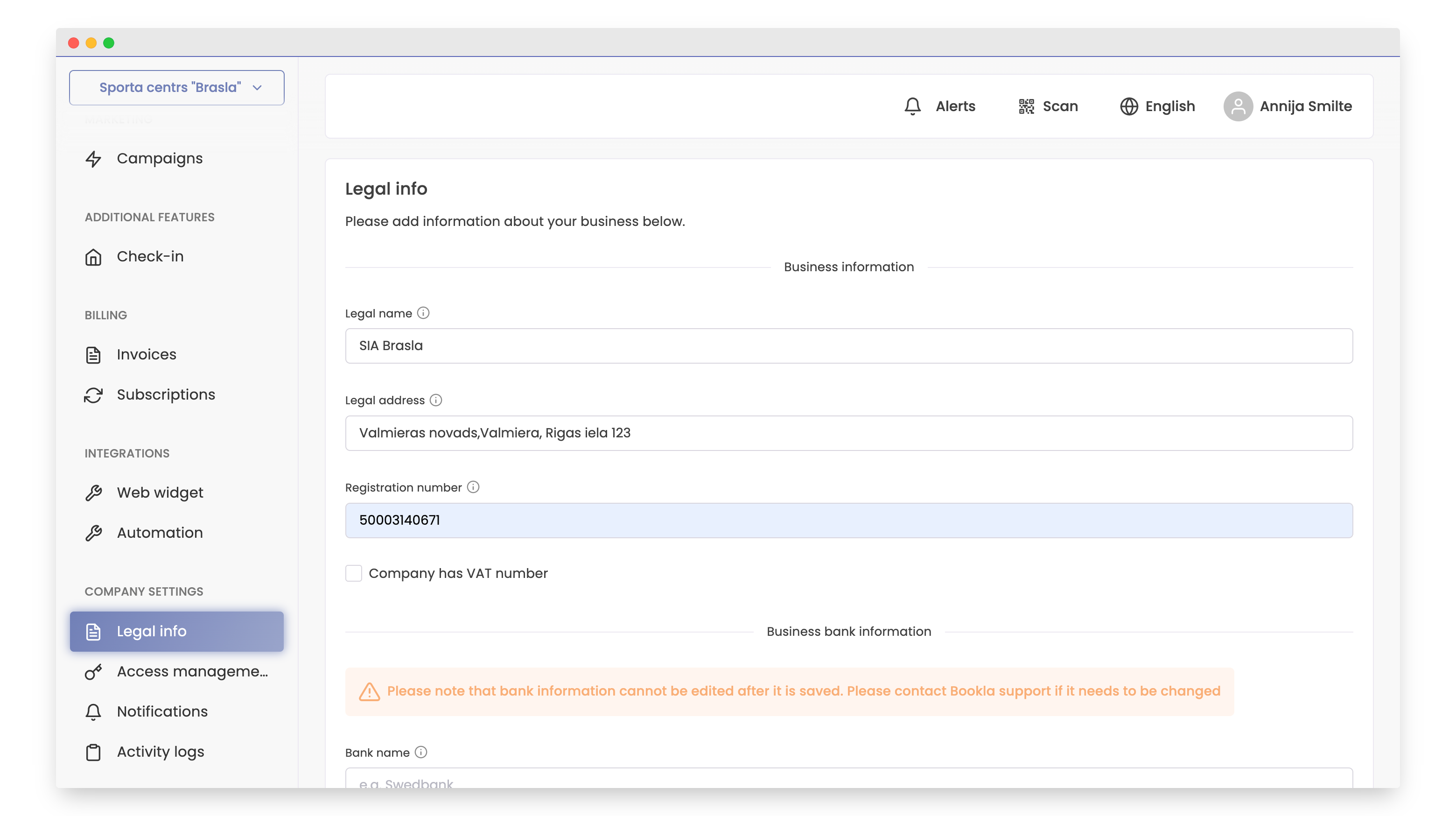
- If your company is a VAT payer, check the box "Company has a VAT number" and enter the VAT identification number and VAT rate.
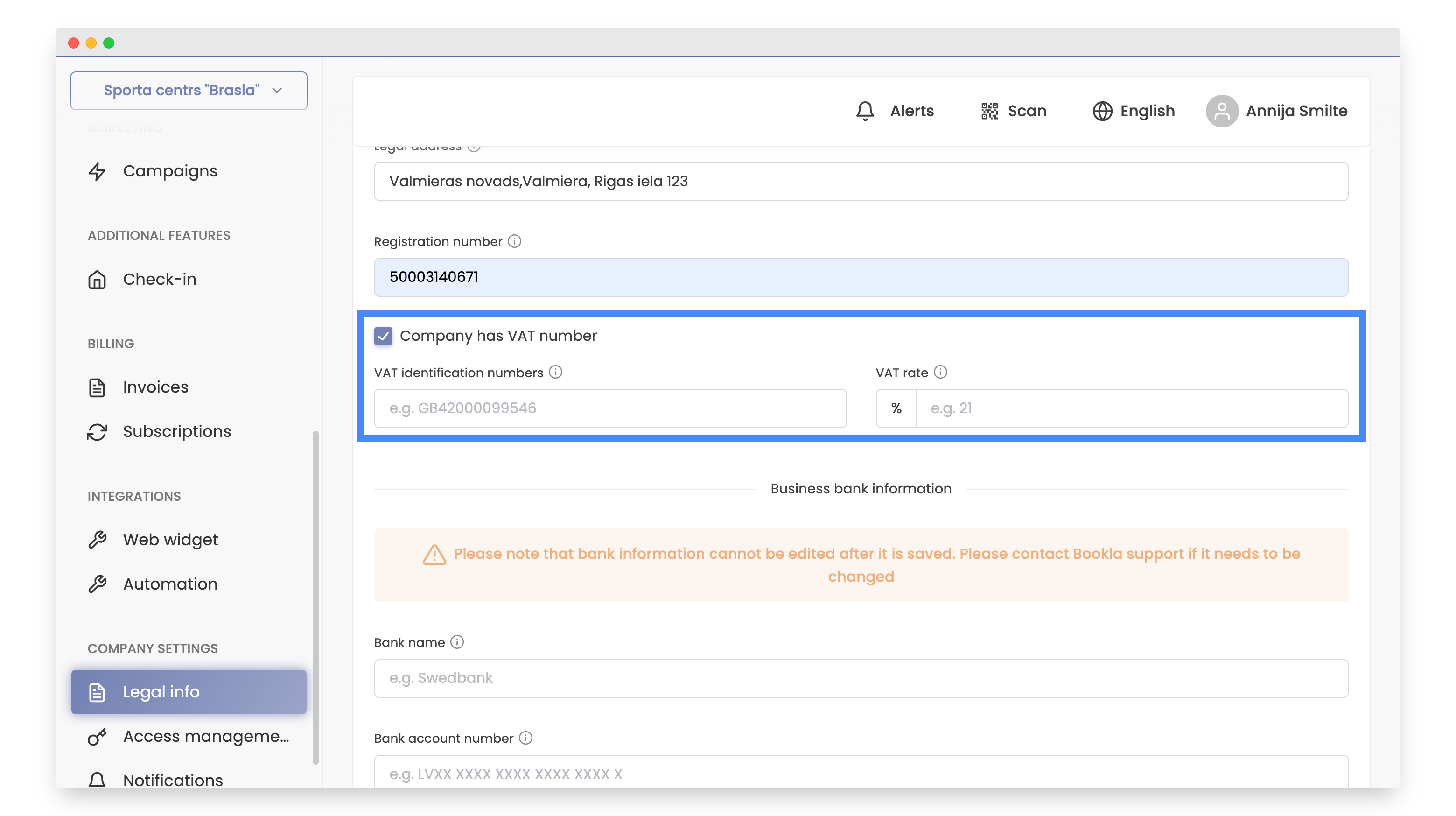
- Enter information about the business bank: Input the bank's name and Bank account number.
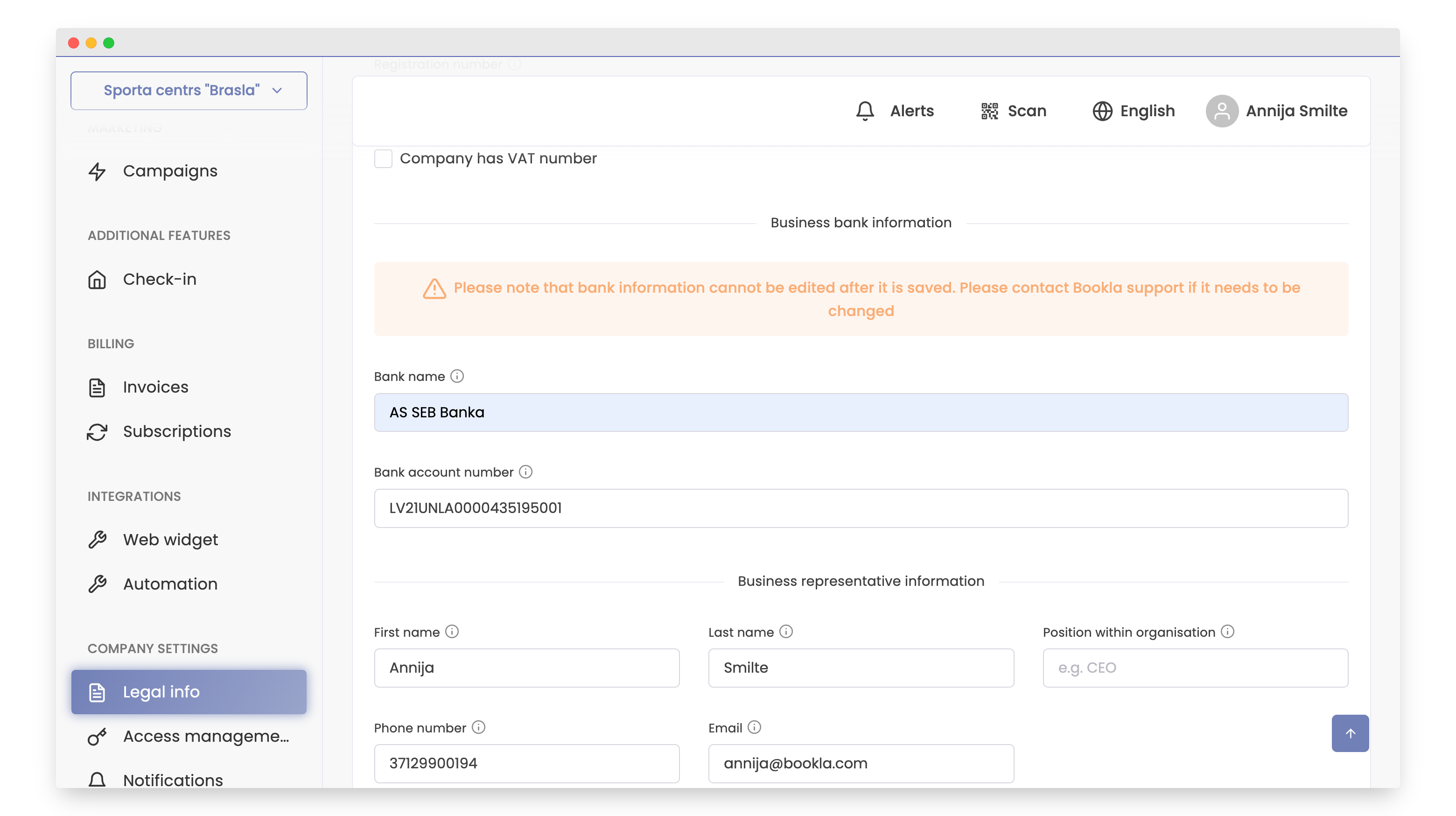
- Input information about the company representative: Enter the representative's name, surname, position, phone number, and email.
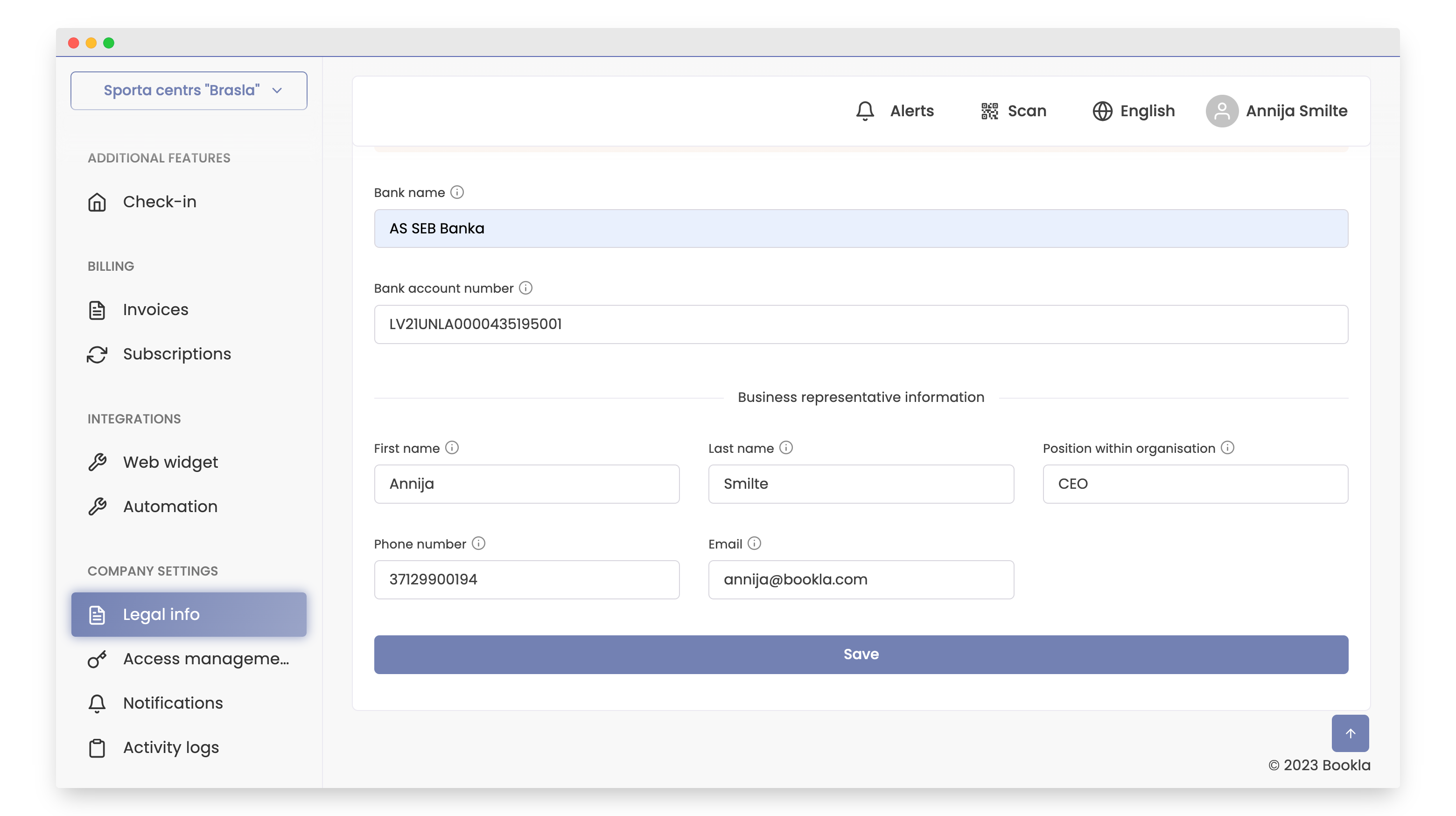
7.Verify and save the information:
- Double-check that all entered data is accurate.
- Click the "Save" button.
- After saving, you will be redirected to the "Legal Info" section. If you notice any errors, click the "Edit" button.
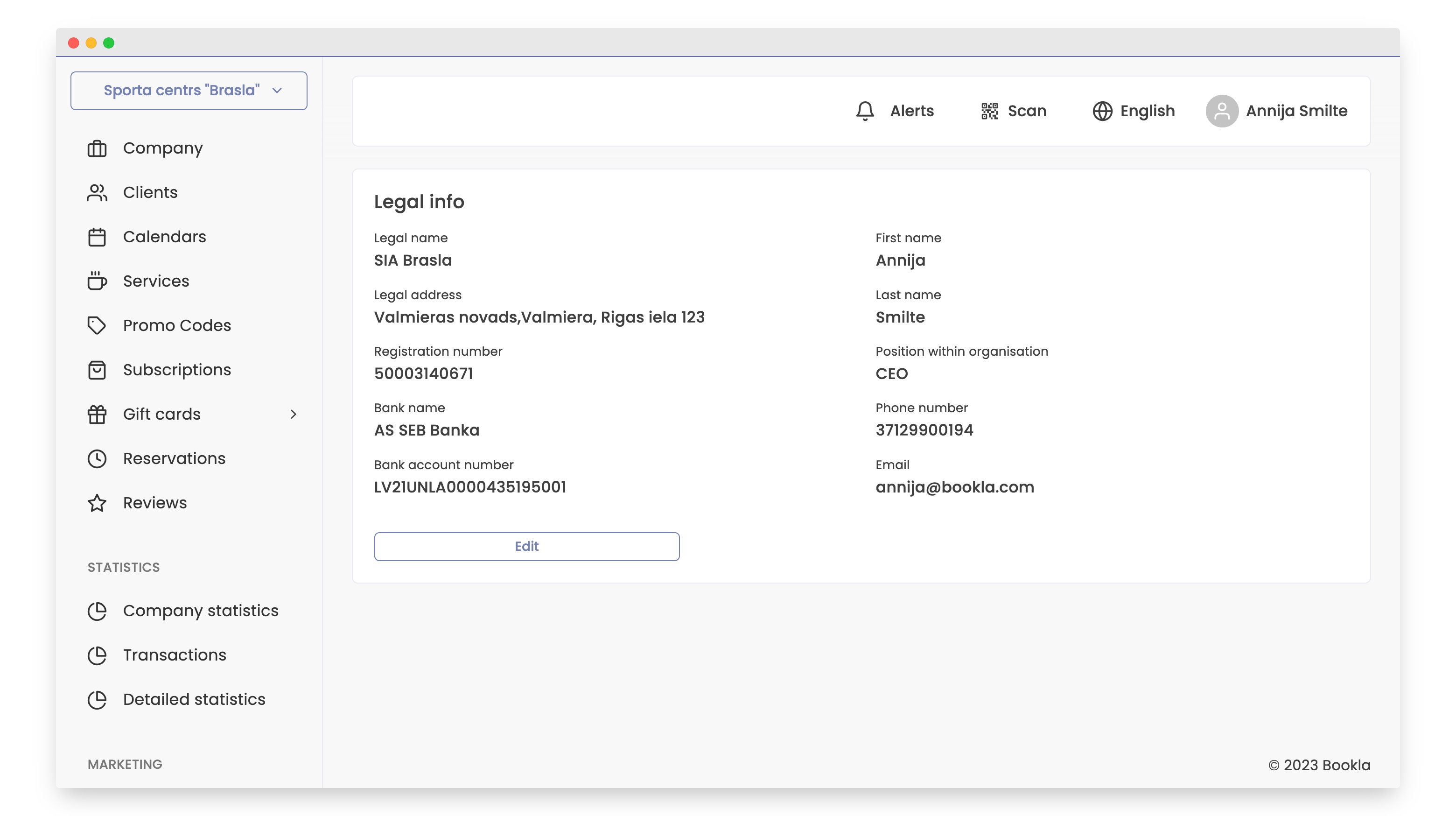
Now that you have completed all the necessary steps, your company's legal information is stored on the Bookla platform.