Adding subscriptions for clients
Subscriptions are a valuable tool used by businesses and activity organizers to offer regular services or activities to their customers. This feature simplifies the process, making it easier to meet customer needs and align with your business interests.To add a subscription for a client, you will need to know the specific client and the subscription that has been created previously, which you'd like to add to this particular client.
Add subscribtion for client in Bookla:
-
Open Bookla Portal
-
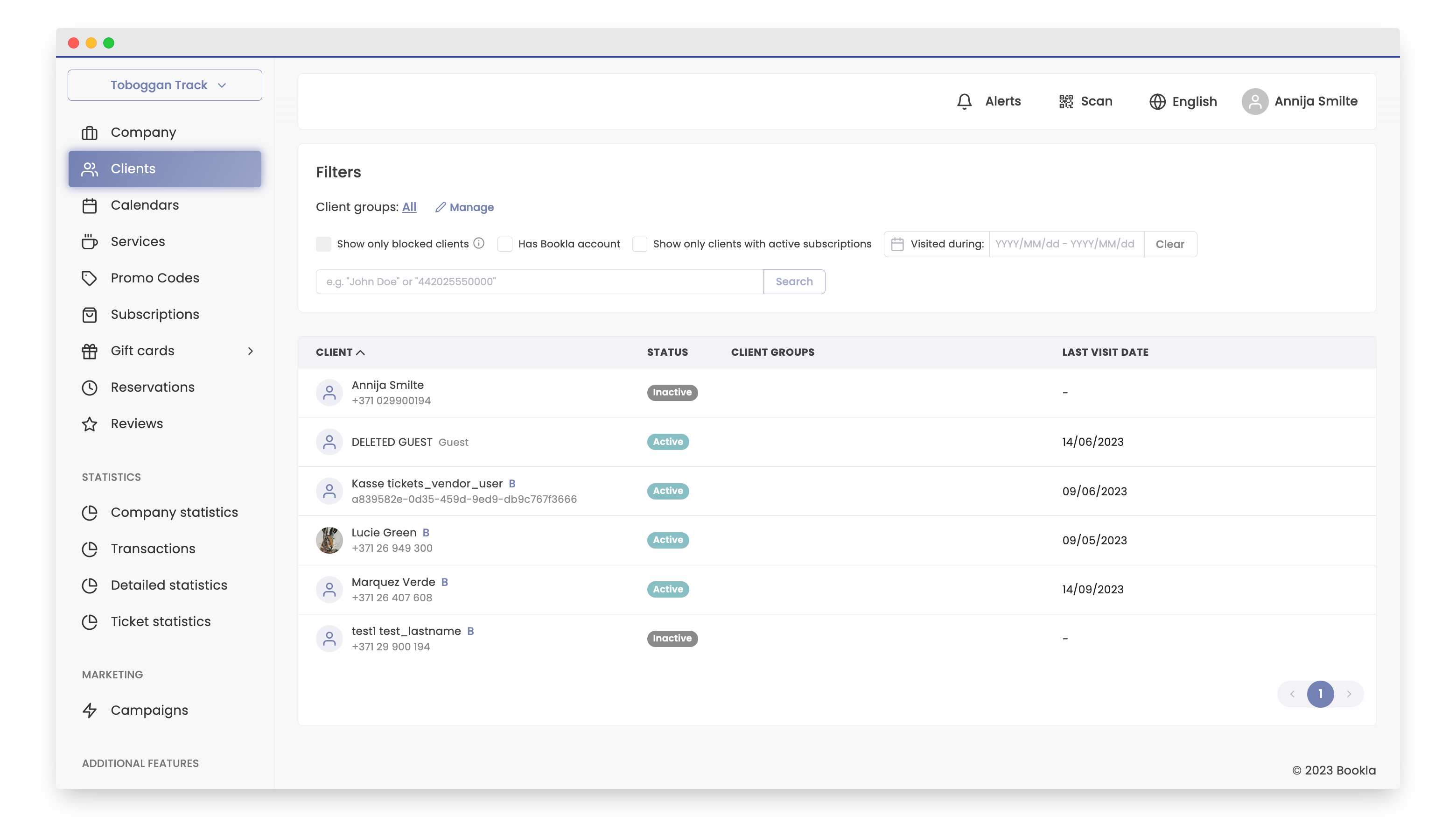
Go to the "Clients" section.
-
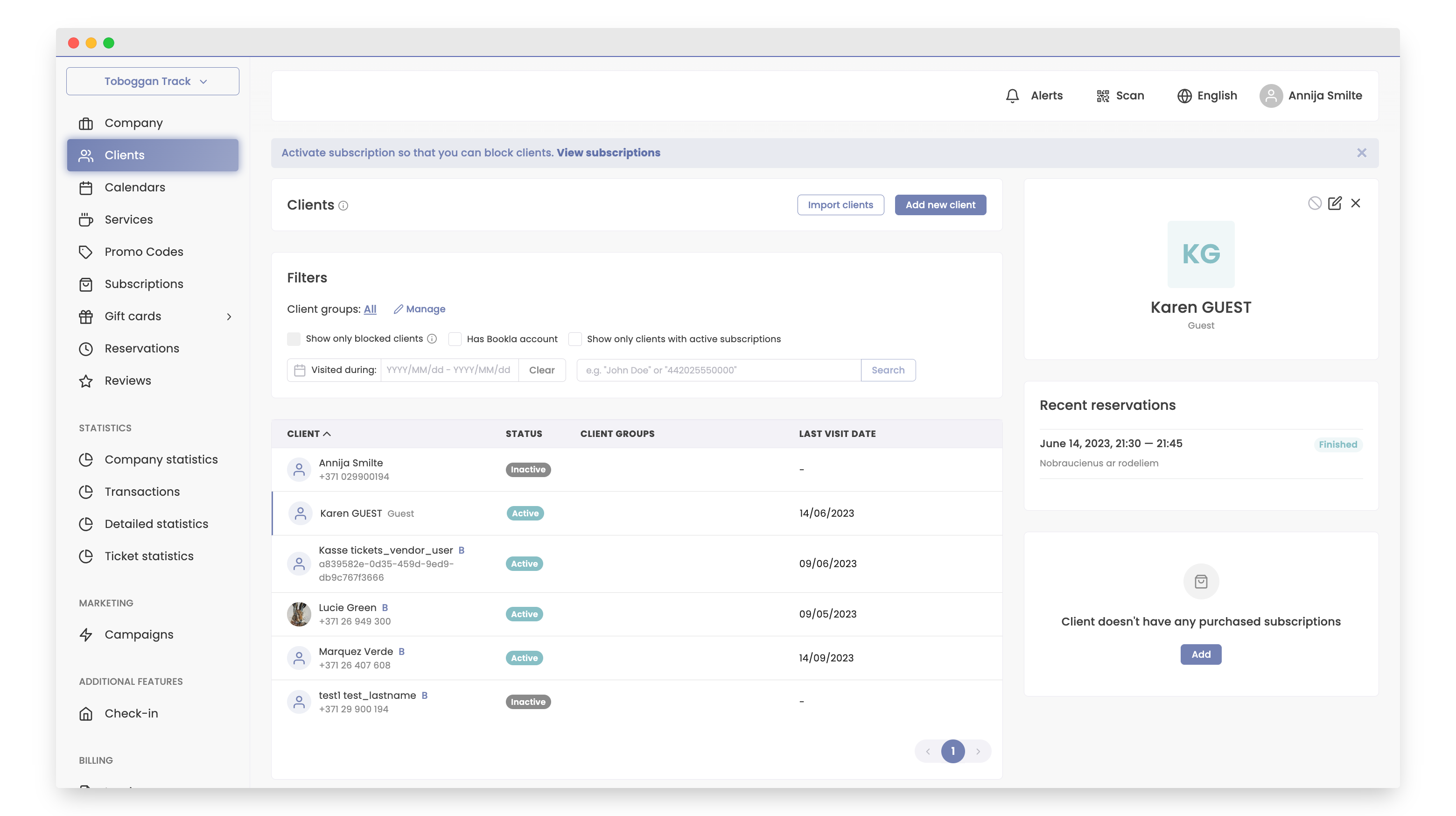
Select or Create new Client: Choose the client or create new one if needed.
-
Three-Click Subscription adding to client: Click 'Add' after selecting the client.
-
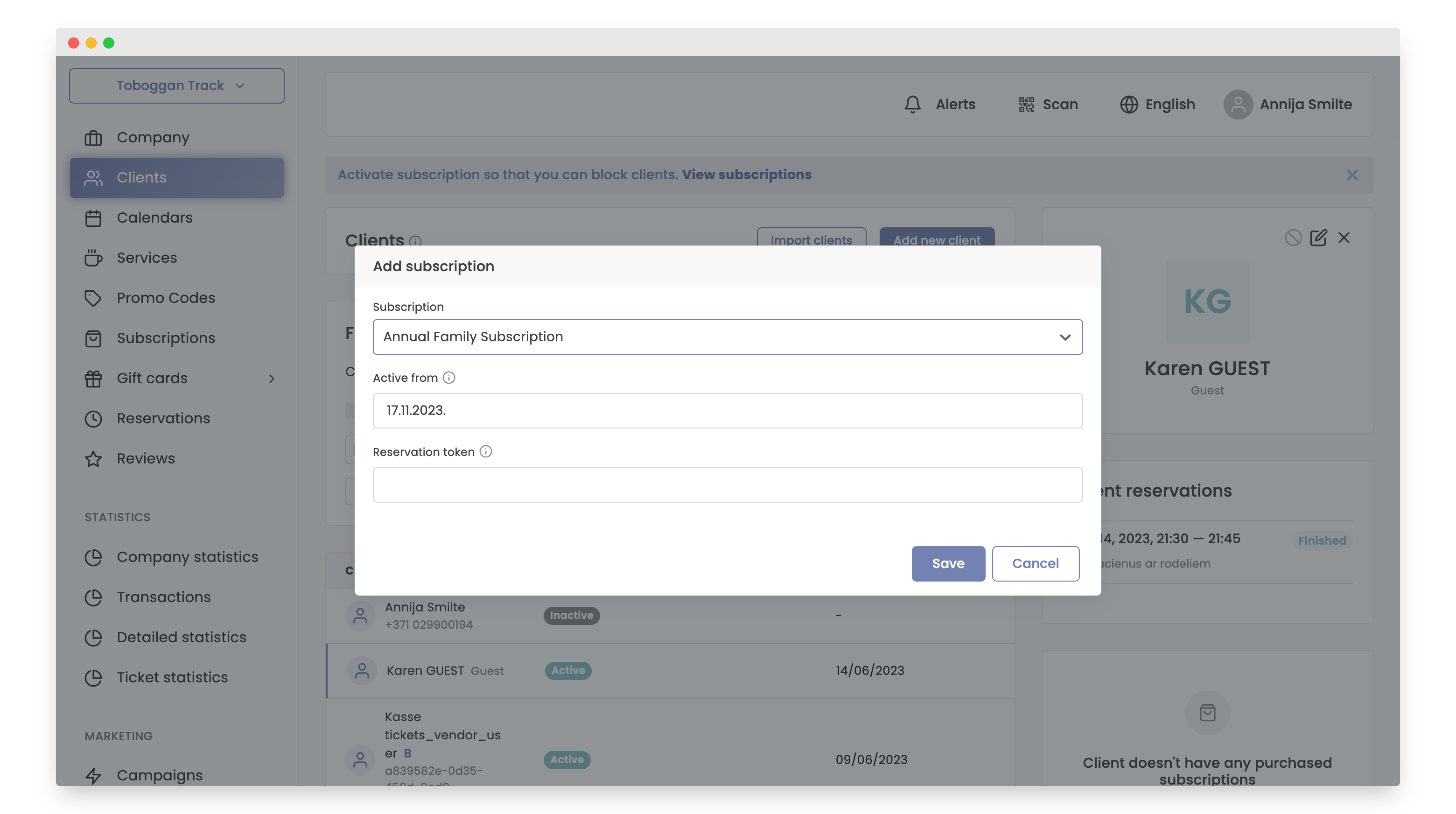
Choose the Subscription you've made before that you'd like to add for client.
-
Click "Save".
-
It will display immediately in the left bar, below the client info.
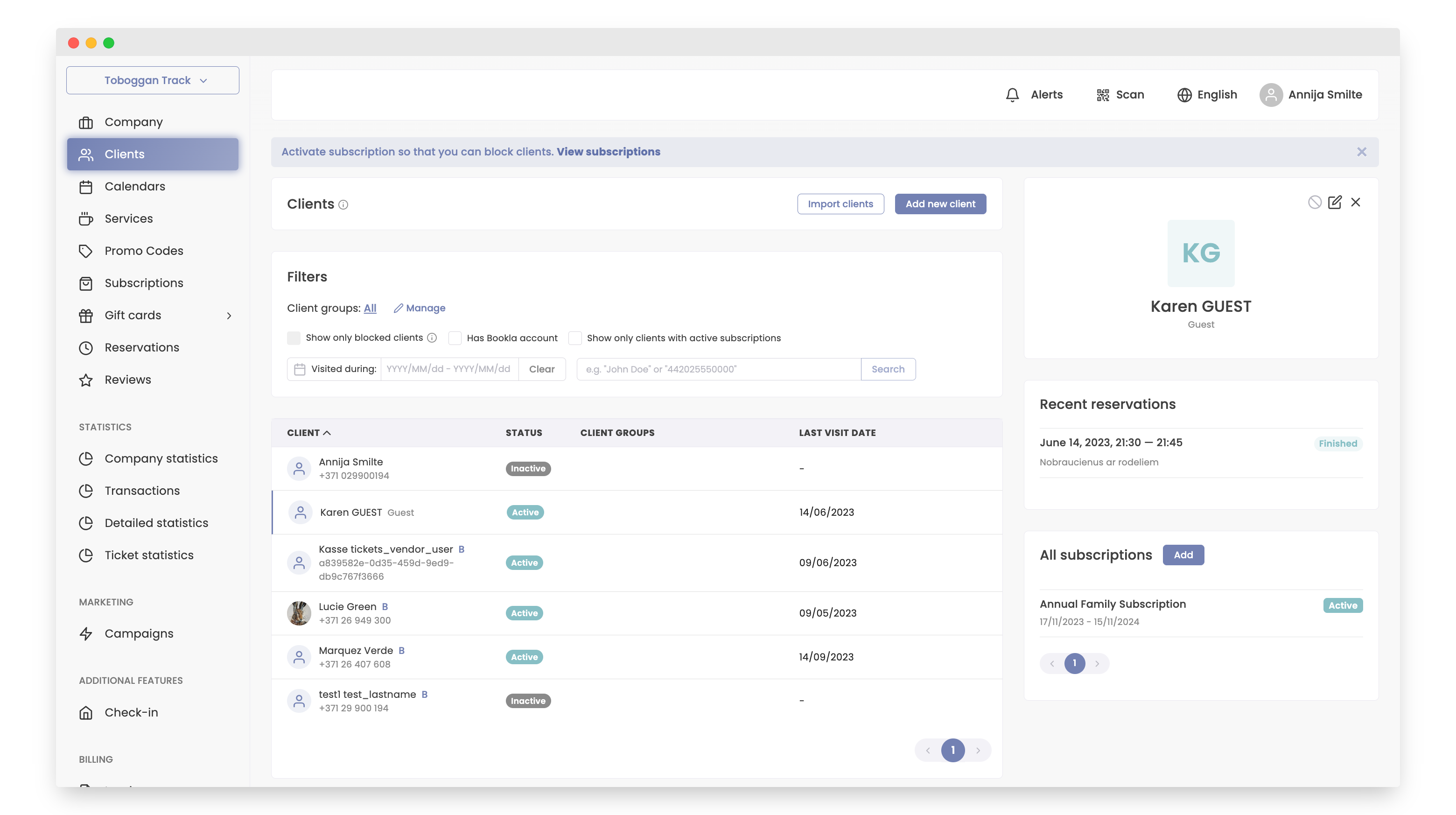
That's all!
Your subscription is now successfully added to Client!\