Gift card redemption
This guide provides instructions for redeeming a gift card when a customer presents it for use at your establishment. To complete the redemption process, ensure the client activates the gift card, and record the usage date, amount, and any relevant comments.
How to redeem gift card
-
Open Bookla Portal
-
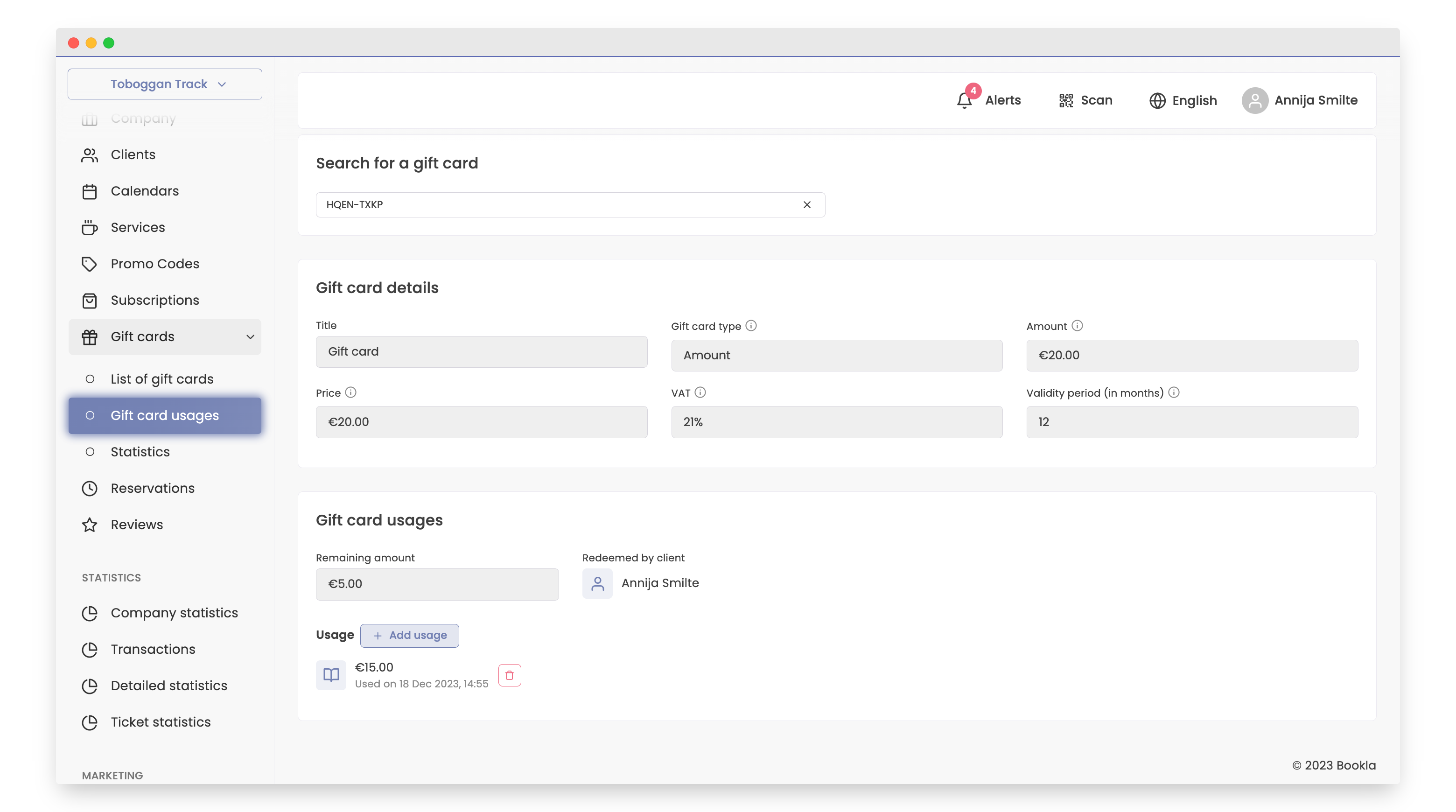
Go to the "Gift cards" section, subsection "Using Gift cards".
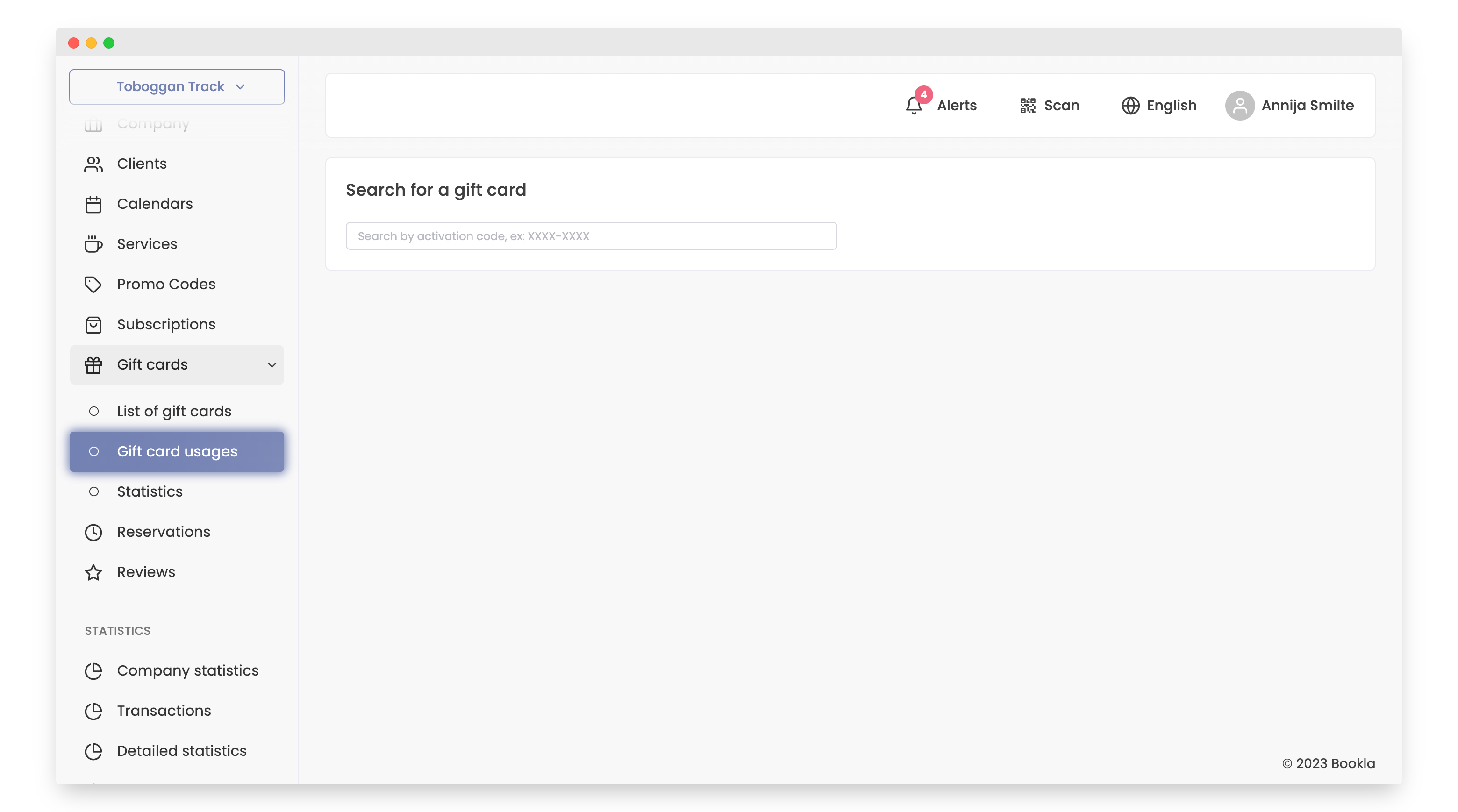
-
The customer's gift card has a promo code that needs to be entered in the "Find Gift Card" section. The gift card must be activated. If the gift card is not activated, you can learn how to do it here, Click here.
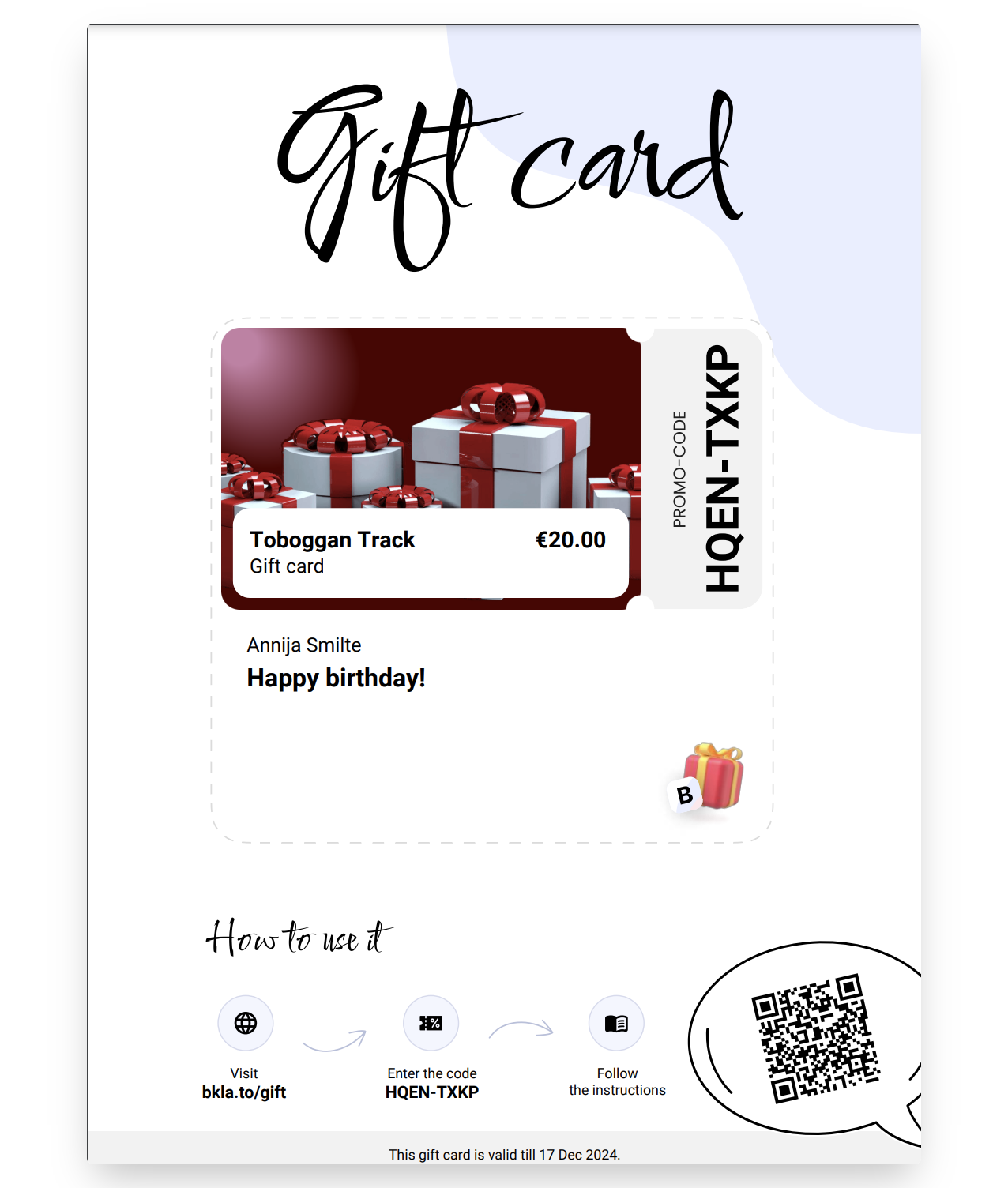
-
Enter the activation code.
-
Press the "Add Usage" button.
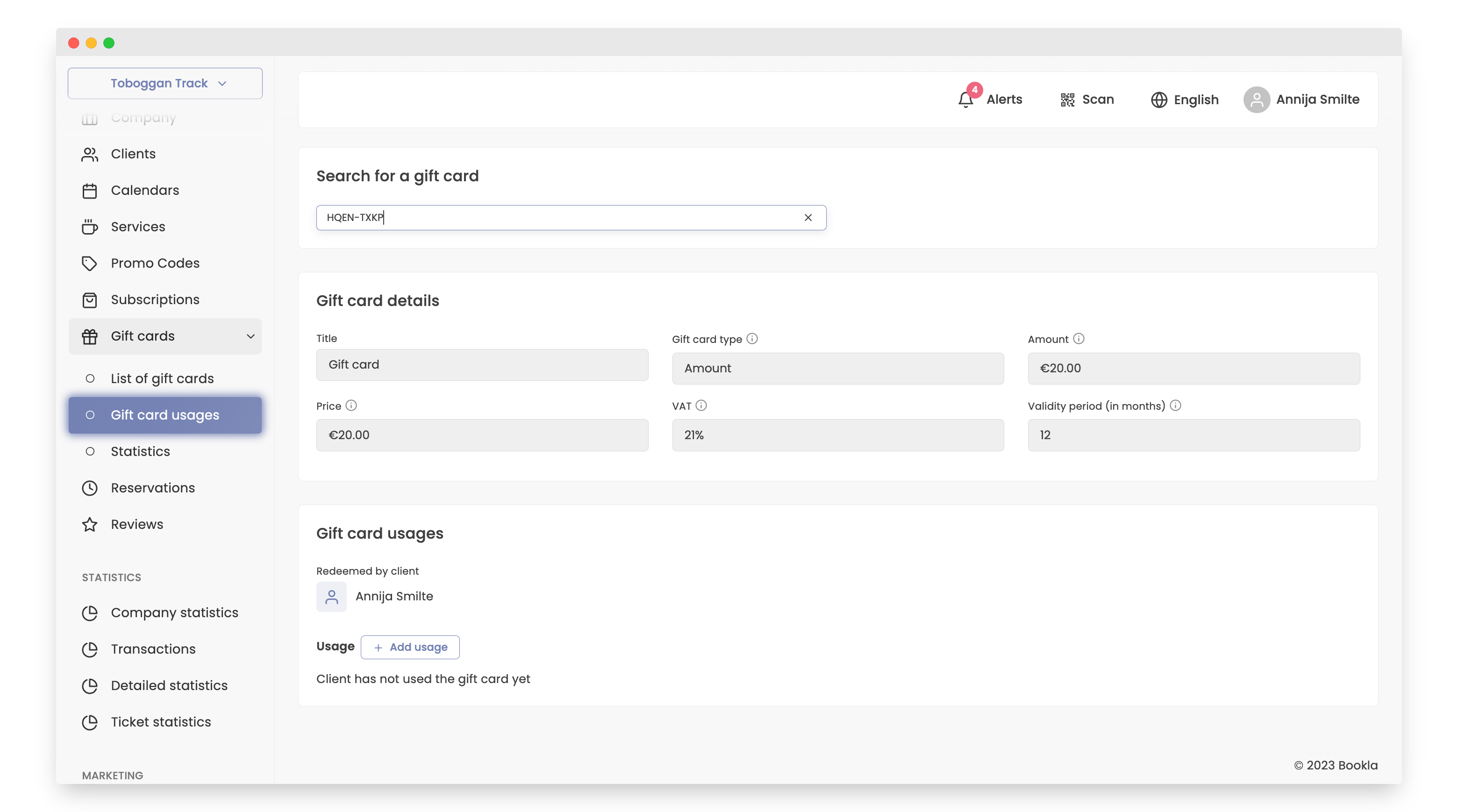
-
Under "Add Usage" enter:
- Usage date
- Amount
- Comment - specify in the comment which service the gift card was used for.
- Press the "Save" button.
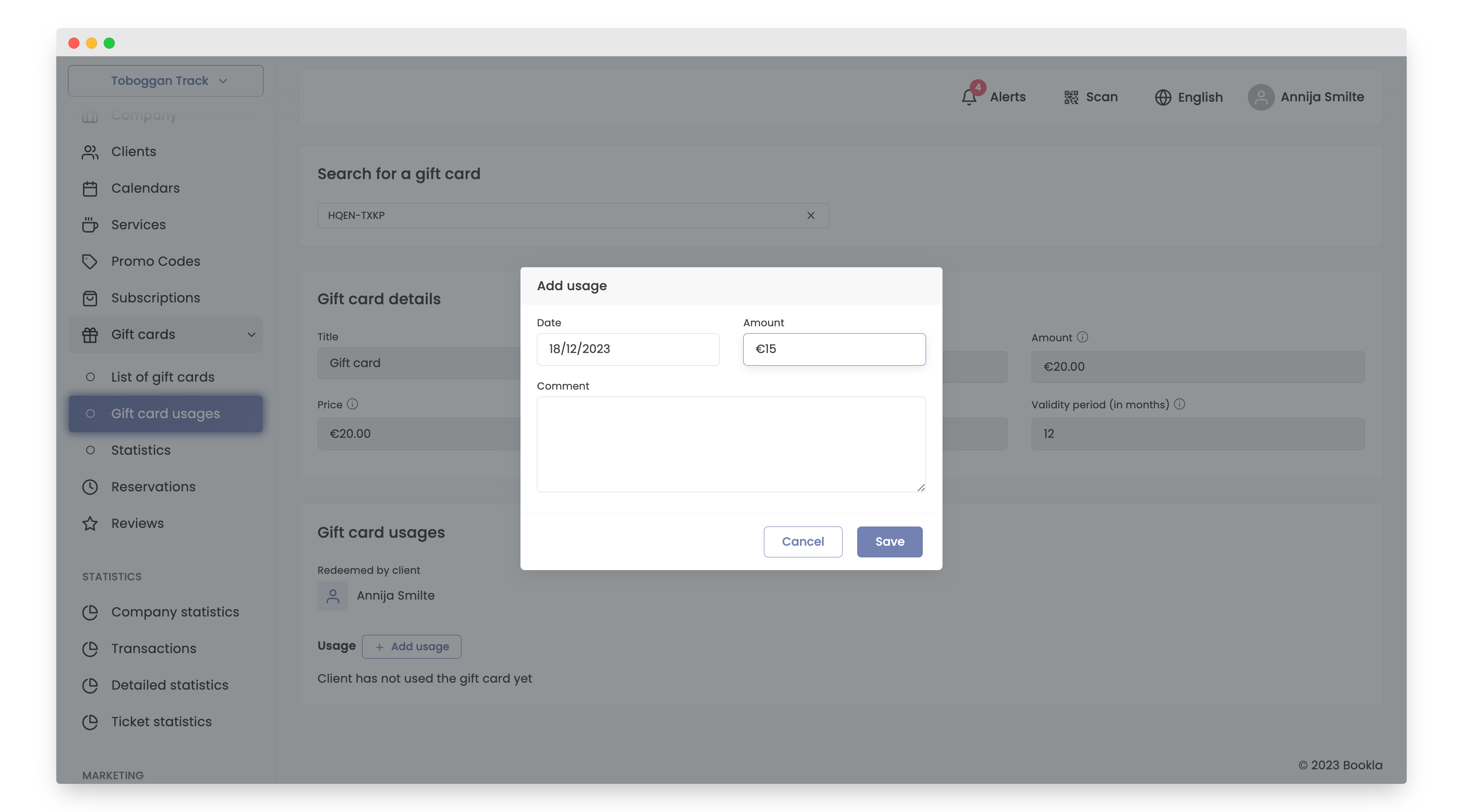
- After these steps, you will be able to see that the gift card has been successfully used, and the remaining balance of the gift card will also be visible.
That's all! With these steps, you have successfully used the gift card.