How to create gift cards
Bookla's Gift Cards provide an excellent means to boost sales and foster customer engagement. These cards are available in digital format, enabling users to choose from various designs, personalize messages, and conveniently send them via email or print for in-person gifting. To create a gift card, you will first need to specify whether it is for a specific amount or for particular products. Next, you'll be required to input information such as the card's value, price, VAT (if applicable), and its validity period. Additionally, you'll need to include a description for the gift card and have the option to add translations if desired.
Create a gift card in Bookla:
- Open Bookla Portal
- Go to the "Gift Cards" section.
- Click on "Create a gift card".
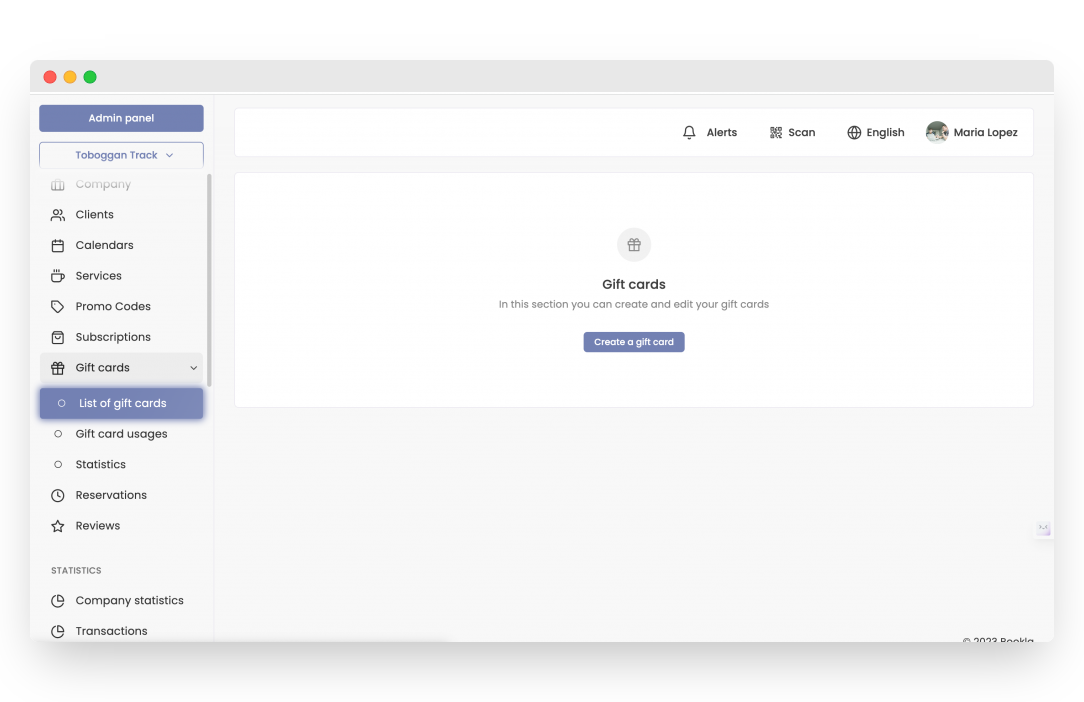
- Select the purpose of the gift card.
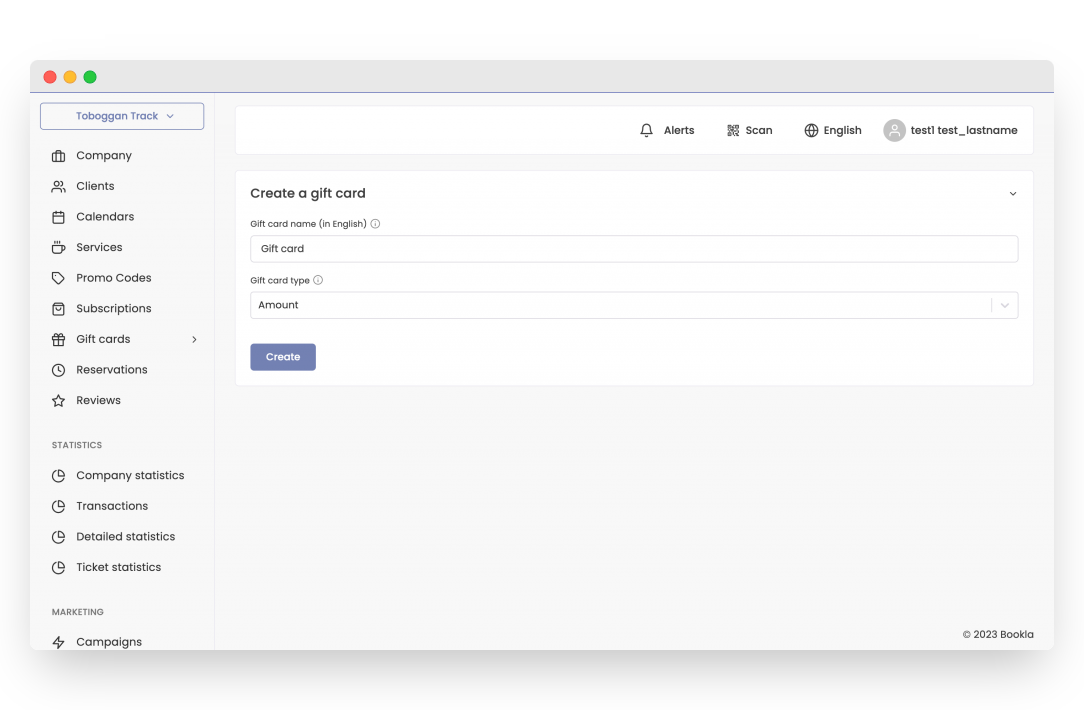
- In Bookla, there are two possible types of gift cards:
- For the amount, for simple reservations or ticket purchases.
- For the purchase of a specific product - Subscription.
- Click the "Create" button.
-
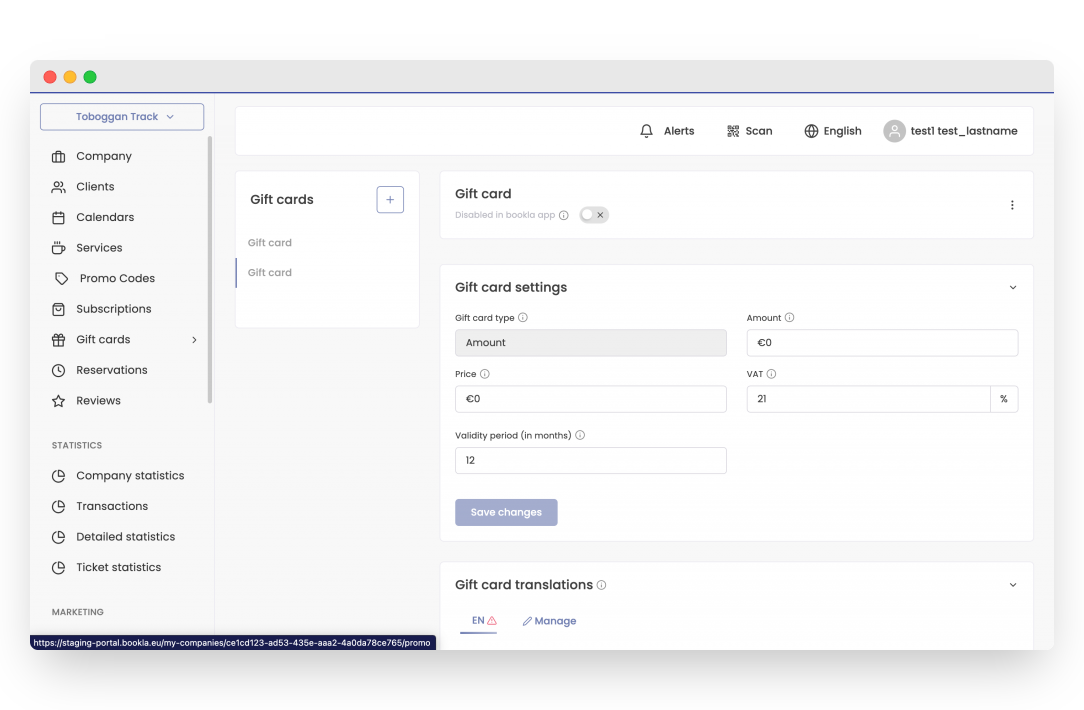
Enter information about the gift card, including the amount, price, VAT, and validity period. Then click "Save Changes."
-
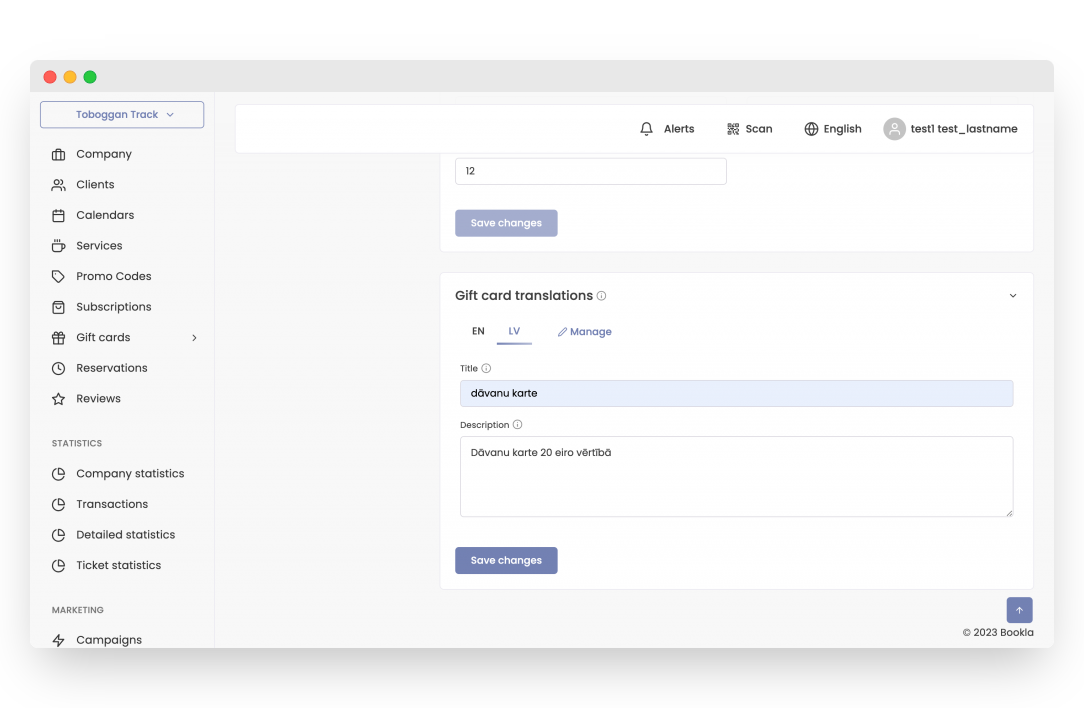
Scroll down to where you can enter translations for the gift card, including the name and description, and click "Save Changes."
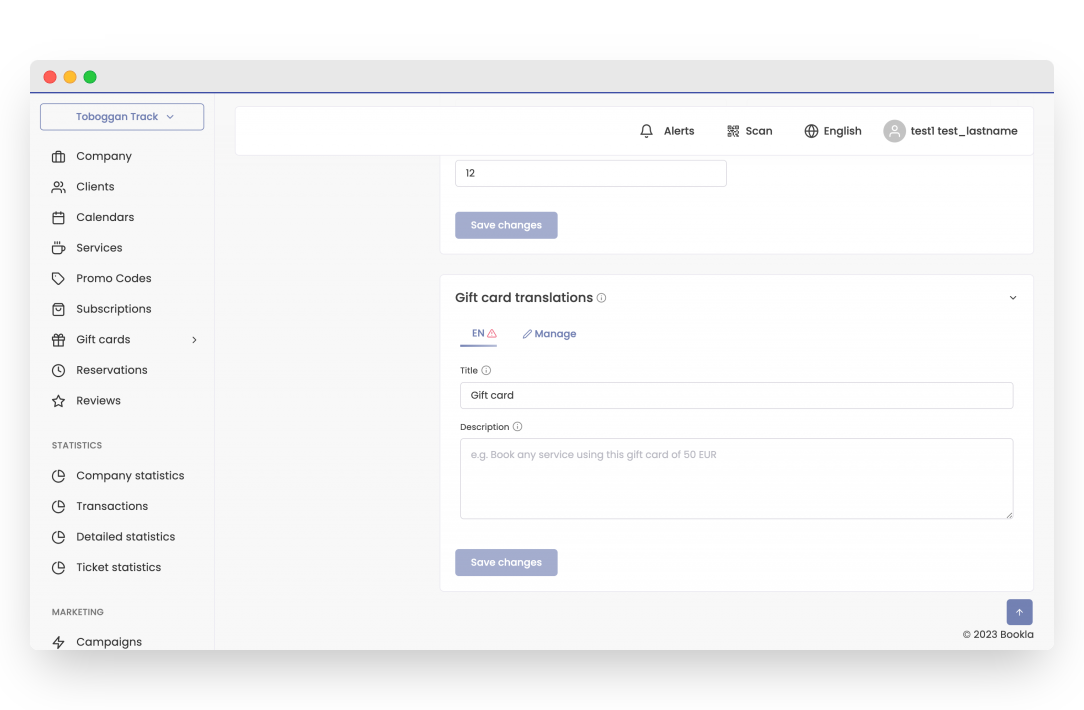
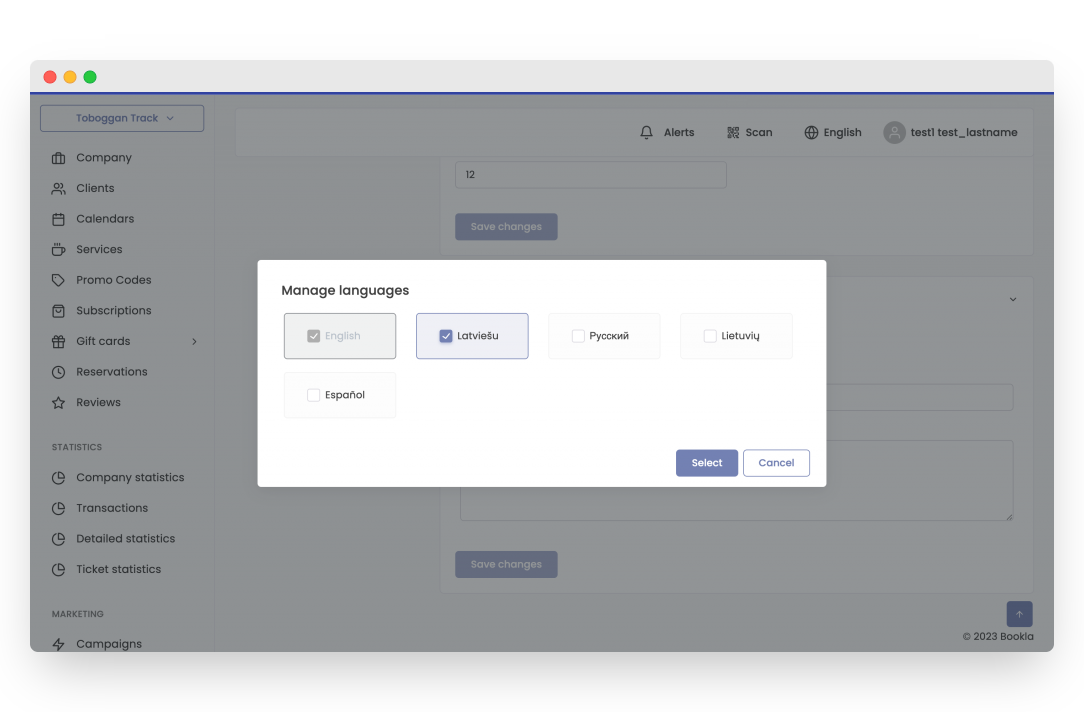
- To add translations click "Manage"
- Choose the language/languages.
- Enter the name and description in the selected language/languages and click "Save Changes."
- To activate the gift card, scroll up and click the button.
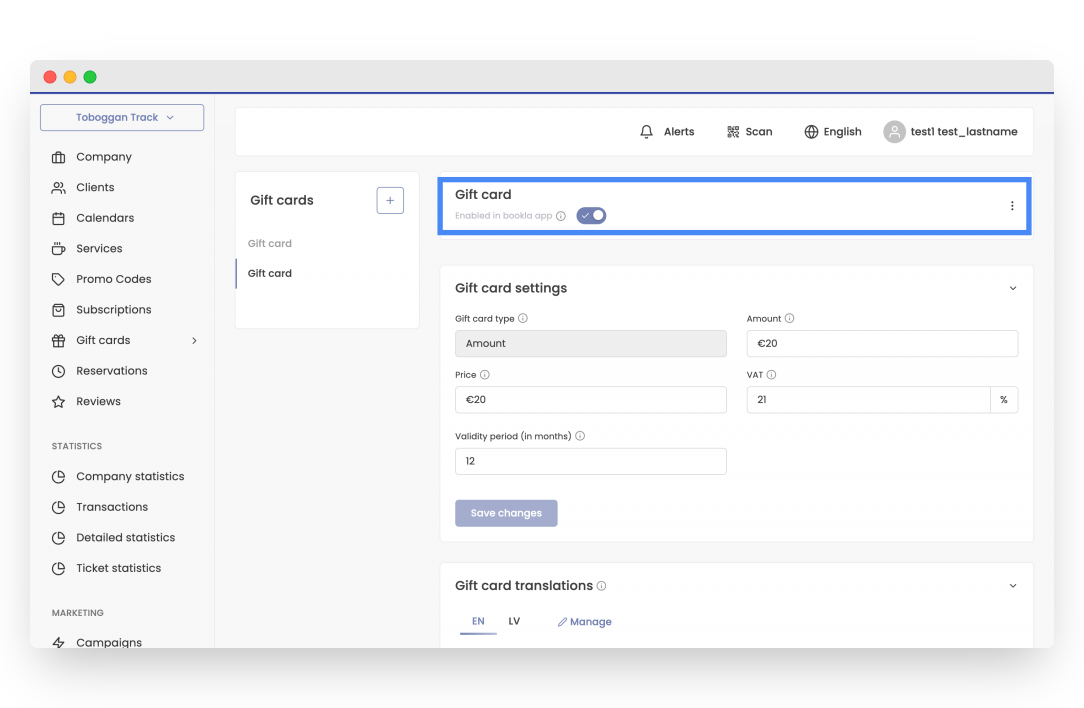
That's it! The gift card has been created, and customers can now purchase it.
If you want to learn how redeem gift cards, Click here.