How to delete client
To delete a client, you need to know which client you want to delete.
How to delete a client
- Open Bookla Portal
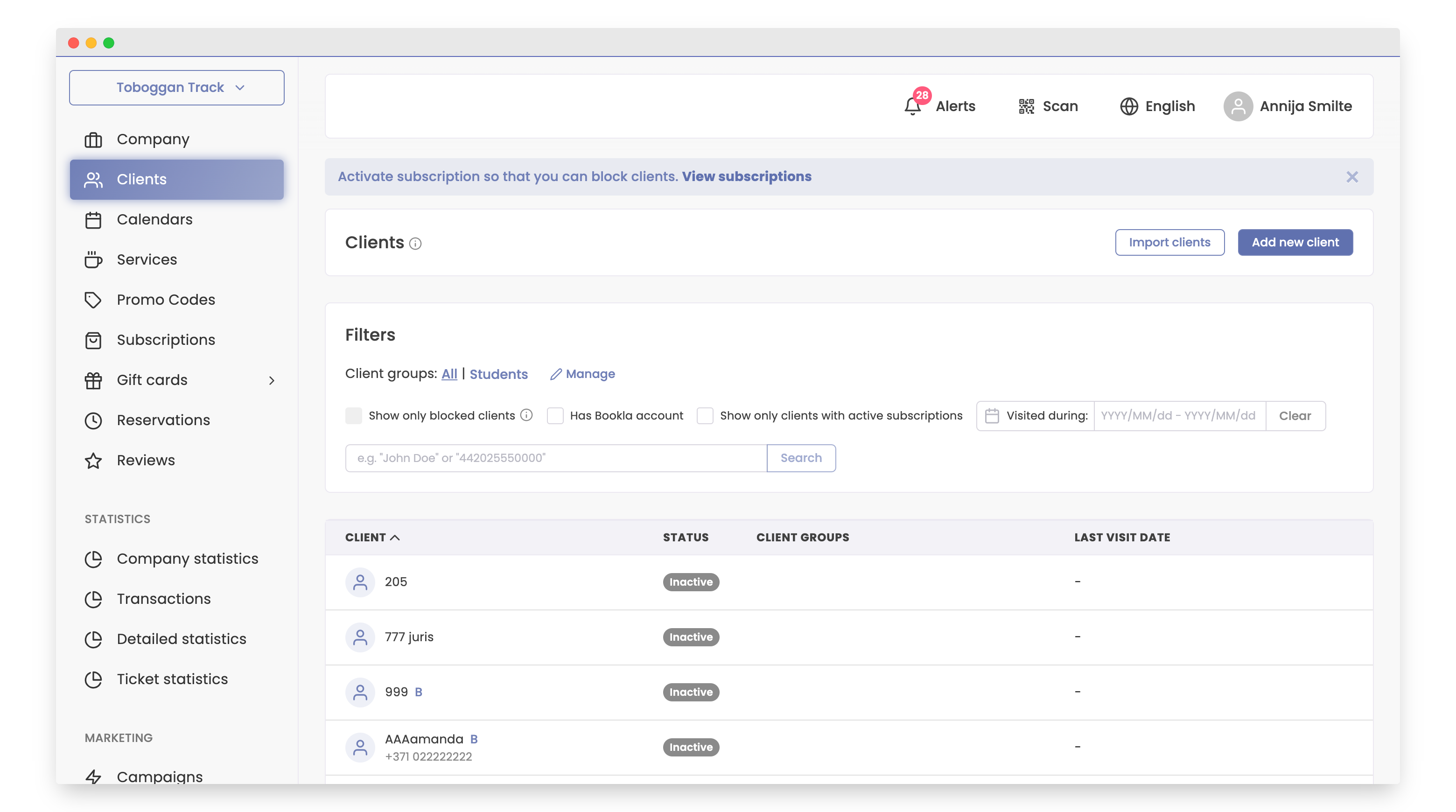
- Go to the "Clients" section.
-
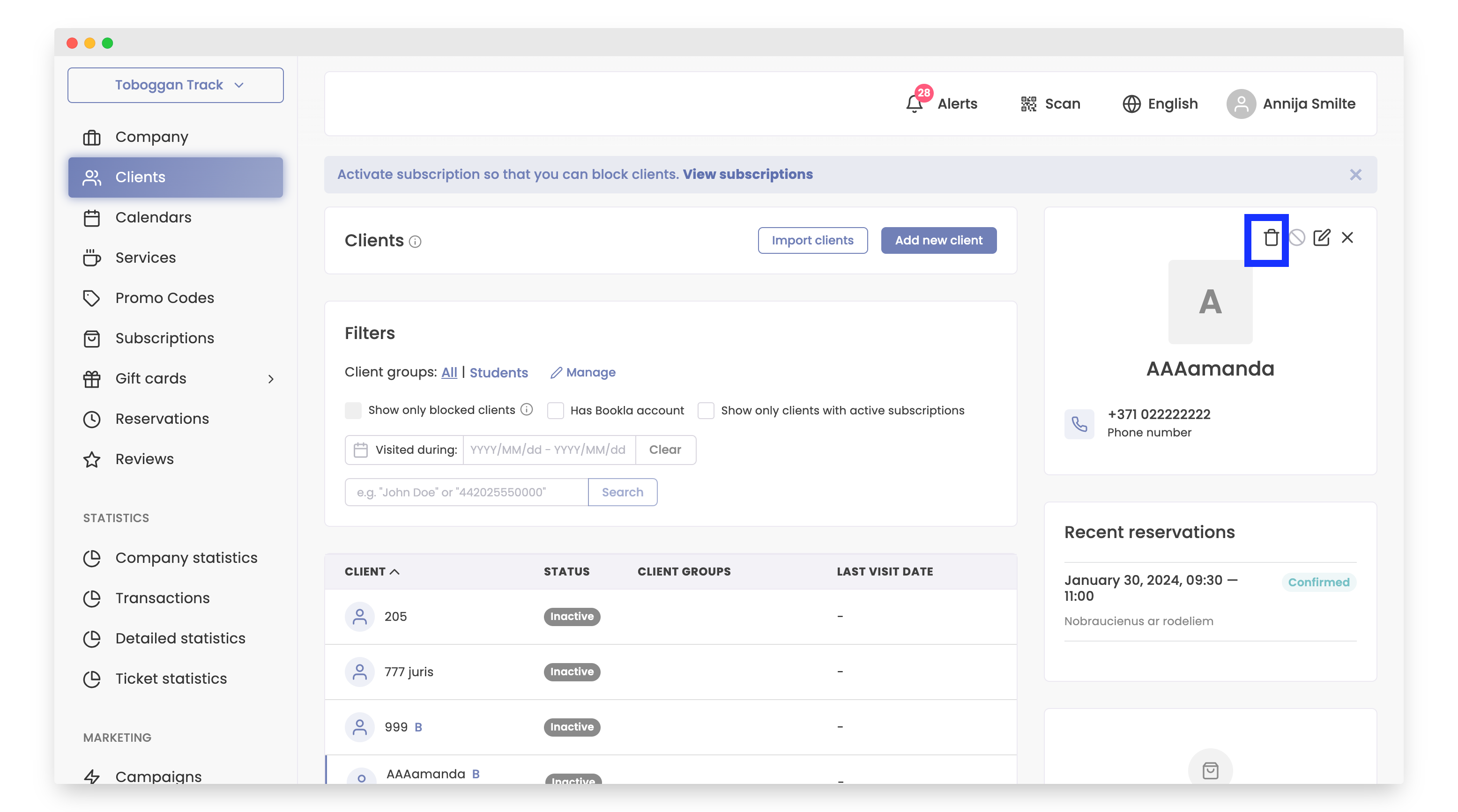
Click on the delete button.
-
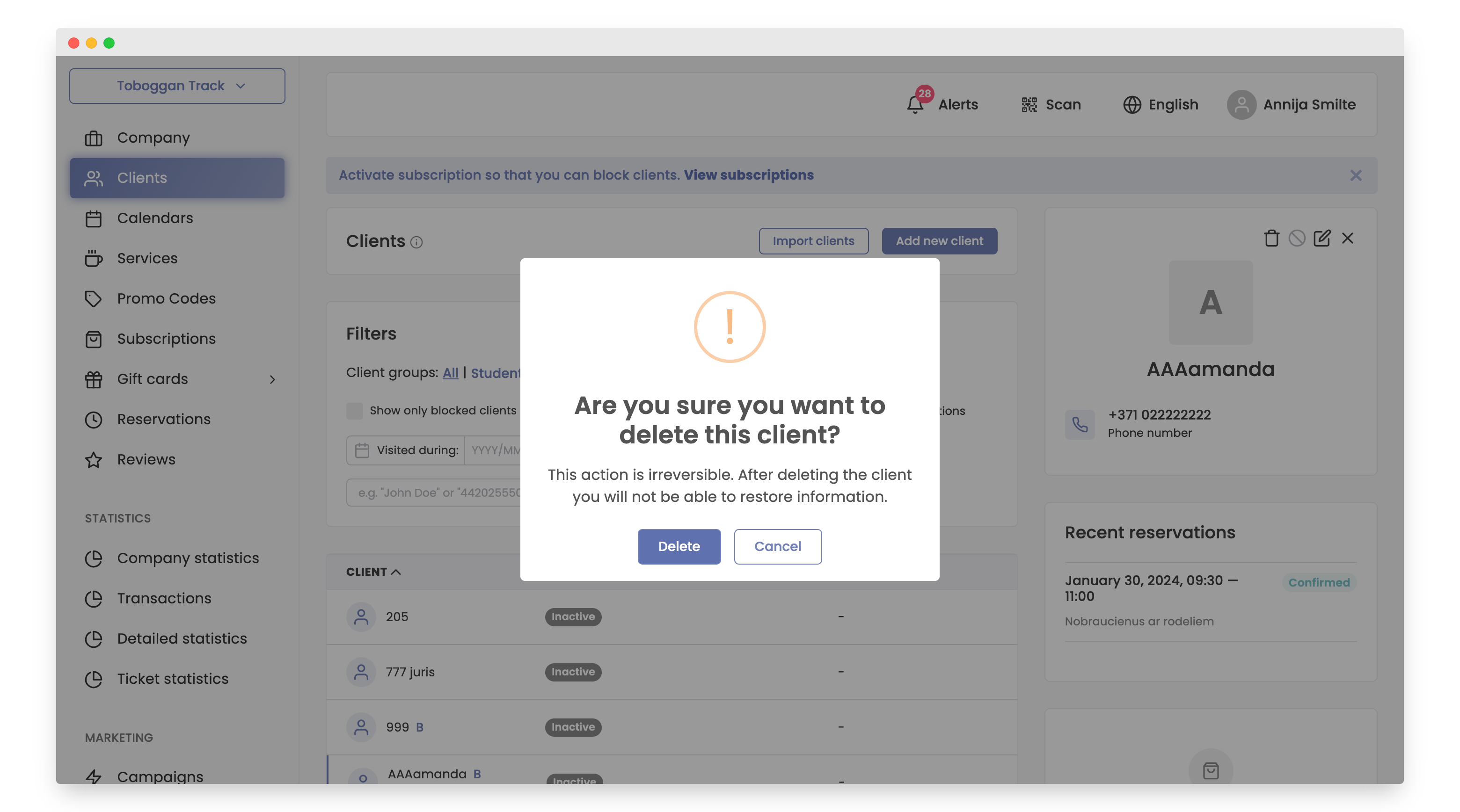
To delete the client, click the Delete button.
Your client has been successfully deleted.