Add client manually
On Bookla, clients can make reservations and purchase the services you offer, as well as subscriptions and available gift cards. To add clients manually, you will need specific information about the client, including their name, last name, birthday, phone number, and email.
Add client manually in Bookla:
- Open Bookla Portal
- Go to the "Clients" section.
- Click on the "Add new client" button.
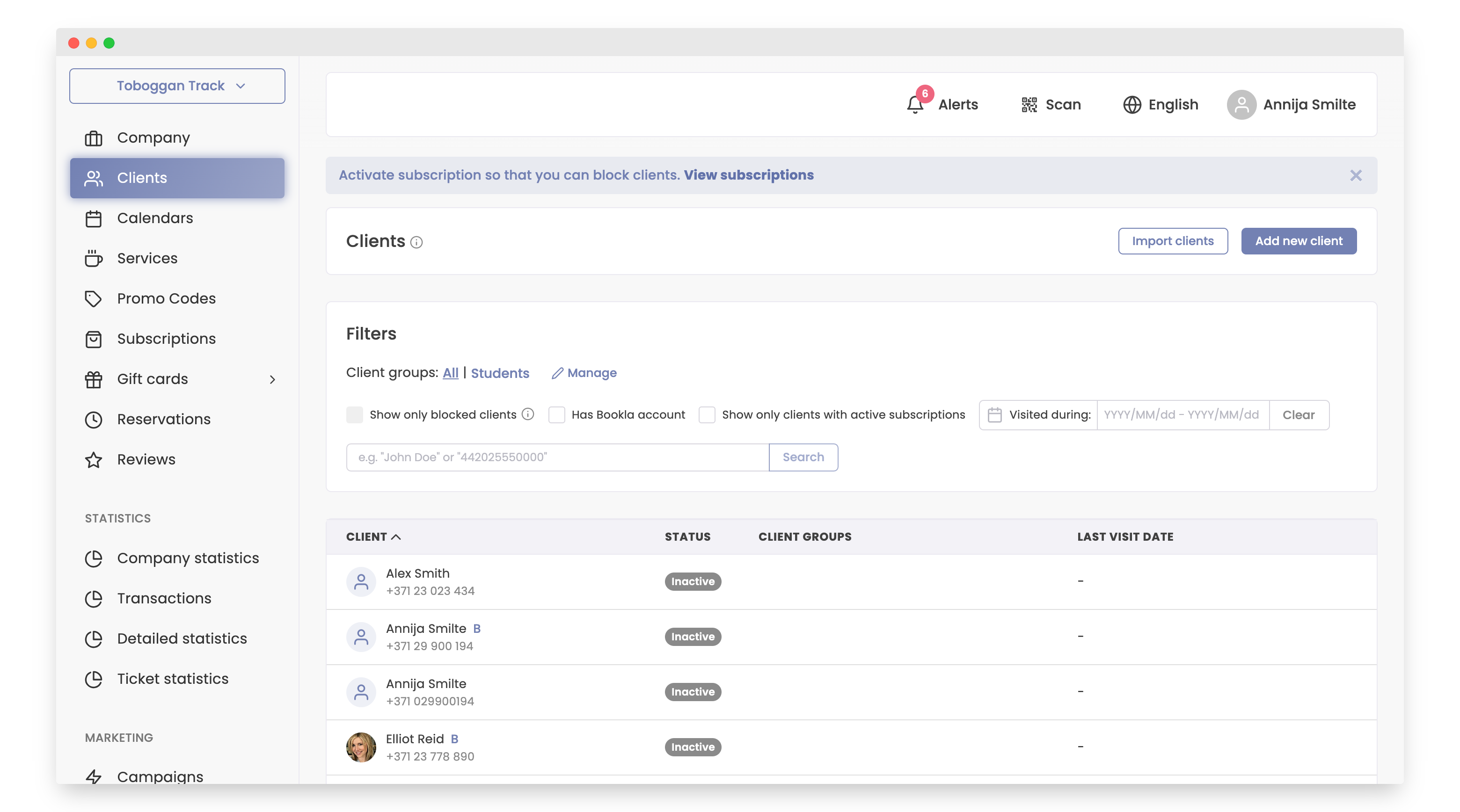
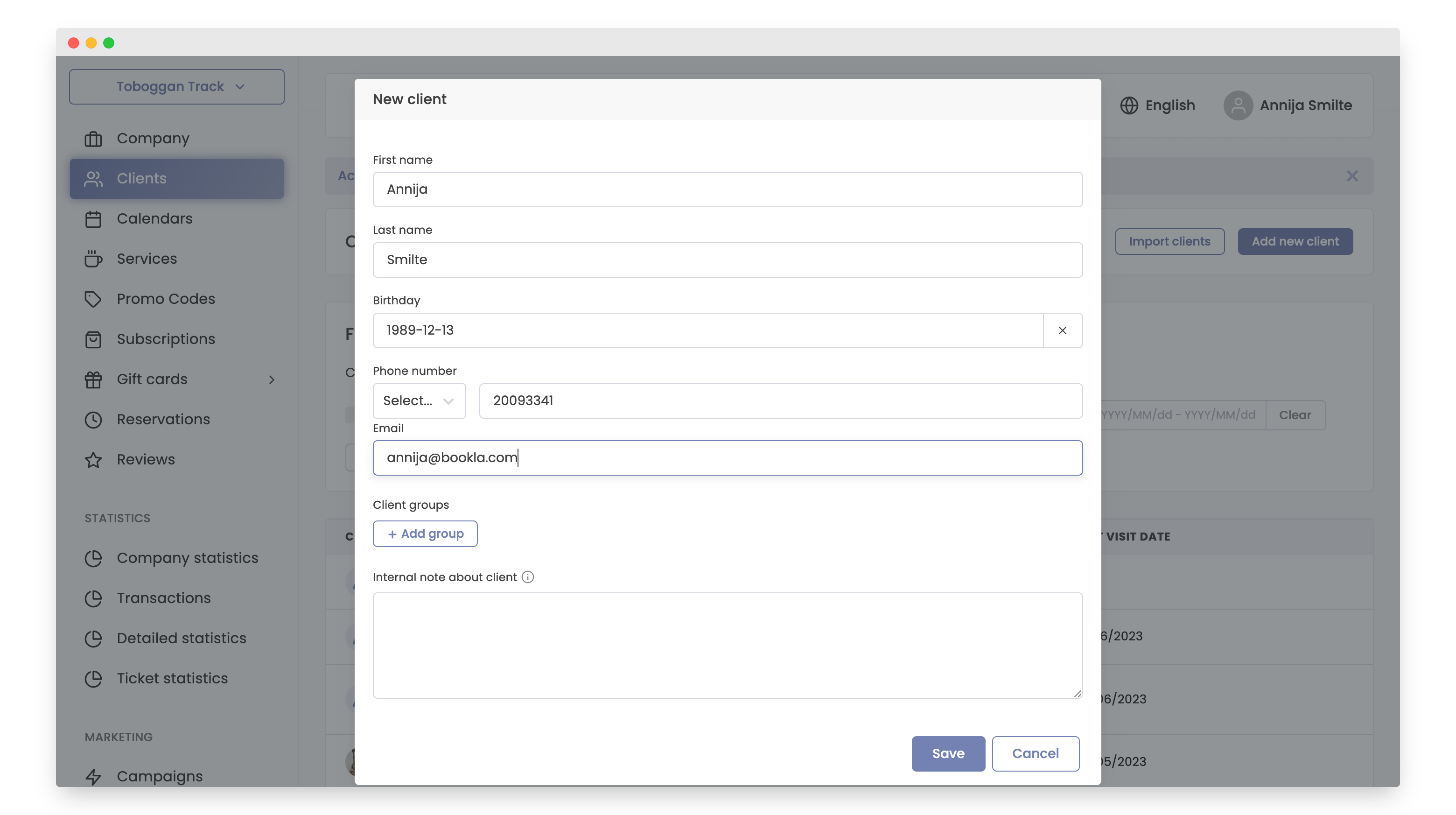
- Enter the client's information:
- Client's First Name
- Client's Last Name
- Birthday
- Phone Number
- If you wish, you can also add the client to one of the client groups.
- Add notes about the client if necessary (not mandatory).
- Click the "Save" button.
- The client has been added, and it is immediately shown to you in the "Clients" section after saving.
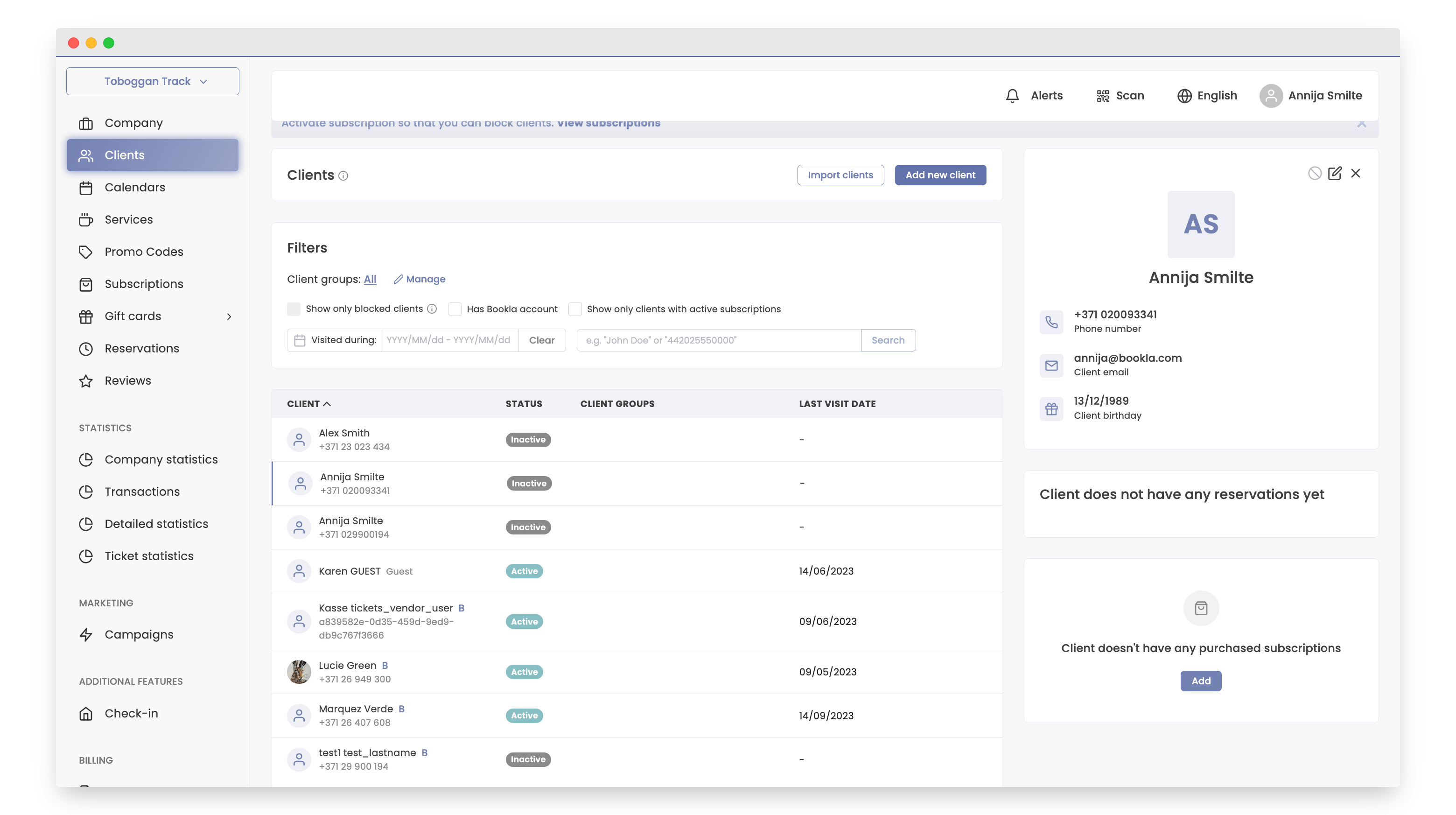
And that's it! The client has been successfully added.