How to Create Service Groups and Add Services to Them
Service groups are a great way to organize your services.
How to Create a Service Group
- Open the Bookla Portal.
- Navigate to the "Services" section.
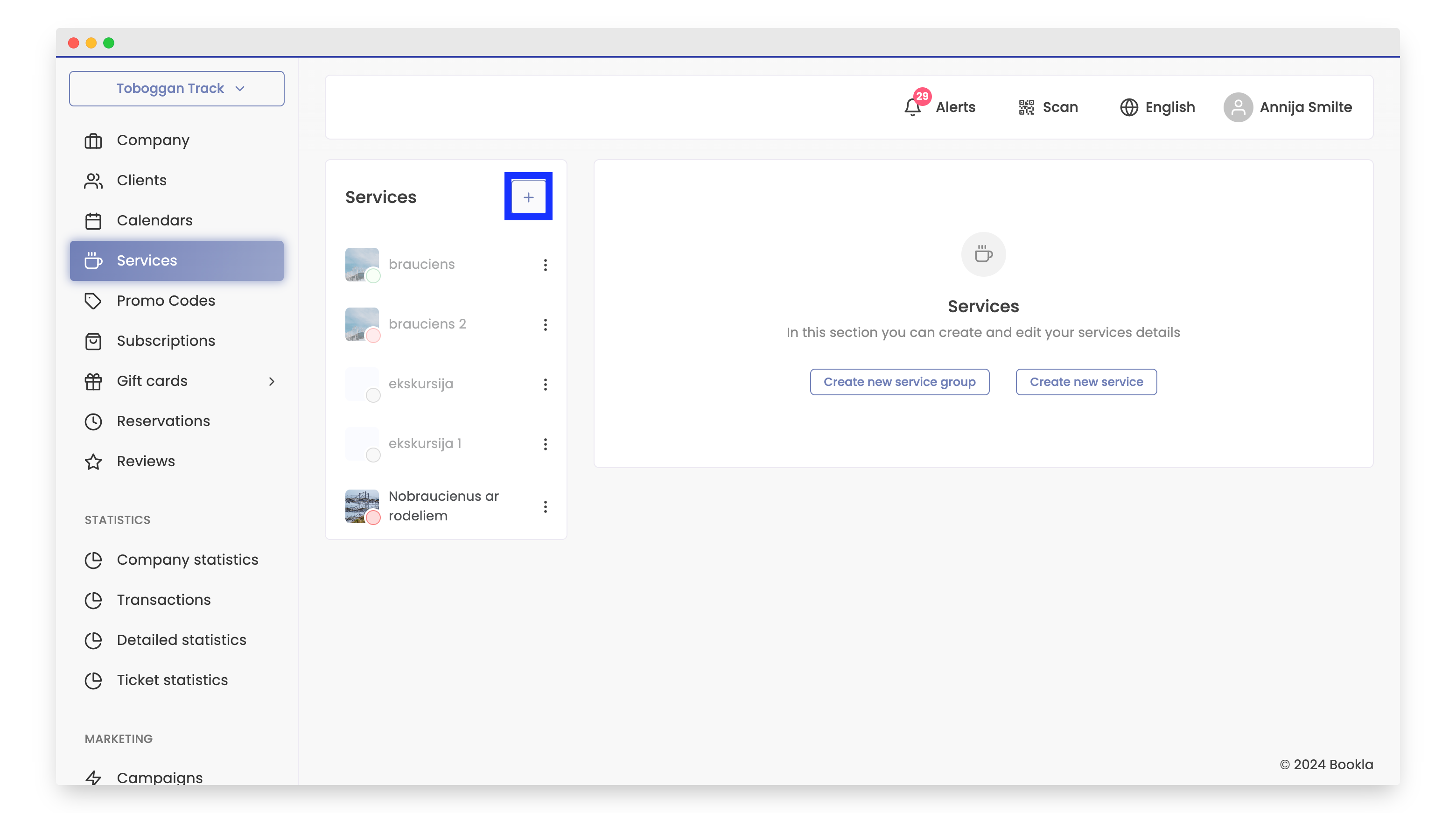
- Click the "+" button.
- Select "Create service group".
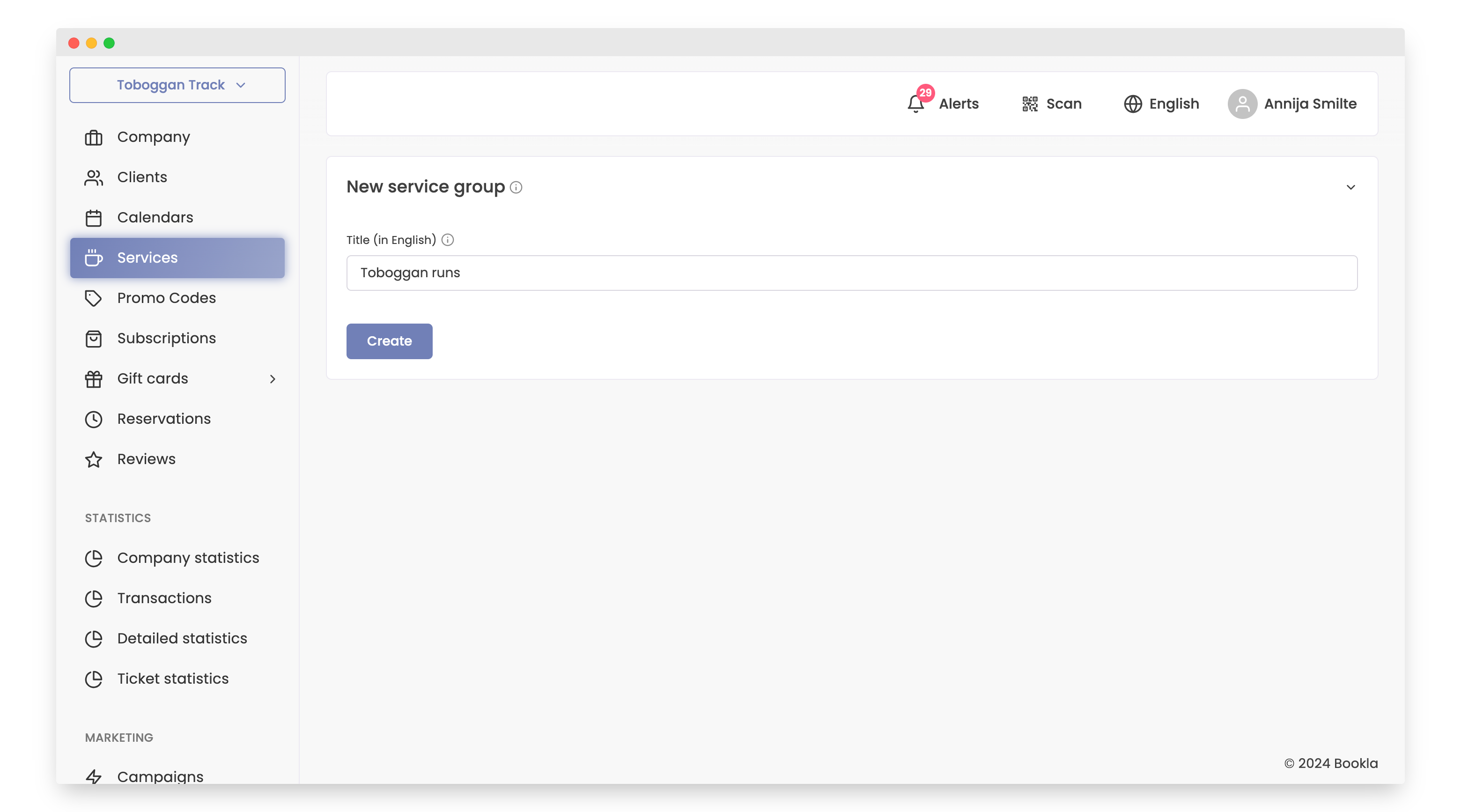
- Enter the title for the service group.
- Click "Create".
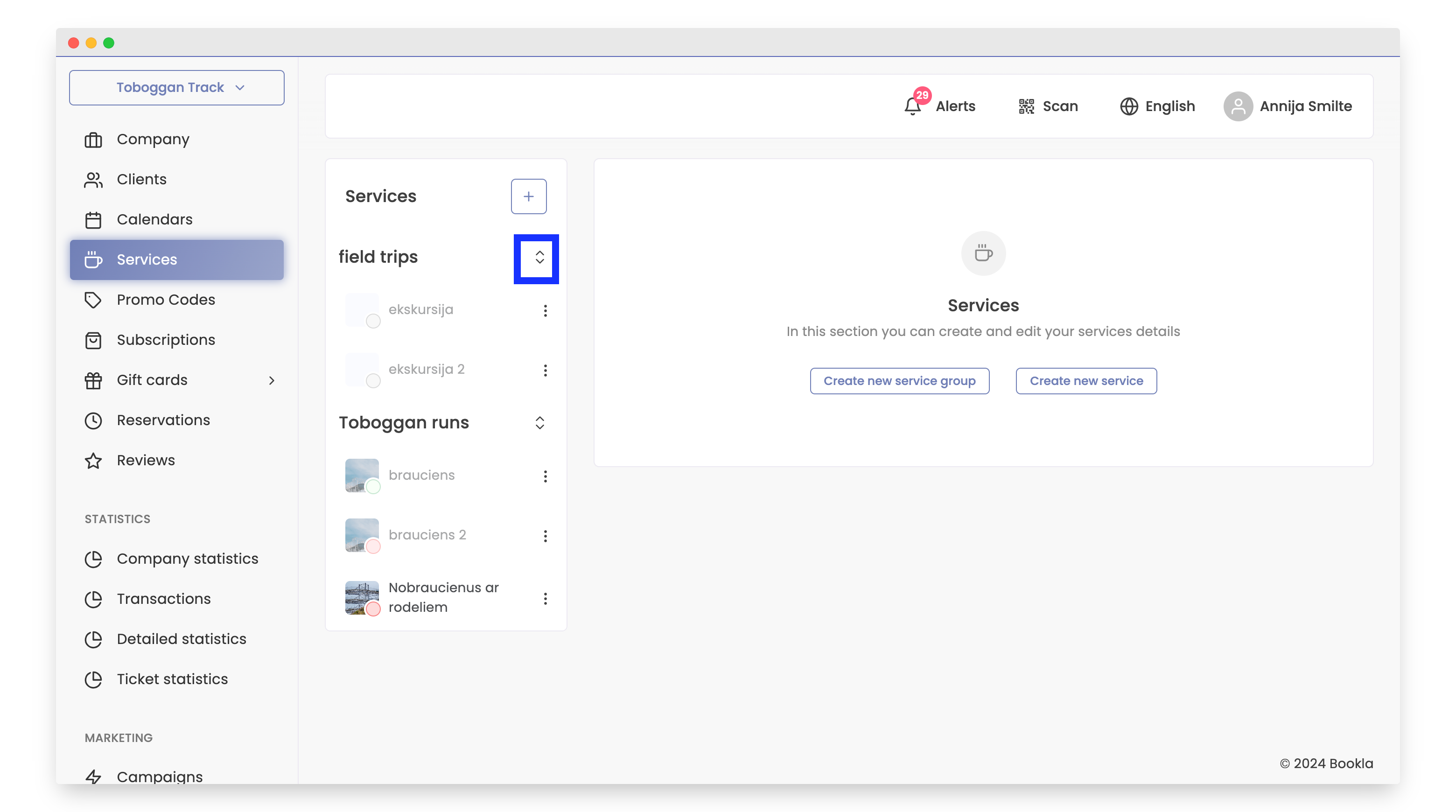
These are all the steps required to create service groups.
To move service groups, follow these steps:
Moving Service Groups
- Click and drag the service group to the desired location.
How to Add a Service to a Service Group
- Click on the desired service.
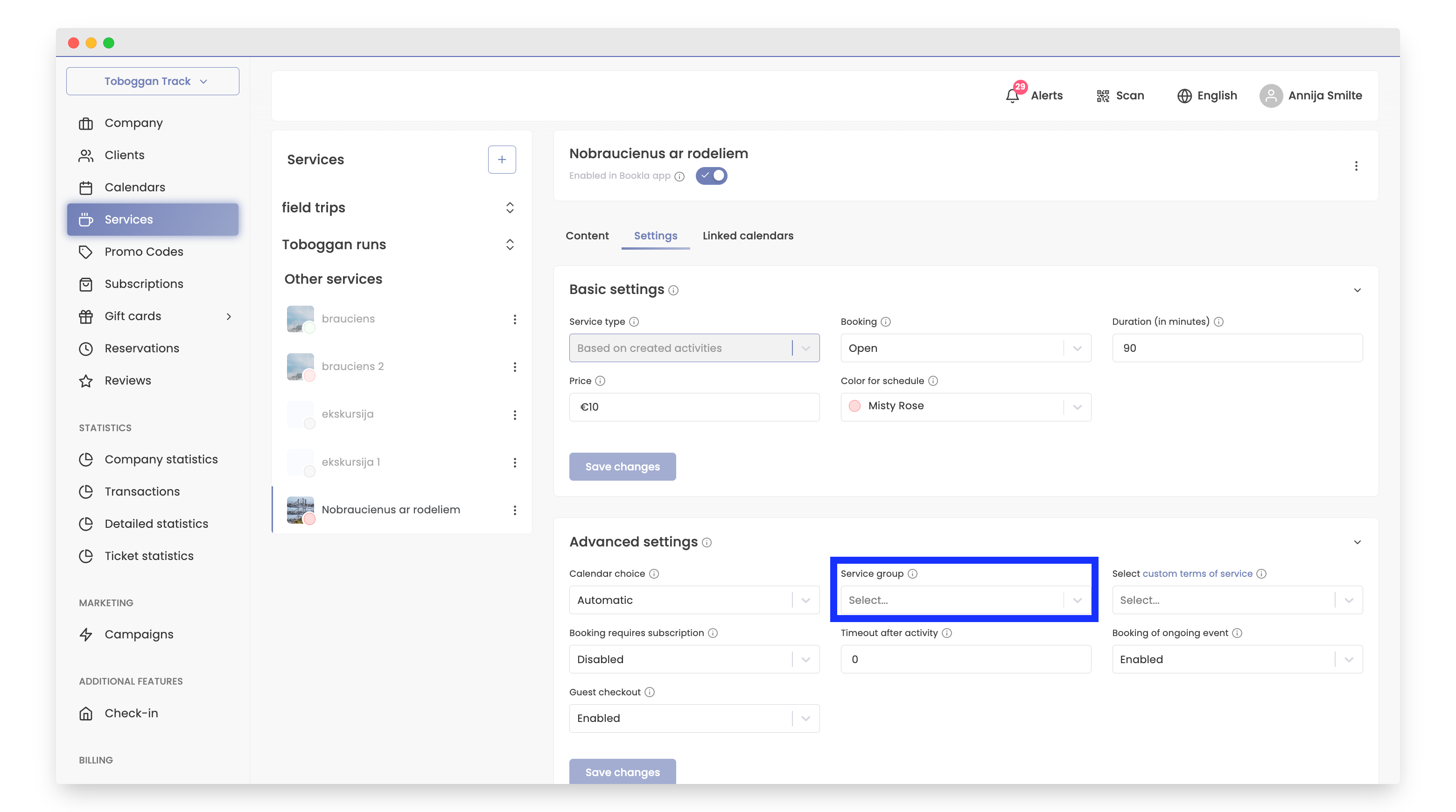
- Click "Settings".
- Navigate to the advanced settings.
- Click on "Service group".
- Select the service group and click "Save changes".