How to Change a Company's Working Hours
-
Open Bookla Portal
-
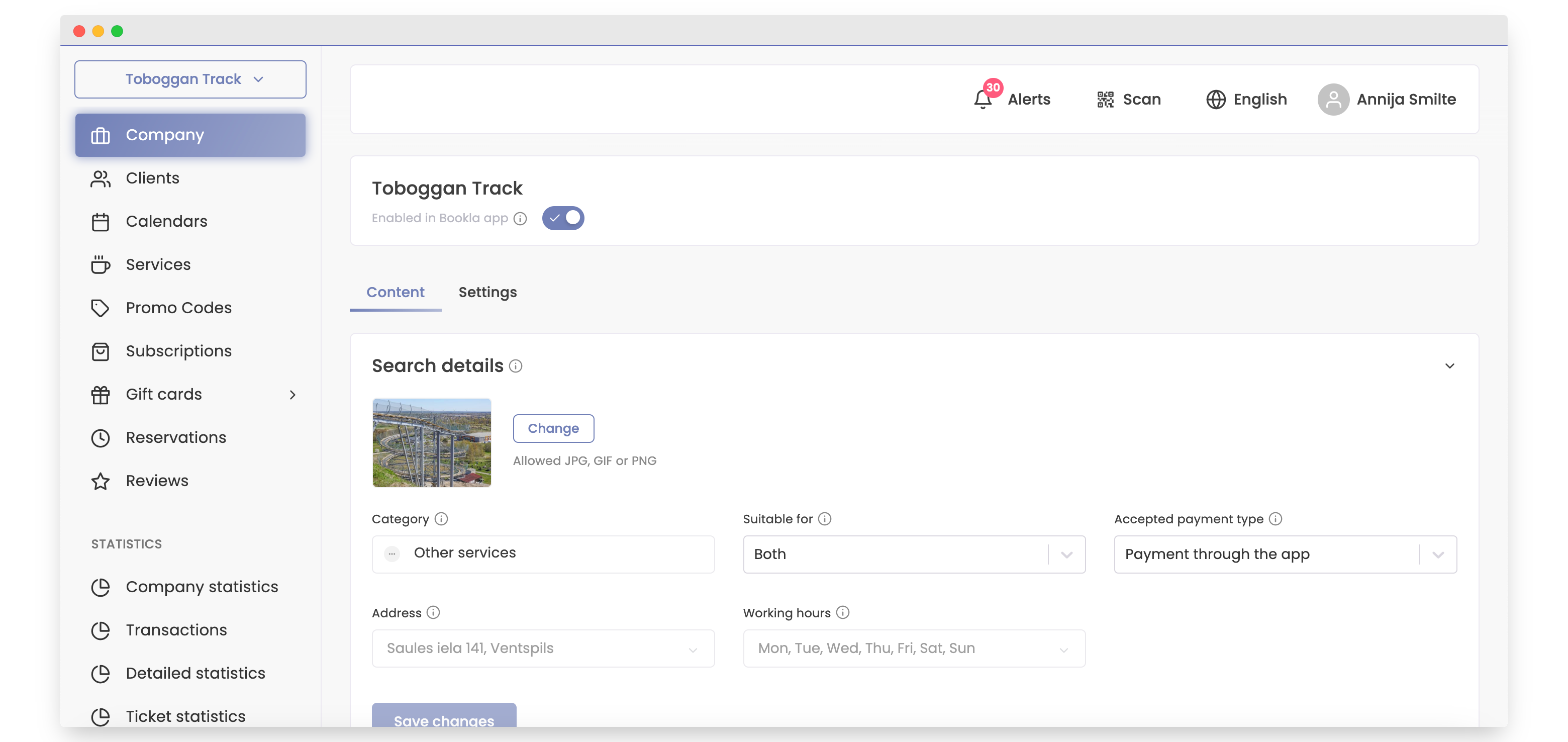
Go to the "Company" section.
-
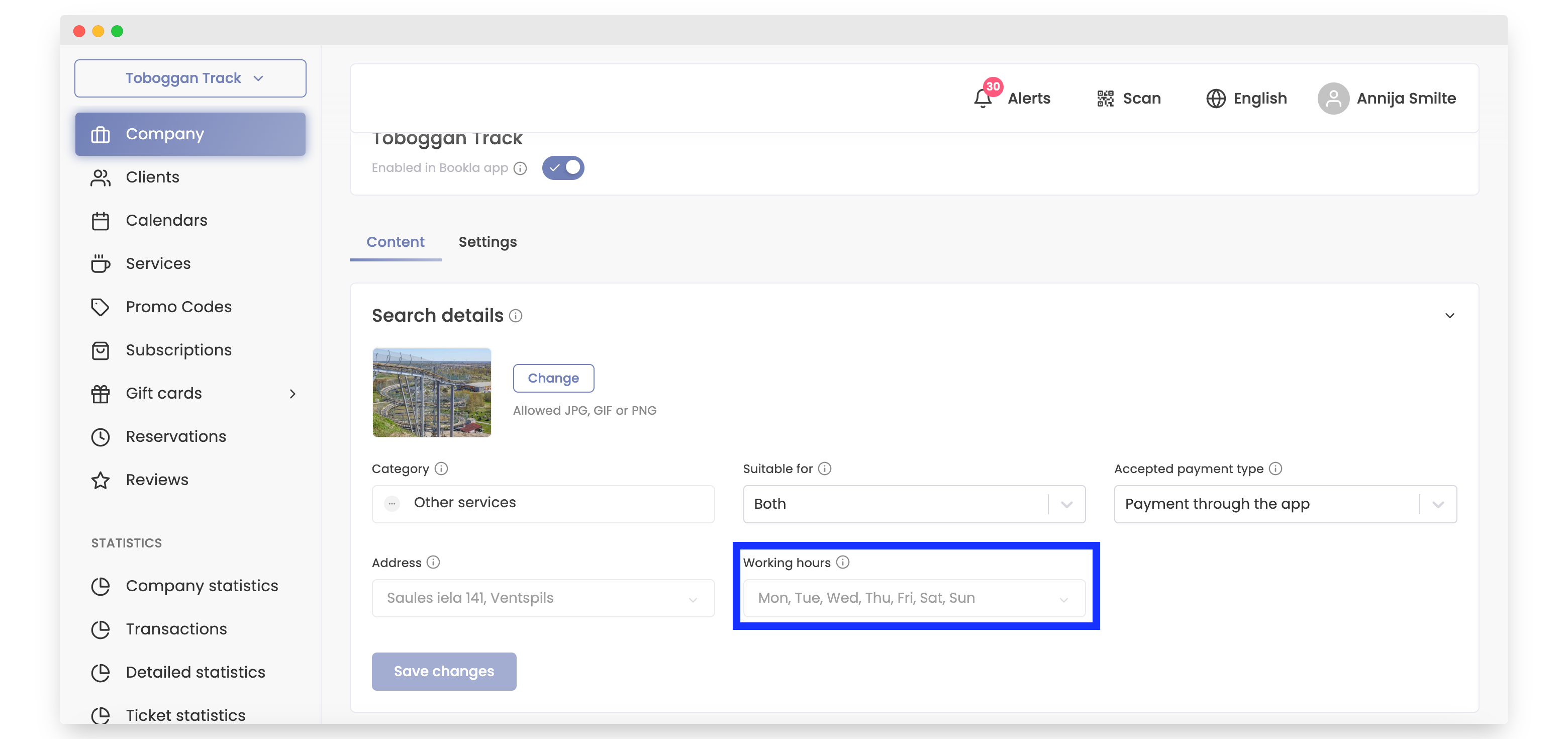
Click on "Working hours"
-
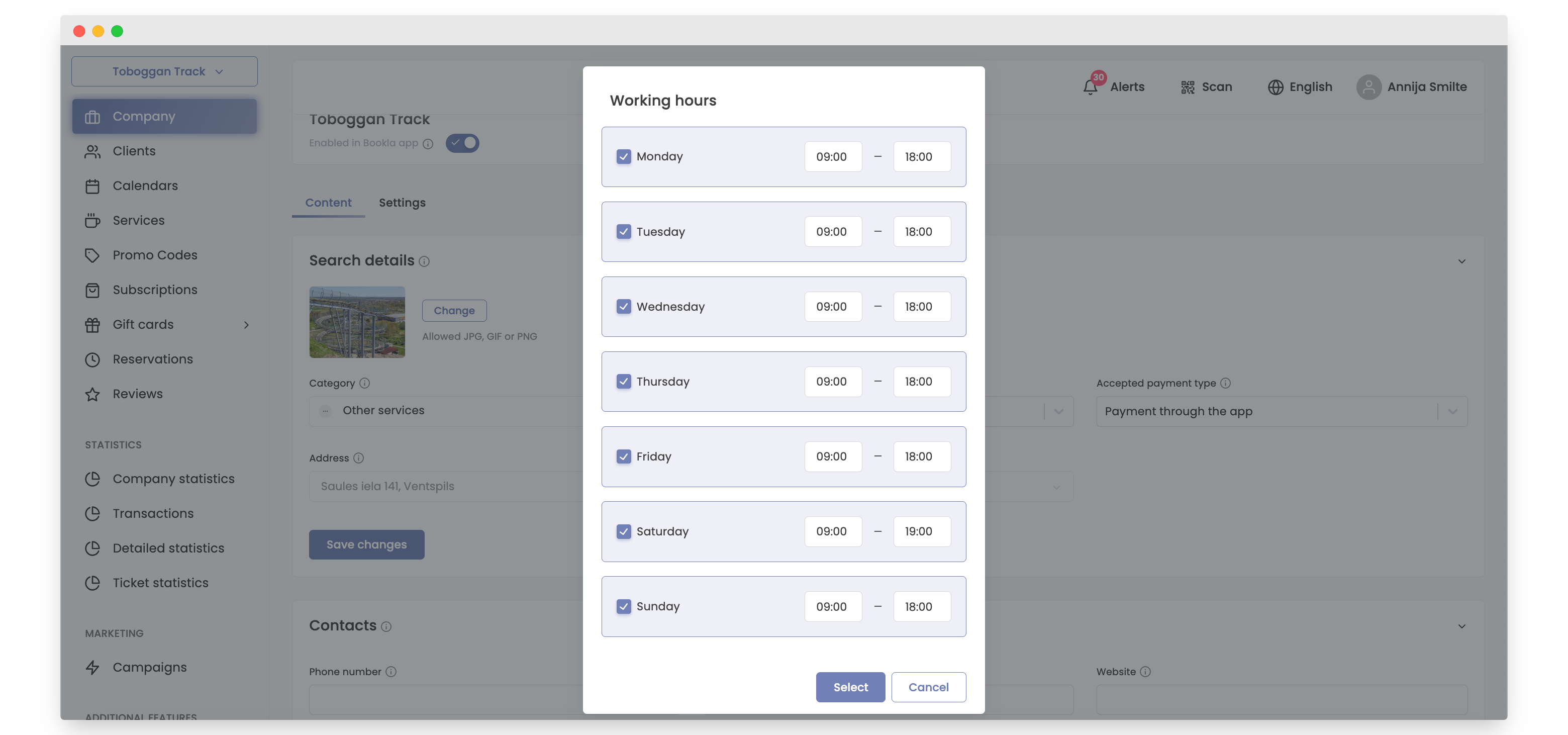
Change the hours and click "Select"
-
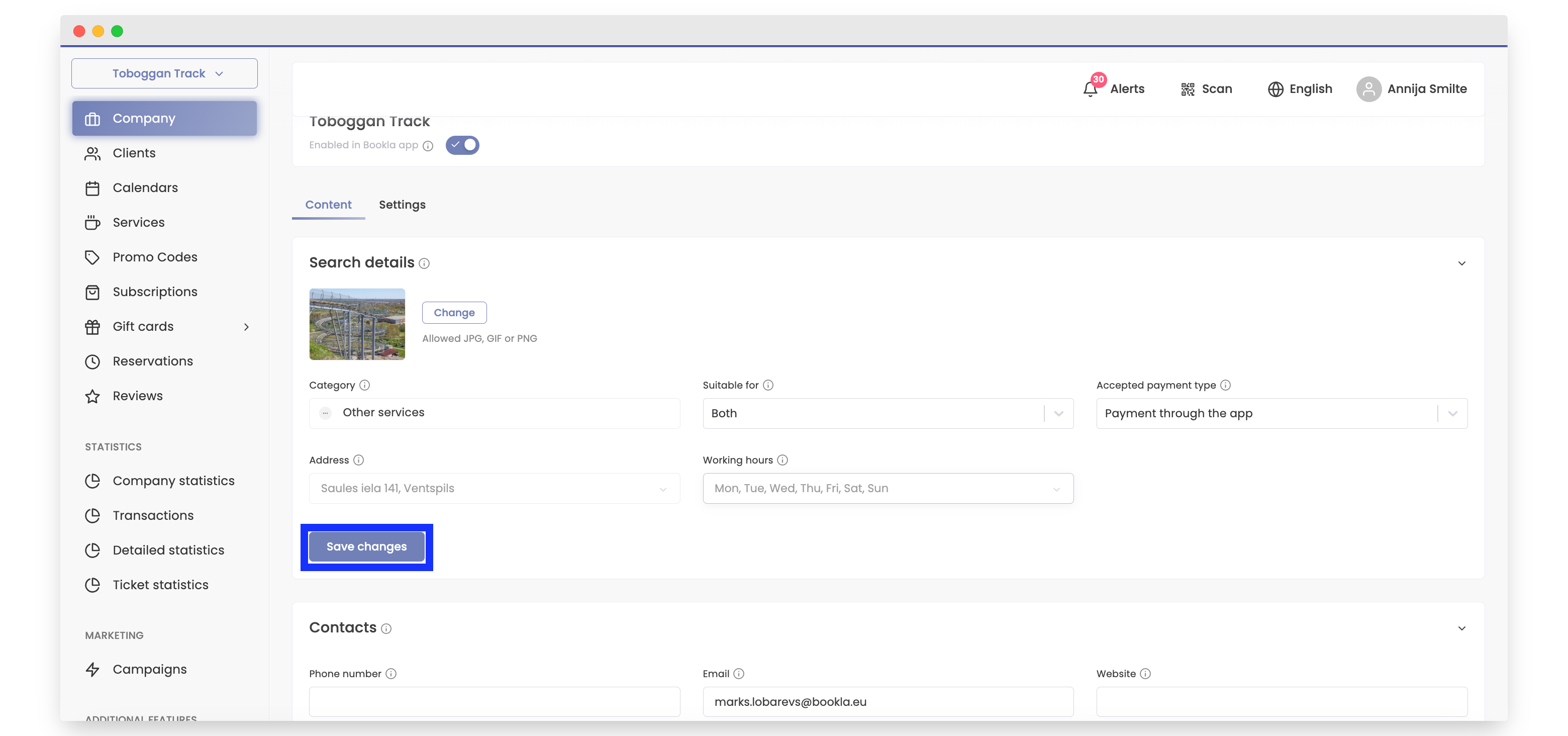
To save the changes, click "Save changes"
Open Bookla Portal
Go to the "Company" section.
Click on "Working hours"
Change the hours and click "Select"
To save the changes, click "Save changes"