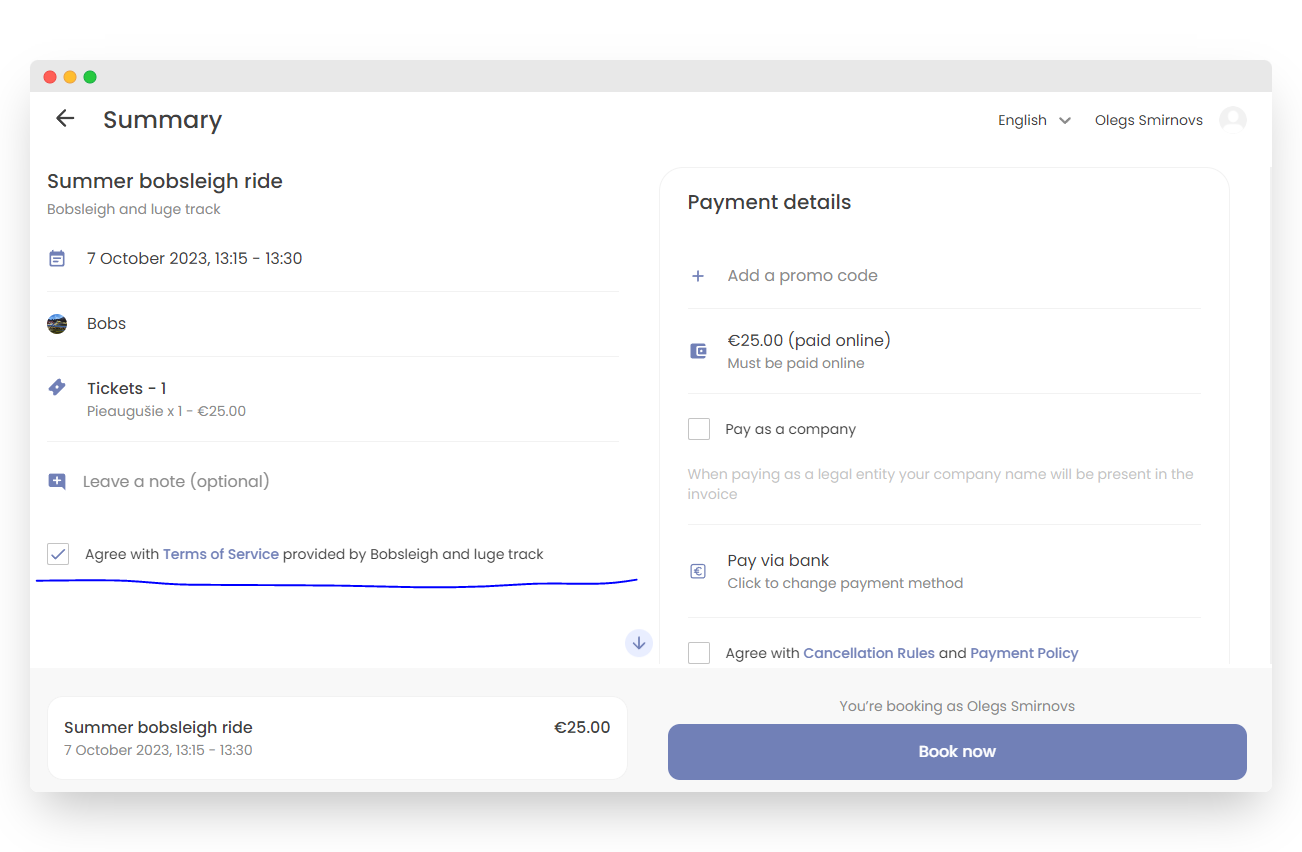
Customizable terms of use
Often, in order for a customer to use the company’s services, it is necessary for them to familiarize themselves with and agree to the terms of service. The terms of use for the Bookla system can be created separately for each service.
Here’s how to create and attach terms:
- Open Bookla Portal
- Go to the "Company" section.
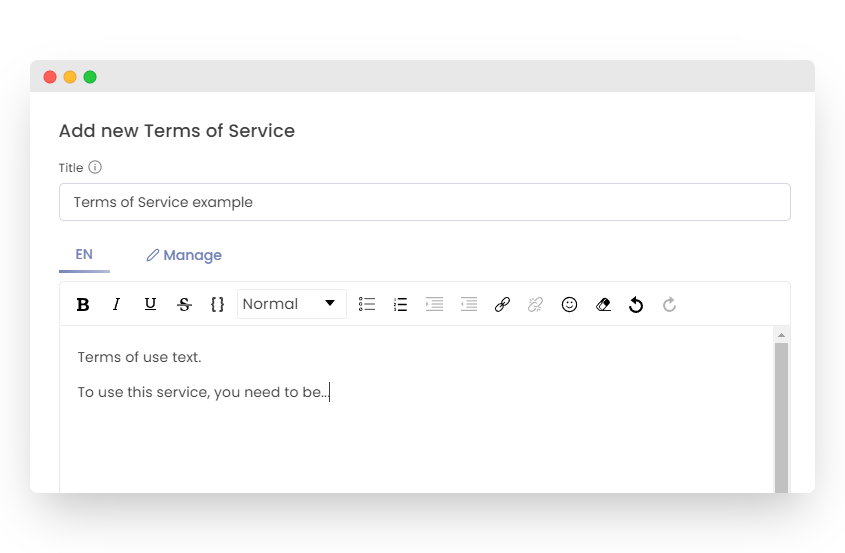
- In the “Settings” tab, click “Add” to create new terms.
- Specify the term’s name and define the service-specific terms.
- Utilize the built-in text editor for formatting.
- Save the terms once they are ready.
To attach terms to a particular service:
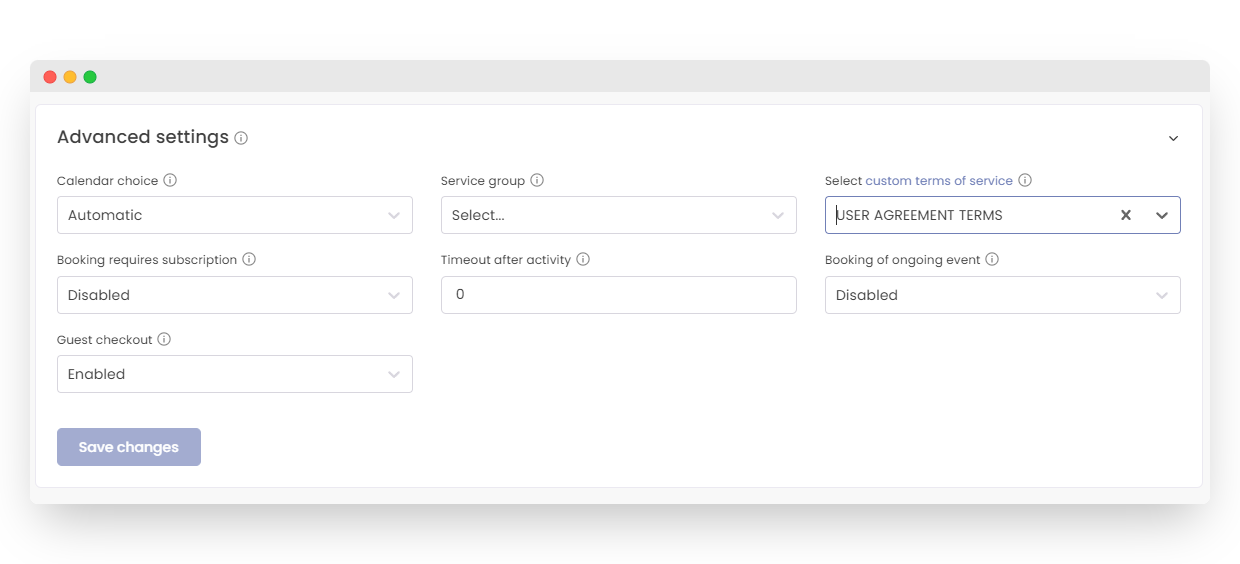
- Go to “Services” > “Settings” > “Advanced Settings.”
- Select “Custom Terms of Service” for the desired service.
- Choose the relevant “Terms of Service” from the list.
- Click “Save”.
Users must agree to these terms to proceed with purchasing or reserving the service.