How to create promo codes
Promo codes are special codes that your clients can use when shopping on Bookla to receive discounts or special offers. To create them, you will need to select a discount type and provide information about the promo code, including its code type and the active duration from when it is valid ('active from') to when it expires ('active till').
How to create promo codes in bookla
- Open Bookla Portal
- Go to the "Promo Codes" section.
- Click on "Create new code".
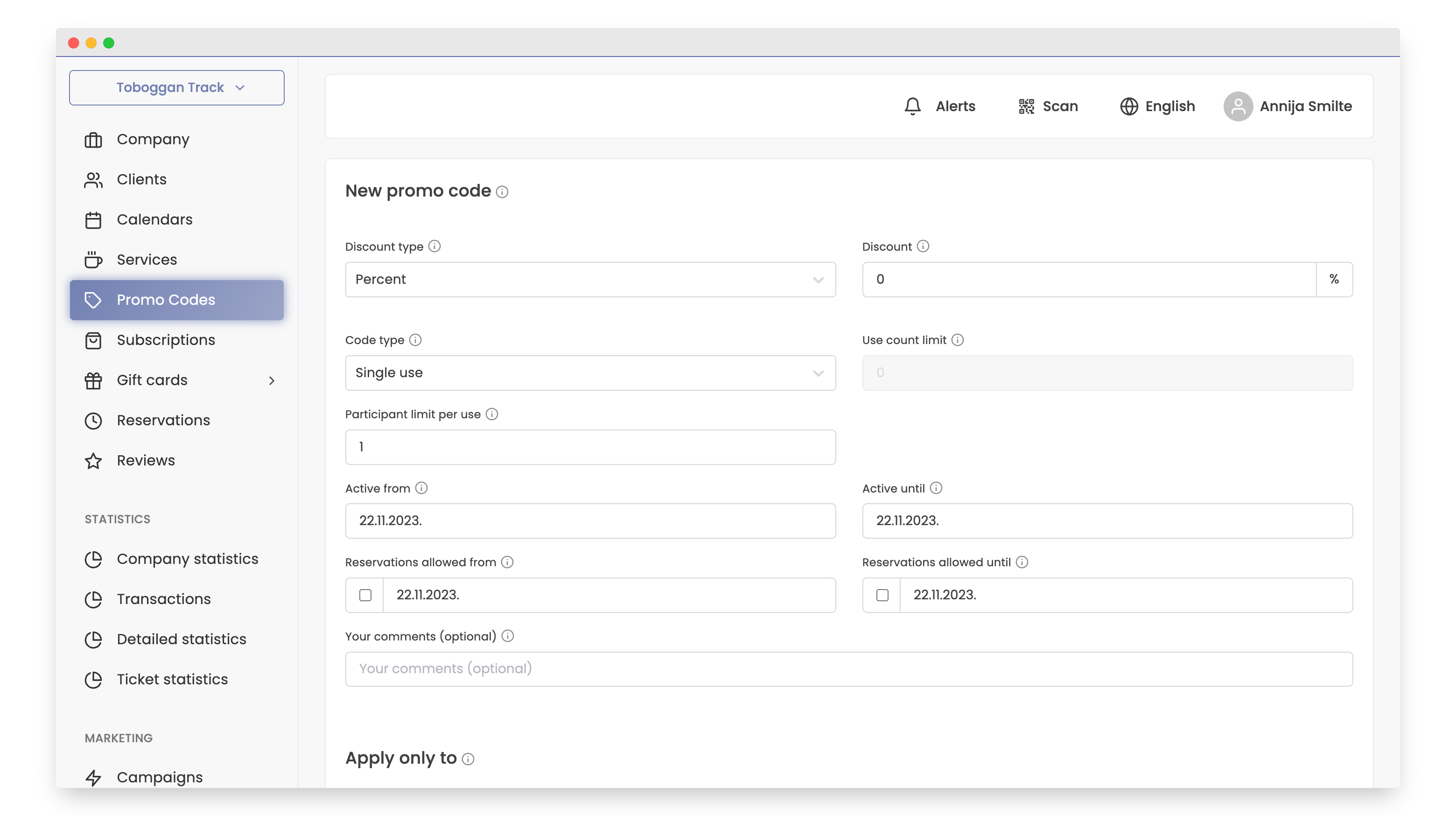
- Fill in all the necessary fields under the text "New promo code" :
- choose the discount type: percentage, amount, or deductible amount.
- Enter the discount amount or percentage you want to offer to customers.
- Choose the code type.
- Set usage restrictions if you have chosen “Limited use count”.
- Enter the participant limit per use; if there are no restrictions, enter "0".
- Select “Active from” and “Active until” to determine the duration of the promo code.
- If you want, enter "Reservations allowed from” and "Reservations allowed until” to set the reservation period with the code.
- Add a comment if you wish.
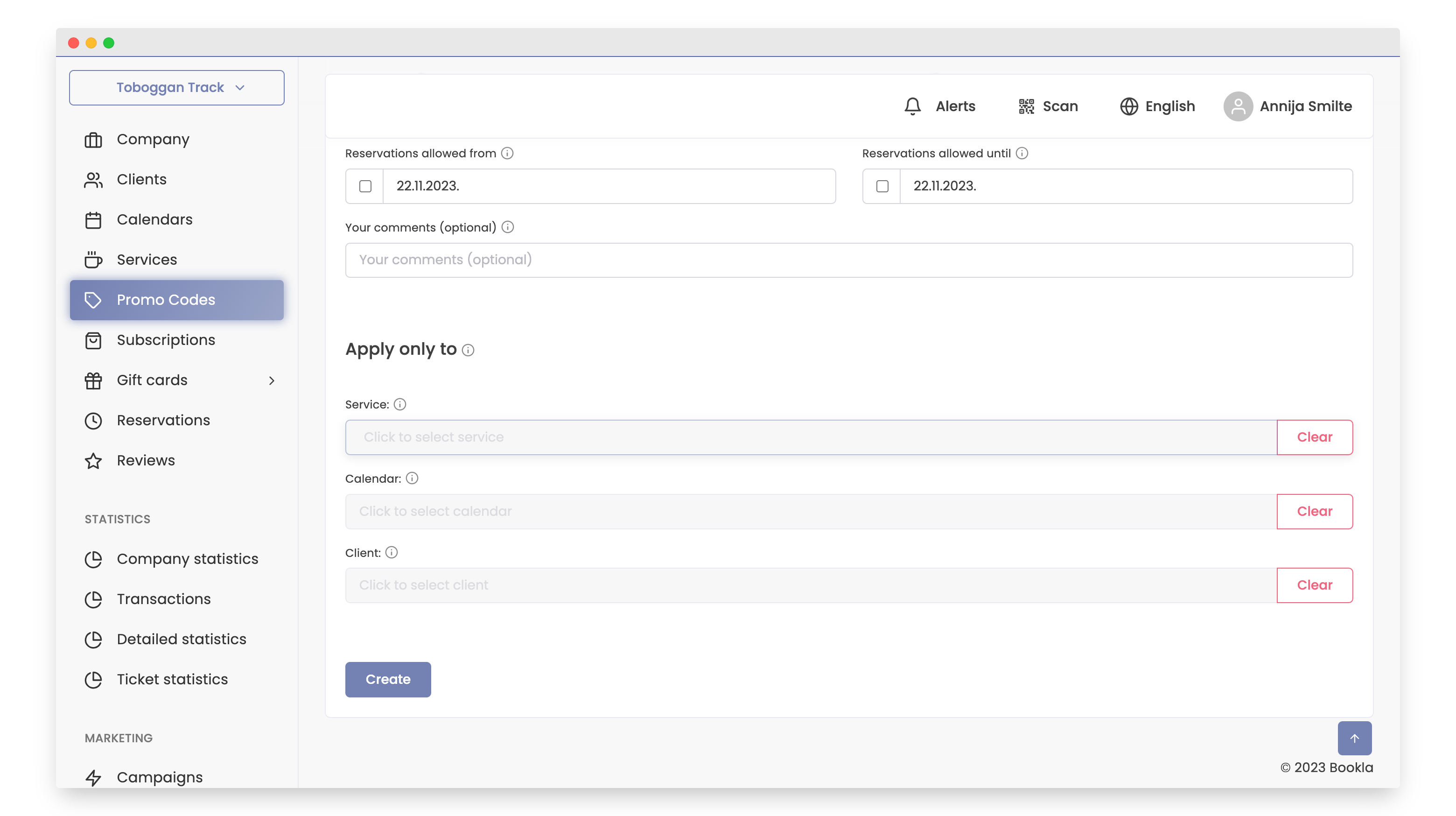
5.If you want, choose the service, calendar, or client to whom you want to assign this promo code. 6. Click on "Create”.
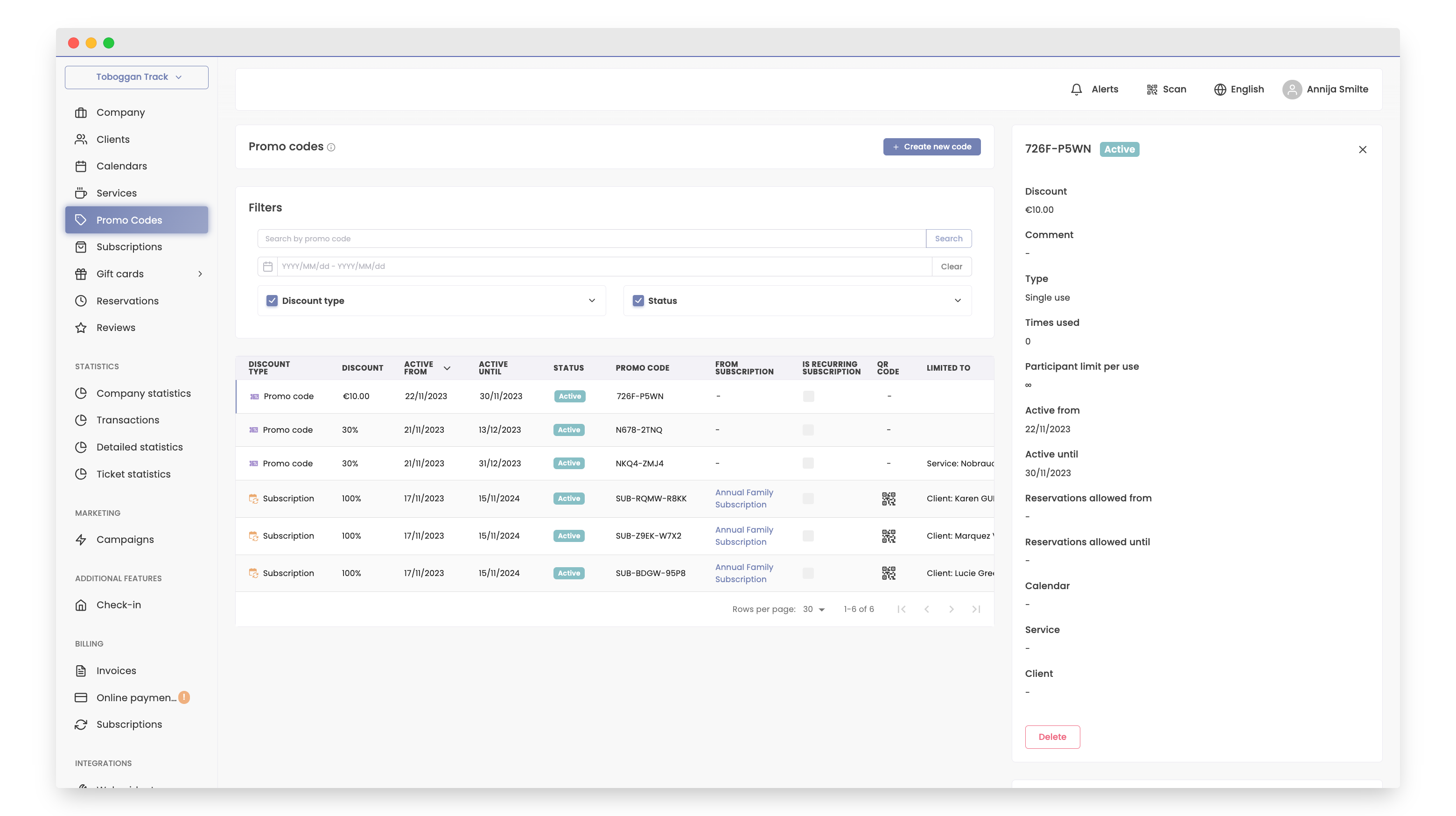
- You will immediately see the created promo code in the "Promo codes” section.
That's it! Your promo code has been successfully created! Creating a promo code with Bookla is very easy.